
About
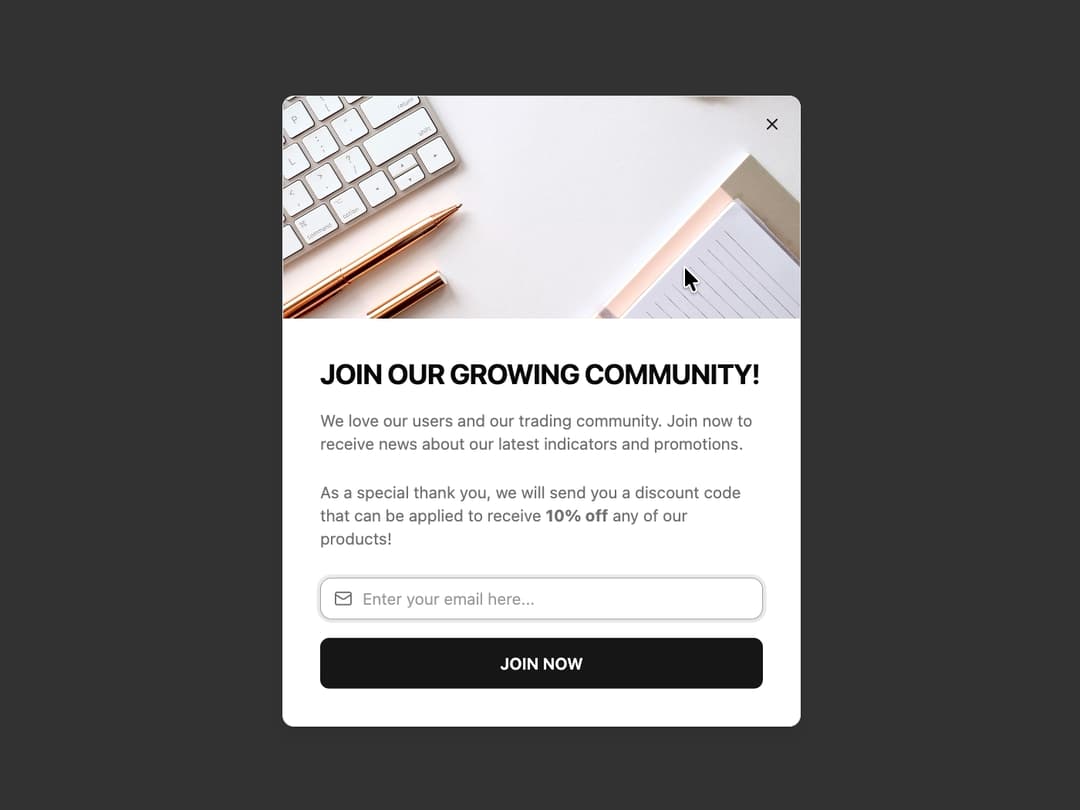
Newsletter Dialog A promotional dialog component designed to capture user sign-ups for a newsletter. It features a prominent image, customizable text sections, an email input field, and a call-to-action button, all wrapped in an animated, accessible modal.
Built with React and Tailwind. Copy the prompt and paste it into Claude Code, Cursor or Lovable: your agent adds Newsletter Dialog to your project and fits it to your theme.
Code
How Newsletter Dialog is used: the demo's code. The component's own source comes with a free account.
Usage.tsx
// demo.tsx
"use client";

import * as React from "react";
import { NewsletterDialog } from "@/components/ui/newsletter-dialog";
import { Button } from "@/components/ui/button";

export default function NewsletterDialogDemo() {
  // State to control the dialog visibility
  const [isOpen, setIsOpen] = React.useState(false);

  // Handler for the subscription action
  const handleSubscribe = (email: string) => {
    console.log(`Subscribed with email: ${email}`);
    // Here you would typically make an API call
    alert(`Thank you for subscribing, ${email}!`);
  };

  return (
    <div className="flex min-h-[300px] items-center justify-center">
      <NewsletterDialog
        open={isOpen}
        onOpenChange={setIsOpen}
        imageSrc="https://cdn.21st.dev/assets/mirror/29/299f8c1585b25292c01e94aa8f15dbb71062ae7ecf15ac7ede45962f7275c77b.jpg"
        title="JOIN OUR GROWING COMMUNITY!"
        description={
          <>
            We love our users and our trading community. Join now to receive news
            about our latest indicators and promotions.
          </>
        }
        promoText={
          <>
            As a special thank you, we will send you a discount code that can be
            applied to receive <strong>10% off</strong> any of our products!
          </>
        }
        buttonText="JOIN NOW"
        onSubscribe={handleSubscribe}
        trigger={
            <Button
              variant="outline"
              onClick={() => setIsOpen(true)}
            >
              Show Newsletter Dialog
            </Button>
        }
        // Apply a custom green color to the button inside the dialog
        // Note: This requires custom styling or a theme extension.
        // For simplicity, we can use a CSS class or style prop if the component supports it.
        // The component above uses the default `primary` button color.
      />
    </div>
  );
}
Dependencies
More by Ravi Katiyar
View all

Animated Shader Hero
3.7K
Hero
3.1K
Circular Gallery
2.7K
Minimalist Hero
2.5K
Floating Icons Hero Section
1.9K
Glass Calendar
1.8K
Feature Carousel
1.7K
AI Image Generator Hero
1.4K
More in CTAs
View all

Call to Action 01
48

CTA 3
403

Call To Action
39

Responsive Hero Banner
2K
Call to Action
22
Single Plan Pricing Card
17

Hero
1.2K
Call to action
172

