
About
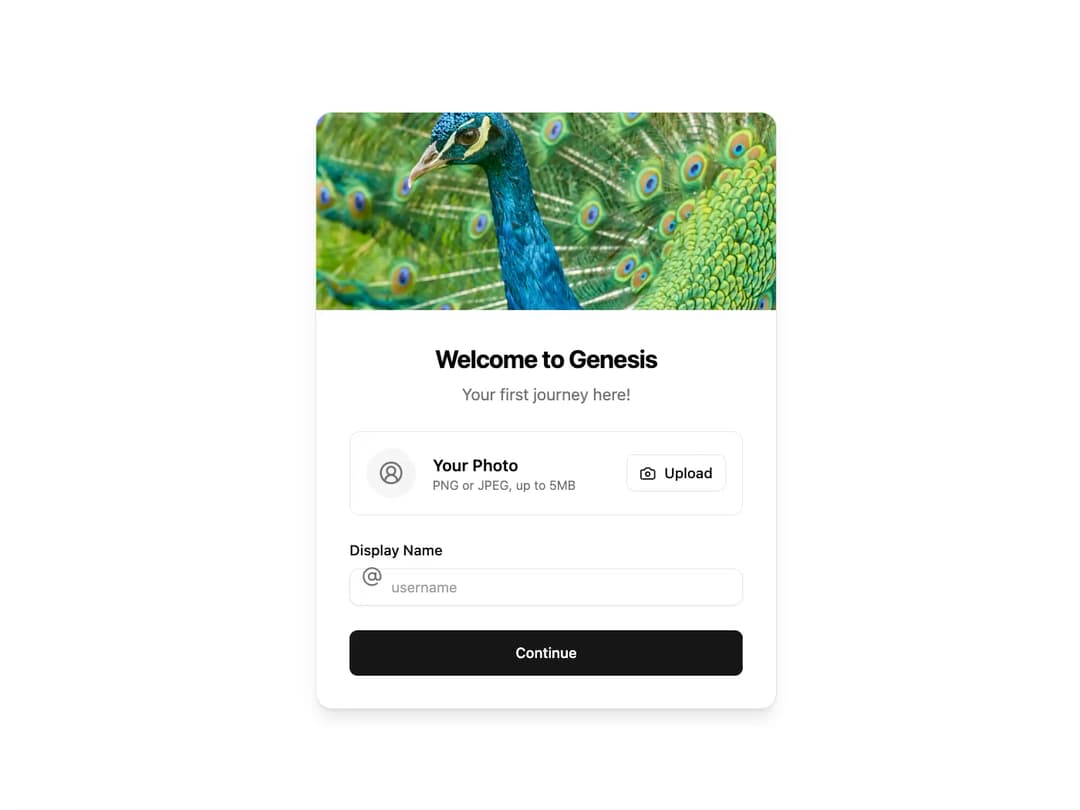
Onboarding Card A visually engaging, animated card component for user onboarding flows. It includes fields for profile picture upload and username entry, designed to be easily integrated into any welcome or setup screen.
Built with React and Tailwind. Copy the prompt and paste it into Claude Code, Cursor or Lovable: your agent adds Onboarding to your project and fits it to your theme.
Code
How Onboarding is used: the demo's code. The component's own source comes with a free account.
Usage.tsx
import * as React from "react";
import { OnboardingCard } from "@/components/ui/onboarding";

/**
 * A demo component to showcase the OnboardingCard.
 */
export default function OnboardingCardDemo() {
  const [displayName, setDisplayName] = React.useState("");
  const [isLoading, setIsLoading] = React.useState(false);

  // Handler for the display name input change
  const handleDisplayNameChange = (e: React.ChangeEvent<HTMLInputElement>) => {
    // Basic validation: allow only alphanumeric characters and underscores
    const validUsername = e.target.value.replace(/[^a-zA-Z0-9_]/g, "");
    setDisplayName(validUsername);
  };

  // Placeholder function for upload button click
  const handleUploadClick = () => {
    alert("Upload button clicked!");
  };

  // Placeholder function for continue button click
  const handleContinueClick = () => {
    if (!displayName) {
      alert("Please enter a display name.");
      return;
    }
    setIsLoading(true);
    console.log("Continuing with display name:", displayName);
    // Simulate an API call
    setTimeout(() => {
      setIsLoading(false);
      alert(`Welcome, ${displayName}!`);
    }, 2000);
  };

  return (
    <div className="flex min-h-screen w-full items-center justify-center bg-background p-4">
      <OnboardingCard
        heroImageSrc="https://cdn.21st.dev/assets/mirror/c0/c0f24b822e66a5170cf058da73c840b71b98d67e2c72f81abe857168292d4ff4.jpg"
        title="Welcome to Genesis"
        subtitle="Your first journey here!"
        displayName={displayName}
        onDisplayNameChange={handleDisplayNameChange}
        onUploadClick={handleUploadClick}
        onContinueClick={handleContinueClick}
        isLoading={isLoading}
      />
    </div>
  );
}
Dependencies
More by Ravi Katiyar
View all

Animated Shader Hero
3.7K
Hero
3.1K
Circular Gallery
2.7K
Minimalist Hero
2.5K
Floating Icons Hero Section
1.9K
Glass Calendar
1.8K
Feature Carousel
1.7K
AI Image Generator Hero
1.4K
More in Buttons
View all
Button Save
46

Button
20

Eclipse Button
5

Button
6

Button
14

Button Group
37

Button
32
Split Button
32

