
About
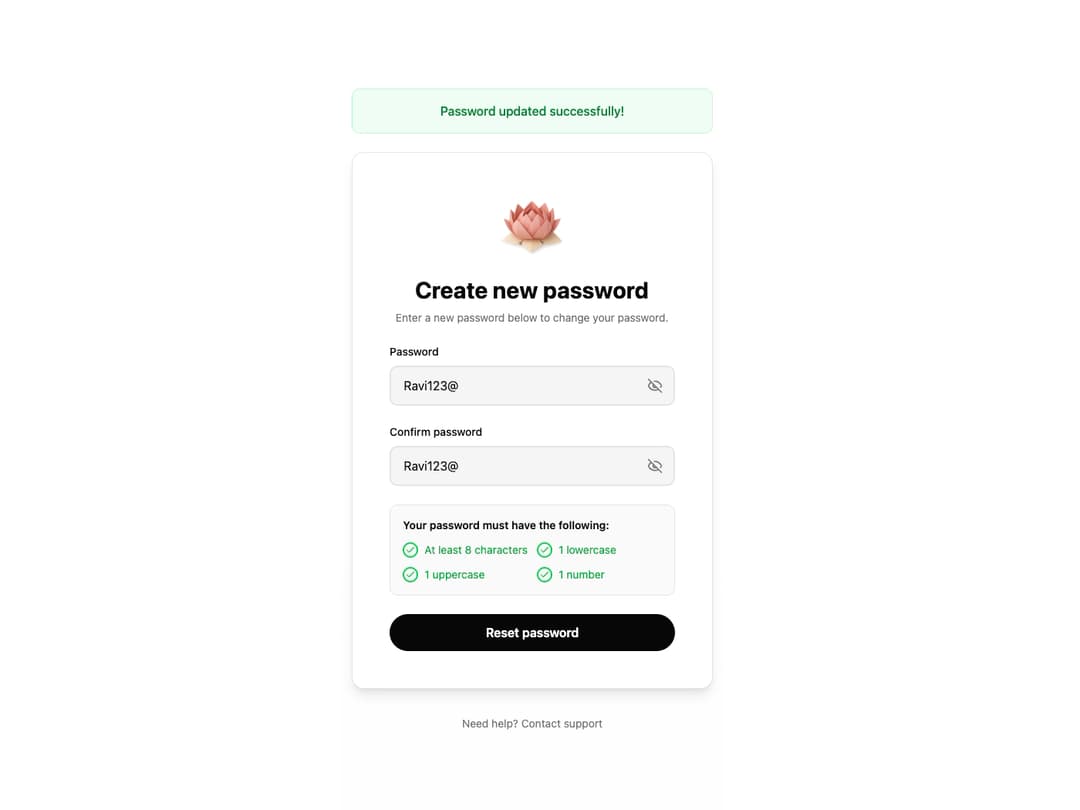
Password Reset Form is a production-ready password reset component with intelligent validation and premium animations. It features real-time requirement checking with smooth staggered animations, focus-driven input styling, and password visibility toggles. The component accepts fully customizable requirements via props, making it adaptable to any password policy.
Built with React and Tailwind. Copy the prompt and paste it into Claude Code, Cursor or Lovable: your agent adds Password Reset Form to your project and fits it to your theme.
Code
How Password Reset Form is used: the demo's code. The component's own source comes with a free account.
Usage.tsx
"use client"

import { PasswordResetForm } from "@/components/ui/password-reset-form"
import { useState } from "react"

export default function PasswordResetFormDemo() {
  const [successMessage, setSuccessMessage] = useState("")
  const [isLoading, setIsLoading] = useState(false)

  const handleSubmit = async (password: string) => {
    setIsLoading(true)
    // Simulate API call
    await new Promise((resolve) => setTimeout(resolve, 1500))
    setIsLoading(false)
    setSuccessMessage("Password reset successfully!")
    setTimeout(() => setSuccessMessage(""), 4000)
  }

  return (
    <div className="min-h-screen bg-gradient-to-b from-background via-background to-muted/20 flex items-center justify-center p-4">
      <div className="w-full max-w-lg">
        {successMessage && (
          <div className="mb-6 p-4 rounded-lg bg-green-50 dark:bg-green-950 border border-green-200 dark:border-green-800 text-green-700 dark:text-green-300 text-center font-medium animate-in fade-in slide-in-from-top-4 duration-500">
            {successMessage}
          </div>
        )}

        <div className="bg-card border border-border rounded-2xl p-8 sm:p-12 shadow-lg backdrop-blur-sm animate-in fade-in slide-in-from-bottom-8 duration-700">
          <PasswordResetForm
            logoUrl="https://www.thiings.co/_next/image?url=https%3A%2F%2Flftz25oez4aqbxpq.public.blob.vercel-storage.com%2Fimage-NvuimEhy9T471ZGl9H3KIhaiwgsfcq.png&w=1000&q=75"
            title="Create new password"
            description="Enter a new password below to change your password."
            onSubmit={handleSubmit}
            isLoading={isLoading}
            onSuccess={() => {
              setSuccessMessage("Password updated successfully!")
              setTimeout(() => setSuccessMessage(""), 4000)
            }}
          />
        </div>

        <div className="mt-8 text-center">
          <button className="text-sm text-muted-foreground hover:text-foreground transition-colors duration-200">
            Need help? Contact support
          </button>
        </div>
      </div>
    </div>
  )
}
Dependencies
More by Ravi Katiyar
View all

Animated Shader Hero
3.7K
Hero
3.1K
Circular Gallery
2.7K
Minimalist Hero
2.5K
Floating Icons Hero Section
1.9K
Glass Calendar
1.8K
Feature Carousel
1.7K
AI Image Generator Hero
1.4K
More in Forms
View all

Premium Auth
500

Login 1
52
Authentication Card
47

Book A Demo 3
83
Book A Demo 1
69

Contact Card
1K

Login Card
32

Login 2
7
