
About
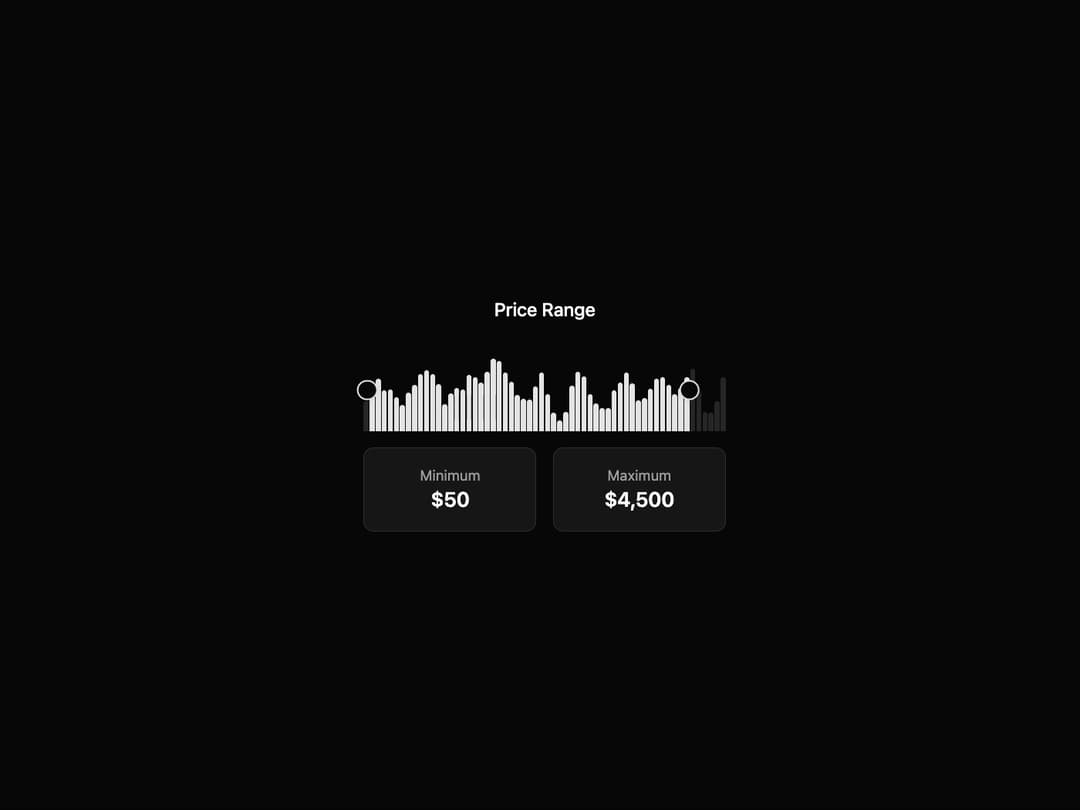
Range Slider A responsive and accessible price range slider with a histogram visualization. It allows users to select a numeric range with interactive handles and provides clear visual feedback on the selected values and data distribution.
Built with React and Tailwind. Copy the prompt and paste it into Claude Code, Cursor or Lovable: your agent adds Range Slider to your project and fits it to your theme.
Code
How Range Slider is used: the demo's code. The component's own source comes with a free account.
Usage.tsx
import * as React from 'react';
import { PriceRangeSlider } from '@/components/ui/range-slider';

// Generate some random data for the histogram visualization
const generateHistogramData = (length: number): number[] => {
  const data = Array.from({ length }, () => Math.random());
  // Smooth the data for a more natural look
  for (let i = 1; i < length - 1; i++) {
    data[i] = (data[i - 1] + data[i] + data[i + 1]) / 3;
  }
  return data;
};

const PriceRangeSliderDemo = () => {
  // Memoize data generation so it doesn't run on every render
  const histogramData = React.useMemo(() => generateHistogramData(60), []);

  const [range, setRange] = React.useState<[number, number]>([50, 4500]);

  return (
    <div className="w-full max-w-md mx-auto p-8 rounded-lg">
      <PriceRangeSlider
        data={histogramData}
        min={0}
        max={5000}
        step={50}
        defaultValue={[50, 4500]}
        onValueChange={(newRange) => {
          setRange(newRange);
          console.log("New range:", newRange);
        }}
      />
    </div>
  );
};

export default PriceRangeSliderDemo;More by Ravi Katiyar
View all

Animated Shader Hero
3.7K
Hero
3.1K
Circular Gallery
2.7K
Minimalist Hero
2.5K
Floating Icons Hero Section
1.9K
Glass Calendar
1.8K
Feature Carousel
1.7K
AI Image Generator Hero
1.4K