
About
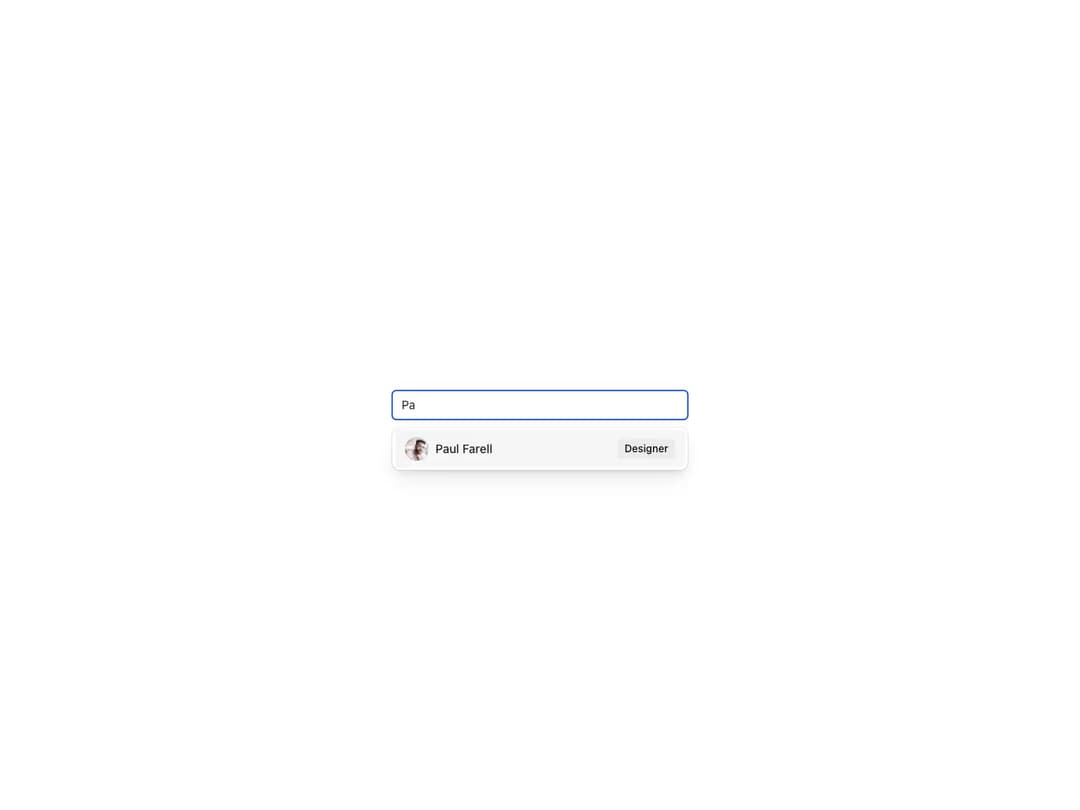
Renders a TextField and a list of suggested values using Autocomplete.Item compound components. The list is shown when the user focuses the field and hidden once they select a value. Supports filtering, custom item composition with slots, multiline start slot and FormControl integration.
Built with React and Tailwind. Copy the prompt and paste it into Claude Code, Cursor or Lovable: your agent adds Reshaped Autocomplete to your project and fits it to your theme.
Code
How Reshaped Autocomplete is used: the demo's code. The component's own source comes with a free account.
Usage.tsx
import * as React from "react";
import { Avatar, Badge, Reshaped } from "reshaped/bundle";
import type { AutocompleteProps } from "reshaped/bundle";
import Autocomplete from "@/components/ui/reshaped-autocomplete";

const options = [
  {
    title: "Paul Farell",
    role: "Designer",
    photo: "https://cdn.21st.dev/assets/mirror/62/62a1075a7a996793d5c7f94d9a24f8aea6a973a996fb7344a9325aff68b48e26.png",
  },
  {
    title: "Esther Naomi",
    role: "Developer",
    photo: "https://cdn.21st.dev/assets/mirror/07/07bd7fa5f00c5ebf5db5c40b0e1b175622f4f6b8054165e6b782175867656b71.png",
  },
  {
    title: "Whitney Raynolds",
    role: "Developer",
    photo: "https://cdn.21st.dev/assets/mirror/f2/f23fd92cf416b04f7c34a6233e114269476bc4e8fe1b39469dc046468f0c4ab0.png",
  },
];

export default function Demo() {
  const [value, setValue] = React.useState("");
  const [selectedItem, setSelectedItem] = React.useState("");
  const handleChange: AutocompleteProps["onChange"] = (args) =>
    setValue(args.value);
  const handleItemSelect: AutocompleteProps["onItemSelect"] = (args) => {
    setSelectedItem(args.value);
    setValue("");
  };

  return (
    <Reshaped theme="slate">
      <div style={{ maxWidth: 400, width: "100%", margin: "0 auto", padding: 24 }}>
        <Autocomplete
          name="people"
          placeholder="Pick assignee"
          value={value}
          onChange={handleChange}
          onItemSelect={handleItemSelect}
          startSlot={selectedItem && <Badge>{selectedItem}</Badge>}
        >
          {options.map((option) => {
            const valueMatch = value.toLowerCase();
            const optionValue = option.title.toLowerCase();
            if (!optionValue.includes(valueMatch) || valueMatch === optionValue)
              return;
            return (
              <Autocomplete.Item
                key={option.title}
                value={option.title}
                startSlot={<Avatar src={option.photo} size={7} />}
                endSlot={<Badge>{option.role}</Badge>}
              >
                {option.title}
              </Autocomplete.Item>
            );
          })}
        </Autocomplete>
      </div>
    </Reshaped>
  );
}
Dependencies
More by reshaped
View all
Reshaped Toast
9
Reshaped Calendar
9
Reshaped Context menu
7
Reshaped Checkbox
7
Reshaped Progress indicator
6
Reshaped Pagination
6
Reshaped Carousel
6
Reshaped Slider
5
More in Forms
View all

Premium Auth
496
Authentication Card
45

Login 1
52

Login 2
7

Form
32

Card Studio
41

Login Card
32

Form
136
