About
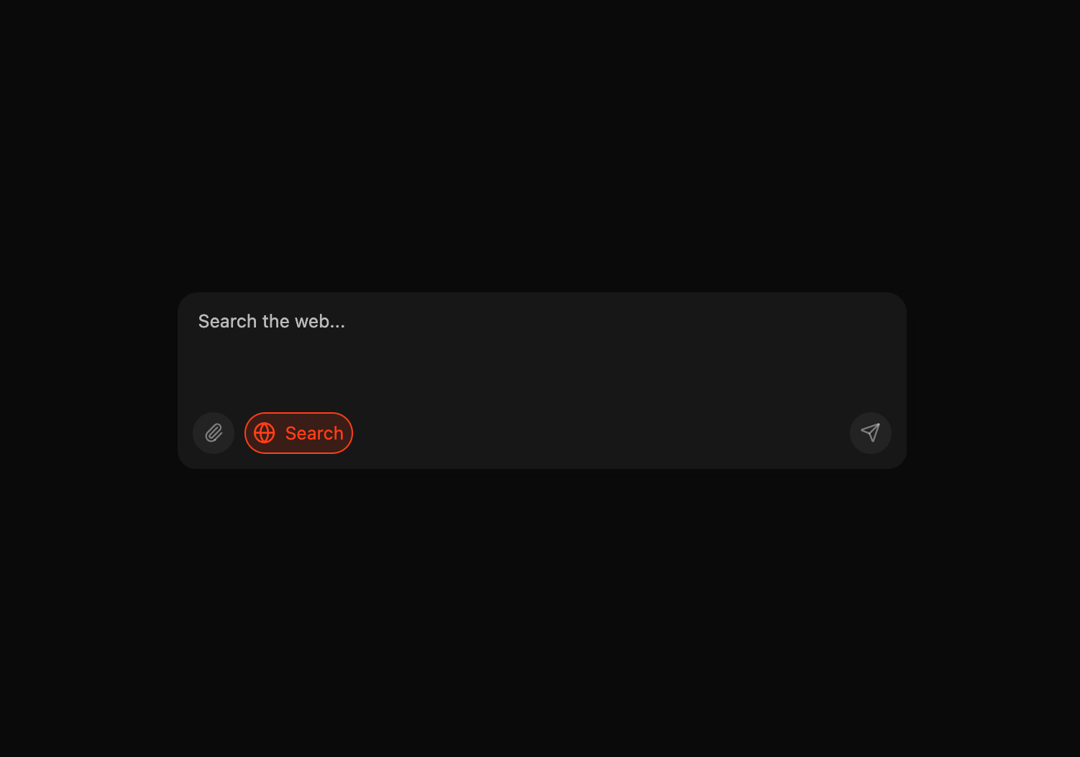
Here is Ai Input component
Built with React and Tailwind. Copy the prompt and paste it into Claude Code, Cursor or Lovable: your agent adds Ai Input to your project and fits it to your theme.
Code
How Ai Input is used: the demo's code. The component's own source comes with a free account.
Usage.tsx
"use client"

import { useCallback, useEffect, useRef, useState } from "react"
import Image from "next/image"
import { AnimatePresence, motion } from "framer-motion"
import { Globe, Paperclip, Plus, Send } from "lucide-react"

import { cn } from "@/lib/utils"
import { Textarea } from "@/components/ui/textarea"

interface UseAutoResizeTextareaProps {
  minHeight: number
  maxHeight?: number
}

function useAutoResizeTextarea({
  minHeight,
  maxHeight,
}: UseAutoResizeTextareaProps) {
  const textareaRef = useRef<HTMLTextAreaElement>(null)

  const adjustHeight = useCallback(
    (reset?: boolean) => {
      const textarea = textareaRef.current
      if (!textarea) return

      if (reset) {
        textarea.style.height = `${minHeight}px`
        return
      }

      textarea.style.height = `${minHeight}px`
      const newHeight = Math.max(
        minHeight,
        Math.min(textarea.scrollHeight, maxHeight ?? Number.POSITIVE_INFINITY)
      )

      textarea.style.height = `${newHeight}px`
    },
    [minHeight, maxHeight]
  )

  useEffect(() => {
    const textarea = textareaRef.current
    if (textarea) {
      textarea.style.height = `${minHeight}px`
    }
  }, [minHeight])

  useEffect(() => {
    const handleResize = () => adjustHeight()
    window.addEventListener("resize", handleResize)
    return () => window.removeEventListener("resize", handleResize)
  }, [adjustHeight])

  return { textareaRef, adjustHeight }
}

const MIN_HEIGHT = 48
const MAX_HEIGHT = 164

const AnimatedPlaceholder = ({ showSearch }: { showSearch: boolean }) => (
  <AnimatePresence mode="wait">
    <motion.p
      key={showSearch ? "search" : "ask"}
      initial={{ opacity: 0, y: 5 }}
      animate={{ opacity: 1, y: 0 }}
      exit={{ opacity: 0, y: -5 }}
      transition={{ duration: 0.1 }}
      className="pointer-events-none w-[150px] text-sm absolute text-black/70 dark:text-white/70"
    >
      {showSearch ? "Search the web..." : "Ask Skiper Ai..."}
    </motion.p>
  </AnimatePresence>
)

export default function AiInput() {
  const [value, setValue] = useState("")
  const { textareaRef, adjustHeight } = useAutoResizeTextarea({
    minHeight: MIN_HEIGHT,
    maxHeight: MAX_HEIGHT,
  })
  const [showSearch, setShowSearch] = useState(true)
  const [imagePreview, setImagePreview] = useState<string | null>(null)
  const fileInputRef = useRef<HTMLInputElement>(null)

  const handelClose = (e: any) => {
    e.preventDefault()
    e.stopPropagation()
    if (fileInputRef.current) {
      fileInputRef.current.value = "" // Reset file input
    }
    setImagePreview(null) // Use null instead of empty string
  }

  const handelChange = (e: any) => {
    const file = e.target.files ? e.target.files[0] : null
    if (file) {
      setImagePreview(URL.createObjectURL(file))
    }
  }

  const handleSubmit = () => {
    setValue("")
    adjustHeight(true)
  }

  useEffect(() => {
    return () => {
      if (imagePreview) {
        URL.revokeObjectURL(imagePreview)
      }
    }
  }, [imagePreview])
  return (
    <div className="w-full py-4">
      <div className="relative max-w-xl border rounded-[22px] border-black/5 p-1 w-full mx-auto">
        <div className="relative rounded-2xl border border-black/5 bg-neutral-800/5 flex flex-col">
          <div
            className="overflow-y-auto"
            style={{ maxHeight: `${MAX_HEIGHT}px` }}
          >
            <div className="relative">
              <Textarea
                id="ai-input-04"
                value={value}
                placeholder=""
                className="w-full rounded-2xl rounded-b-none px-4 py-3 bg-black/5 dark:bg-white/5 border-none dark:text-white resize-none focus-visible:ring-0 leading-[1.2]"
                ref={textareaRef}
                onKeyDown={(e) => {
                  if (e.key === "Enter" && !e.shiftKey) {
                    e.preventDefault()
                    handleSubmit()
                  }
                }}
                onChange={(e) => {
                  setValue(e.target.value)
                  adjustHeight()
                }}
              />
              {!value && (
                <div className="absolute left-4 top-3">
                  <AnimatedPlaceholder showSearch={showSearch} />
                </div>
              )}
            </div>
          </div>

          <div className="h-12 bg-black/5 dark:bg-white/5 rounded-b-xl">
            <div className="absolute left-3 bottom-3 flex items-center gap-2">
              <label
                className={cn(
                  "cursor-pointer relative rounded-full p-2 bg-black/5 dark:bg-white/5",
                  imagePreview
                    ? "bg-[#ff3f17]/15 border border-[#ff3f17] text-[#ff3f17]"
                    : "bg-black/5 dark:bg-white/5 text-black/40 dark:text-white/40 hover:text-black dark:hover:text-white"
                )}
              >
                <input
                  type="file"
                  ref={fileInputRef}
                  onChange={handelChange}
                  className="hidden"
                />
                <Paperclip
                  className={cn(
                    "w-4 h-4 text-black/40 dark:text-white/40 hover:text-black dark:hover:text-white transition-colors",
                    imagePreview && "text-[#ff3f17]"
                  )}
                />
                {imagePreview && (
                  <div className="absolute w-[100px] h-[100px] top-14 -left-4">
                    <Image
                      className="object-cover rounded-2xl"
                      src={imagePreview || "/picture1.jpeg"}
                      height={500}
                      width={500}
                      alt="additional image"
                    />
                    <button
                      onClick={handelClose}
                      className="bg-[#e8e8e8] text-[#464646] absolute -top-1 -left-1 shadow-3xl rounded-full rotate-45"
                    >
                      <Plus className="w-4 h-4" />
                    </button>
                  </div>
                )}
              </label>
              <button
                type="button"
                onClick={() => {
                  setShowSearch(!showSearch)
                }}
                className={cn(
                  "rounded-full transition-all flex items-center gap-2 px-1.5 py-1 border h-8",
                  showSearch
                    ? "bg-[#ff3f17]/15 border-[#ff3f17] text-[#ff3f17]"
                    : "bg-black/5 dark:bg-white/5 border-transparent text-black/40 dark:text-white/40 hover:text-black dark:hover:text-white"
                )}
              >
                <div className="w-4 h-4 flex items-center justify-center flex-shrink-0">
                  <motion.div
                    animate={{
                      rotate: showSearch ? 180 : 0,
                      scale: showSearch ? 1.1 : 1,
                    }}
                    whileHover={{
                      rotate: showSearch ? 180 : 15,
                      scale: 1.1,
                      transition: {
                        type: "spring",
                        stiffness: 300,
                        damping: 10,
                      },
                    }}
                    transition={{
                      type: "spring",
                      stiffness: 260,
                      damping: 25,
                    }}
                  >
                    <Globe
                      className={cn(
                        "w-4 h-4",
                        showSearch ? "text-[#ff3f17]" : "text-inherit"
                      )}
                    />
                  </motion.div>
                </div>
                <AnimatePresence>
                  {showSearch && (
                    <motion.span
                      initial={{ width: 0, opacity: 0 }}
                      animate={{
                        width: "auto",
                        opacity: 1,
                      }}
                      exit={{ width: 0, opacity: 0 }}
                      transition={{ duration: 0.2 }}
                      className="text-sm overflow-hidden whitespace-nowrap text-[#ff3f17] flex-shrink-0"
                    >
                      Search
                    </motion.span>
                  )}
                </AnimatePresence>
              </button>
            </div>
            <div className="absolute right-3 bottom-3">
              <button
                type="button"
                onClick={handleSubmit}
                className={cn(
                  "rounded-full p-2 transition-colors",
                  value
                    ? "bg-[#ff3f17]/15 text-[#ff3f17]"
                    : "bg-black/5 dark:bg-white/5 text-black/40 dark:text-white/40 hover:text-black dark:hover:text-white"
                )}
              >
                <Send className="w-4 h-4" />
              </button>
            </div>
          </div>
        </div>
      </div>
    </div>
  )
}
Dependencies
More by reuno-ui
View all
Hero
3.2K
Background Paper Shaders
2.4K
Text Scroll animation
1.4K
Svg follow scroll
1.3K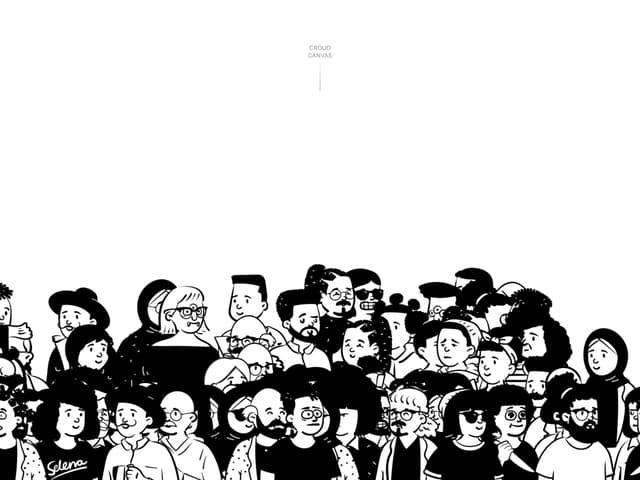
Canvas Crowd
1.1K
Slide Button
1K
Shader Svg
686
Hero Section
673
More in Buttons
View all
Button Save
46

Button
20

Eclipse Button
5

Button
32

Button
6

Button
14

Button Group
37
Split Button
32

