
About
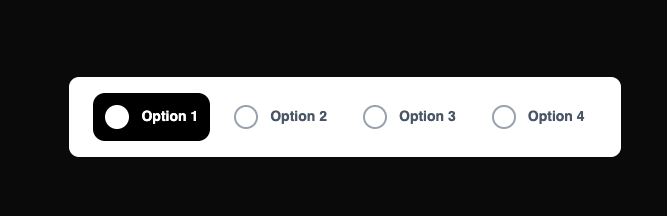
Modern MObile Nav Bar
Built with React and Tailwind. Copy the prompt and paste it into Claude Code, Cursor or Lovable: your agent adds NavBar to your project and fits it to your theme.
Code
How NavBar is used: the demo's code. The component's own source comes with a free account.
Usage.tsx
import { useState } from 'react';

export default function NavBar() {
  const [activeOption, setActiveOption] = useState(1);

  const options = [
    { id: 1, label: 'Option 1' },
    { id: 2, label: 'Option 2' },
    { id: 3, label: 'Option 3' },
    { id: 4, label: 'Option 4' },
  ];

  return (
    <div className="flex gap-[12px] items-center justify-center px-[24px] py-[16px] bg-white rounded-lg shadow-sm">
      {options.map((option) => (
        <button
          key={option.id}
          onClick={() => setActiveOption(option.id)}
          className={`
            flex items-center gap-[12px] px-[12px] py-[12px] rounded-[12px]
            transition-all duration-200 cursor-pointer
            ${activeOption === option.id
              ? 'bg-black'
              : 'bg-transparent hover:bg-gray-100'
            }
          `}
        >
          <div
            className={`
              w-[24px] h-[24px] rounded-full border-2 transition-all
              ${activeOption === option.id
                ? 'bg-white border-white'
                : 'bg-transparent border-gray-400'
              }
            `}
          />
          <span
            className={`
              font-['Nunito',sans-serif] font-bold text-[14px] whitespace-nowrap
              ${activeOption === option.id
                ? 'text-white'
                : 'text-gray-600'
              }
            `}
          >
            {option.label}
          </span>
        </button>
      ))}
    </div>
  );
}