
About
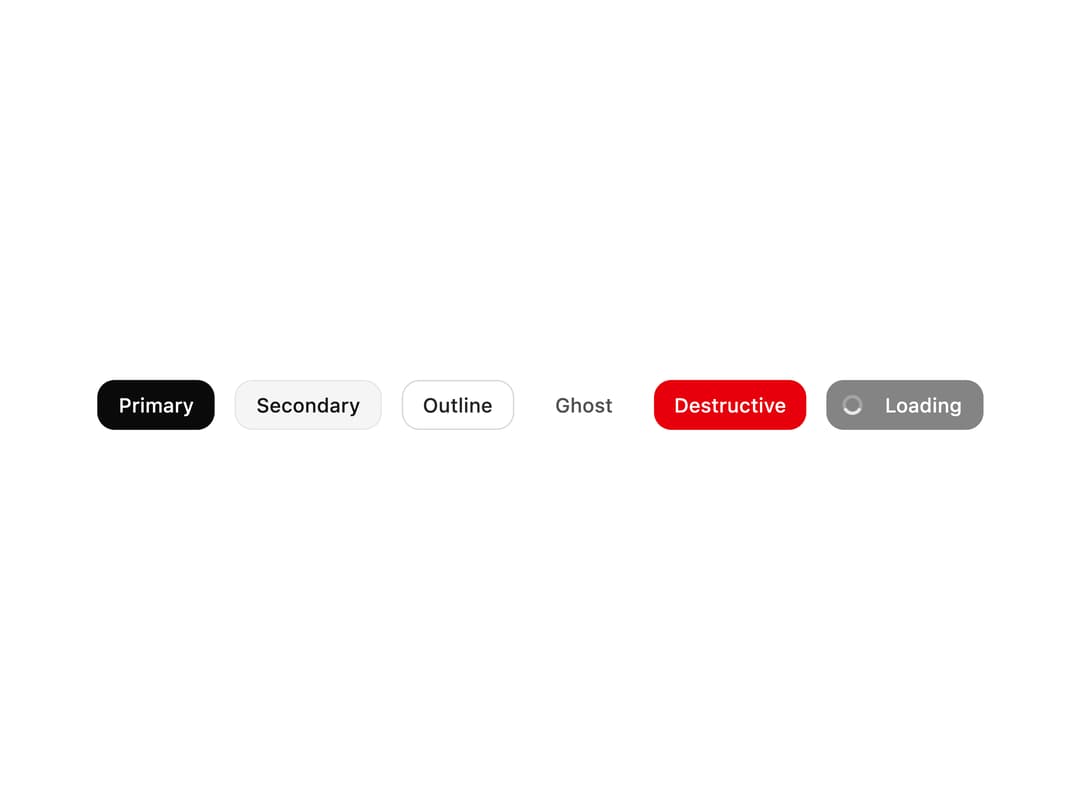
A versatile button component supporting multiple variants, sizes, icons, and a loading state.
Built with React and Tailwind. Copy the prompt and paste it into Claude Code, Cursor or Lovable: your agent adds Button to your project and fits it to your theme.
Code
How Button is used: the demo's code. The component's own source comes with a free account.
Usage.tsx
import Button from "@/components/ui/button";

export default function ButtonPreview() {
  return (
    <div className="flex flex-wrap items-center justify-center gap-4 p-6">
      <Button variant="primary">Primary</Button>
      <Button variant="secondary">Secondary</Button>
      <Button variant="outline">Outline</Button>
      <Button variant="ghost">Ghost</Button>
      <Button variant="destructive">Destructive</Button>
      <Button variant="primary" isLoading>
        Loading
      </Button>
    </div>
  );
}
More by Saurabh Sharma
View all
Great UI Diagonal Marquee Carousel
753
Great UI Macbook Mockup
207
Great UI Mobile Mockup
176
Great UI Vinyl Album Card
127
Great UI Animated Select
83
Great UI Deployment Checklist
73
Great UI Revision Timeline
71
Great UI Terminal Loader
55