
About
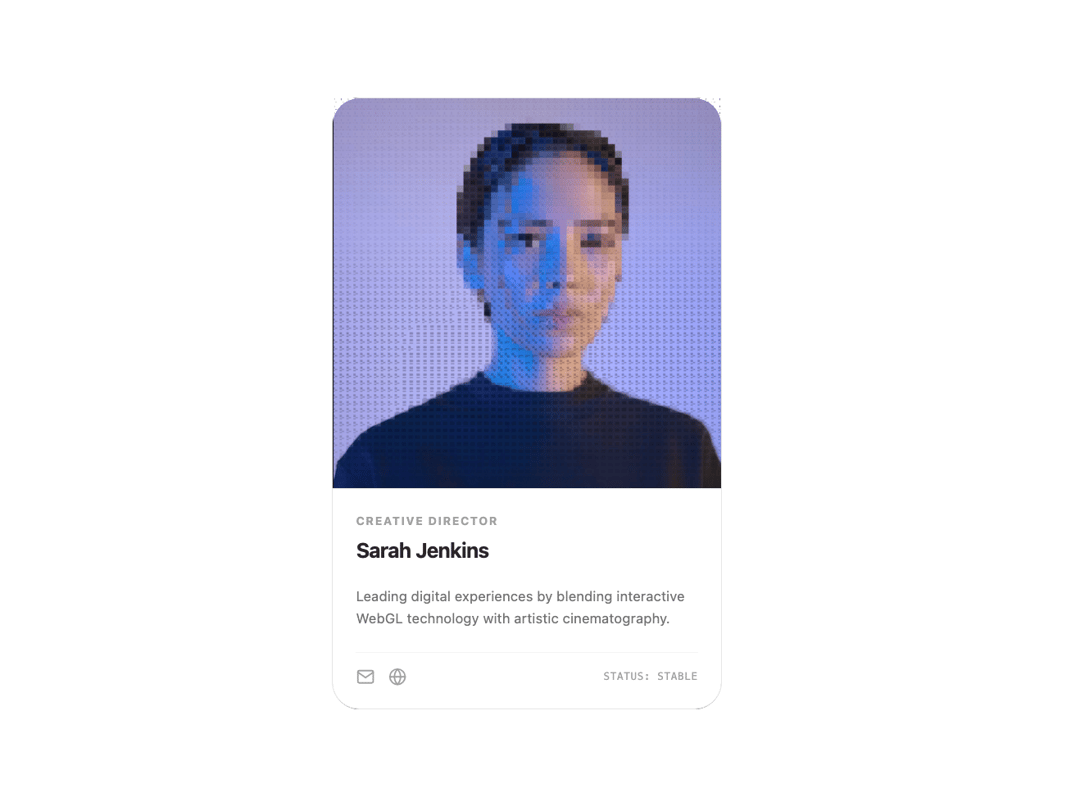
A real-time hardware-accelerated WebGL shader component that proceduralizes any image into customizable density-based ASCII art with masking overlays.
Built with React and Tailwind. Copy the prompt and paste it into Claude Code, Cursor or Lovable: your agent adds Great UI ASCII Image to your project and fits it to your theme.
Code
How Great UI ASCII Image is used: the demo's code. The component's own source comes with a free account.
Usage.tsx
"use client"

import type React from "react"
import AsciiImage from "@/components/ui/great-ui-ascii-image"

const MailIcon = (props: React.SVGProps<SVGSVGElement>) => (
  <svg viewBox="0 0 24 24" fill="none" stroke="currentColor" strokeWidth="2" strokeLinecap="round" strokeLinejoin="round" {...props}>
    <path d="M4 4h16c1.1 0 2 .9 2 2v12c0 1.1-.9 2-2 2H4c-1.1 0-2-.9-2-2V6c0-1.1.9-2 2-2z" />
    <polyline points="22,6 12,13 2,6" />
  </svg>
)

const GlobeIcon = (props: React.SVGProps<SVGSVGElement>) => (
  <svg viewBox="0 0 24 24" fill="none" stroke="currentColor" strokeWidth="2" strokeLinecap="round" strokeLinejoin="round" {...props}>
    <circle cx="12" cy="12" r="10" />
    <line x1="2" y1="12" x2="22" y2="12" />
    <path d="M12 2a15.3 15.3 0 0 1 4 10 15.3 15.3 0 0 1-4 10 15.3 15.3 0 0 1-4-10 15.3 15.3 0 0 1 4-10z" />
  </svg>
)

export default function AsciiImagePreview() {
  return (
    <div className="flex w-full items-center justify-center p-8 select-none">
      <div className="relative flex w-[340px] flex-col overflow-hidden rounded-3xl border border-neutral-200 bg-neutral-950 dark:border-neutral-800/80">
        <AsciiImage
          src="https://cdn.21st.dev/assets/mirror/29/29cf6ad39eb198c05b8d915fca0becfd3d270d510d32eaec1b886c426c681c67.jpg"
          width={340}
          height={340}
          charSize={6}
          mask="linear-gradient(to bottom, black 35%, transparent 100%)"
          baseMask="linear-gradient(to bottom, transparent 35%, black 100%)"
          className="bg-neutral-950"
        />
        <div className="flex w-full flex-col gap-4 border-t border-neutral-100 bg-white p-5 dark:border-neutral-800/80 dark:bg-neutral-900">
          <div className="flex flex-col">
            <span className="mb-1 text-[10px] font-bold tracking-widest text-neutral-400 uppercase dark:text-neutral-500">Creative Director</span>
            <h3 className="text-lg font-bold tracking-tight text-neutral-800 dark:text-neutral-100">Sarah Jenkins</h3>
          </div>
          <p className="text-xs leading-relaxed text-neutral-500 dark:text-neutral-400">Leading digital experiences by blending interactive WebGL technology with artistic cinematography.</p>
          <div className="mt-1 flex items-center justify-between border-t border-neutral-100 pt-3 text-neutral-400 dark:border-neutral-800/80 dark:text-neutral-500">
            <div className="flex gap-3">
              <MailIcon className="dark:hover:text-neutral-250 h-4 w-4 cursor-pointer transition-colors hover:text-neutral-800" />
              <GlobeIcon className="dark:hover:text-neutral-250 h-4 w-4 cursor-pointer transition-colors hover:text-neutral-800" />
            </div>
            <span className="font-mono text-[9px] tracking-wider">STATUS: STABLE</span>
          </div>
        </div>
      </div>
    </div>
  )
}
More by Saurabh Sharma
View all
Great UI Diagonal Marquee Carousel
756
Great UI Macbook Mockup
212
Great UI Mobile Mockup
176
Great UI Vinyl Album Card
127
Great UI Animated Select
84
Great UI Deployment Checklist
73
Great UI Revision Timeline
71
Great UI Terminal Loader
57