
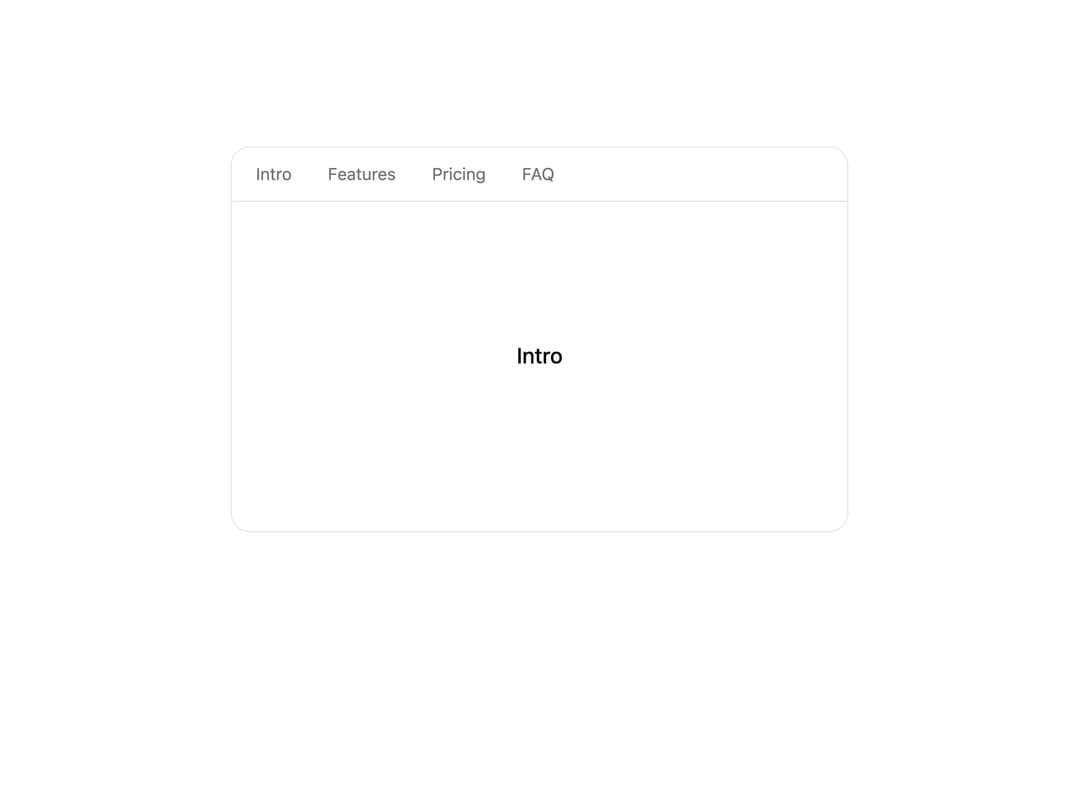
About
A button that smooth-scrolls the page or a scroll container to an anchor, element or offset, clearing sticky headers and respecting reduced-motion.
Built with React and Tailwind. Copy the prompt and paste it into Claude Code, Cursor or Lovable: your agent adds Scroll To to your project and fits it to your theme.
Code
How Scroll To is used: the demo's code. The component's own source comes with a free account.
Usage.tsx
import { ScrollTo } from "@/components/ui/scroll-to";
import { SmoothScroll } from "@/components/ui/scroll-to-utils/smooth-scroll";

// ScrollTo uses the active SmoothScroll provider. Here it's contained
// (root={false}); the nav buttons glide the box to each section.
const SECTIONS = [
  { id: "sec-intro", label: "Intro" },
  { id: "sec-features", label: "Features" },
  { id: "sec-pricing", label: "Pricing" },
  { id: "sec-faq", label: "FAQ" },
];

export function ScrollToPreview() {
  return (
    <SmoothScroll
      root={false}
      className="relative h-80 w-full max-w-lg overflow-y-auto scrollbar-hide rounded-2xl border border-border bg-card"
    >
      <nav className="sticky top-0 z-10 flex gap-1.5 border-b border-border bg-background/80 p-2 backdrop-blur">
        {SECTIONS.map((s) => (
          <ScrollTo
            key={s.id}
            to={`#${s.id}`}
            offset={-48}
            className="rounded-full px-3 py-1 text-sm text-muted-foreground transition-colors hover:bg-muted hover:text-foreground"
          >
            {s.label}
          </ScrollTo>
        ))}
      </nav>

      {SECTIONS.map((s) => (
        <section
          id={s.id}
          key={s.id}
          className="flex h-64 items-center justify-center text-lg font-medium text-foreground"
        >
          {s.label}
        </section>
      ))}
    </SmoothScroll>
  );
}

export default ScrollToPreview;
More by sidiora-labs
View all
Prediction Market
Chat App
More in Buttons
View all
Button Save
46

Button
20

Eclipse Button
5

Button
32

Button
6

Button
14

Button Group
37
Split Button
32

