
About
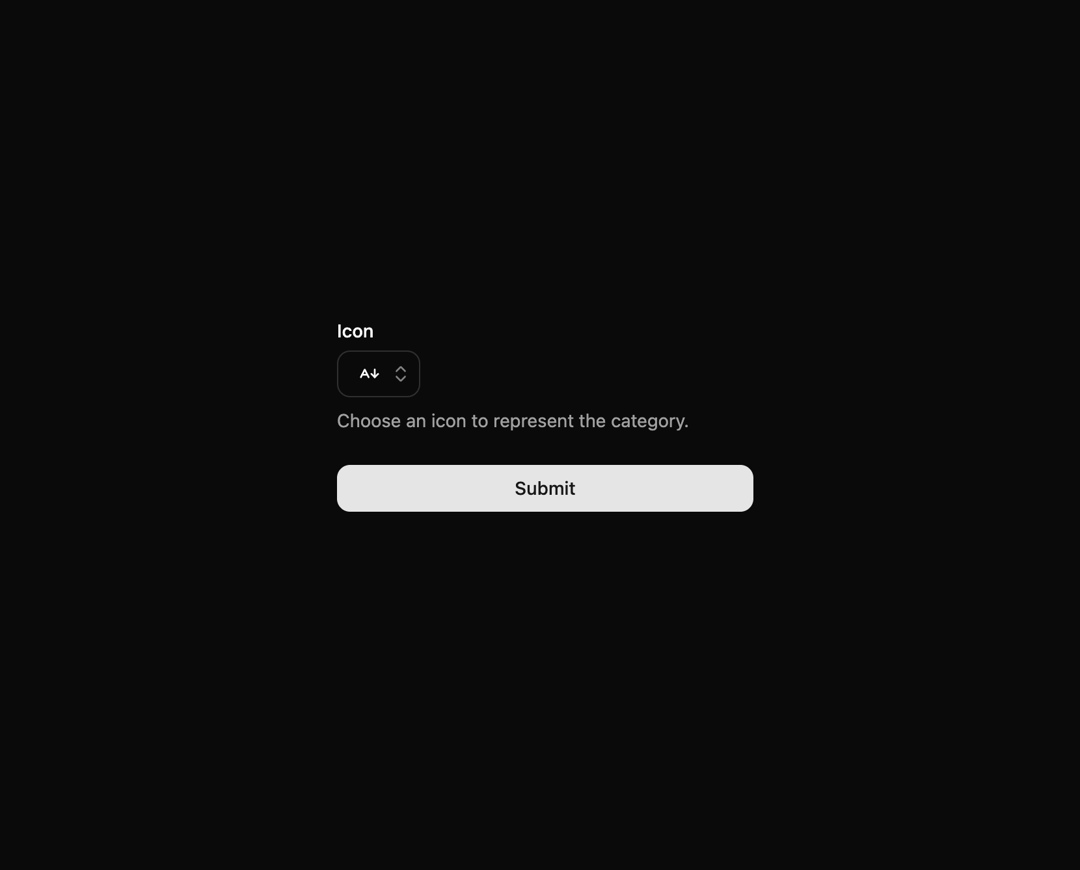
A Component responsible for making all lucide react icons available for selection and returning the icon name.
Built with React and Tailwind. Copy the prompt and paste it into Claude Code, Cursor or Lovable: your agent adds Icon Picker to your project and fits it to your theme.
Code
How Icon Picker is used: the demo's code. The component's own source comes with a free account.
Usage.tsx
import { zodResolver } from '@hookform/resolvers/zod'
import { useForm } from 'react-hook-form'
import { z } from 'zod'
import { useState, useMemo } from 'react'

import { cn } from '@/lib/utils'
import { Button } from '@/components/ui/button'
import {
  Command,
  CommandInput,
} from '@/components/ui/command'
import {
  Form,
  FormControl,
  FormDescription,
  FormField,
  FormItem,
  FormLabel,
  FormMessage,
} from '@/components/ui/form'
import {
  Popover,
  PopoverContent,
  PopoverTrigger,
} from '@/components/ui/popover'
import { DynamicIcon,
  iconNames as allLucideIconNames,
  type IconName as LucideIconName,
} from 'lucide-react/dynamic'
import { toast } from 'sonner'
import { IconPicker } from '@/components/ui/icon-picker-3'
import { ChevronsUpDown } from 'lucide-react'

const IconFormSchema = z.object({
  icon: z.custom<LucideIconName>(
    (val) => typeof val === 'string' && allLucideIconNames.includes(val as LucideIconName),
    { message: 'Por favor, selecione um ícone válido.' },
  ).refine((val) => val !== undefined && val !== null, { message: 'Por favor, selecione um ícone.' }),
})

export function DemoFormIconPicker() {
  const [popoverOpen, setPopoverOpen] = useState(false)
  const [searchTerm, setSearchTerm] = useState('')

  const form = useForm<z.infer<typeof IconFormSchema>>({
    resolver: zodResolver(IconFormSchema),
    defaultValues: {
      icon: undefined,
    },
  })

  const filteredIconNames = useMemo(() => {
    if (!searchTerm.trim()) {
      return allLucideIconNames
    }
    return allLucideIconNames.filter((name) =>
      name.toLowerCase().includes(searchTerm.toLowerCase().trim()),
    )
  }, [searchTerm])

  function onSubmit(data: z.infer<typeof IconFormSchema>) {
    toast.success(
      <div className="mt-2 flex items-center gap-2">
        {data.icon && <DynamicIcon name={data.icon} className="h-4 w-4" />}
        <pre className="text-sm rounded-md bg-slate-900 p-2 dark:bg-slate-800">
          <code className="text-white">{JSON.stringify(data, null, 2)}</code>
        </pre>
      </div>,
    )
  }

  return (
    <div className="w-screen h-screen flex items-center justify-center">
      <Form {...form}>
        <form onSubmit={form.handleSubmit(onSubmit)} className="w-full max-w-xs space-y-6">
          <FormField
            control={form.control}
            name="icon"
            render={({ field }) => (
              <FormItem className="flex flex-col">
                <FormLabel>Icon</FormLabel>
                <Popover open={popoverOpen} onOpenChange={setPopoverOpen}>
                  <PopoverTrigger asChild>
                    <FormControl>
                      <Button
                        variant="outline"
                        role="combobox"
                        aria-expanded={popoverOpen}
                        className={cn(
                          'w-16 justify-between',
                          !field.value && 'text-muted-foreground',
                        )}
                      >
                        {field.value ? (
                          <div className="flex items-center">
                            <DynamicIcon name={field.value} className="h-4 w-4" />
                          </div>
                        ) : (
                          <div className="flex items-center">
                            <div className="h-4 w-4 border-dashed border rounded-full" />
                          </div>
                        )}
                        <ChevronsUpDown className="ml-2 h-4 w-4 shrink-0 opacity-50" />
                      </Button>
                    </FormControl>
                  </PopoverTrigger>
                  <PopoverContent className="w-[360px] p-2" align="start">
                    <Command shouldFilter={true}>
                      <CommandInput
                        placeholder="Search icon..."
                        value={searchTerm}
                        onValueChange={setSearchTerm}
                      />
                      <IconPicker
                        icons={filteredIconNames}
                        selectedIcon={field.value}
                        onIconSelect={(iconName) => {
                          form.setValue('icon', iconName, { shouldValidate: true })
                          setPopoverOpen(false)
                          setSearchTerm('')
                        }}
                      />
                    </Command>
                  </PopoverContent>
                </Popover>
                <FormDescription>
                  Choose an icon to represent the category.
                </FormDescription>
                <FormMessage />
              </FormItem>
            )}
          />
          <Button type="submit" className="w-full">Submit</Button>
        </form>
      </Form>
    </div>
  )
}
Dependencies
More in Forms
View all

Premium Auth
500

Login 2
7
Authentication Card
47

Login 1
52

Contact Card
1K
Login Form
6

Form
16

Book A Demo 3
83
