
About
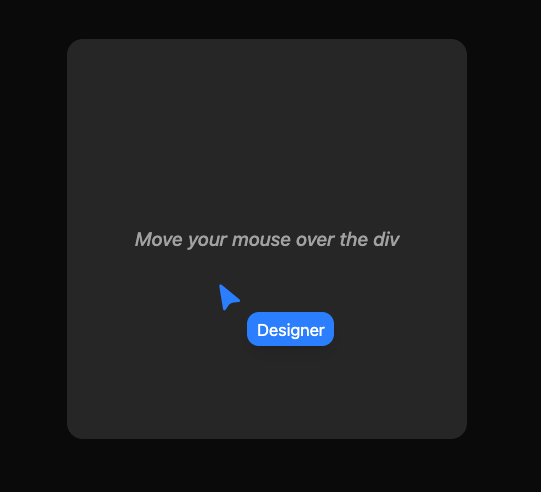
Here is advanced cursor component
Built with React and Tailwind. Copy the prompt and paste it into Claude Code, Cursor or Lovable: your agent adds Cursor to your project and fits it to your theme.
Code
How Cursor is used: the demo's code. The component's own source comes with a free account.
Usage.tsx
import {
  Cursor,
  CursorFollow,
  CursorProvider,
} from '@/components/ui/cursor';

export const CursorDemo = () => {
  return (
    <div className="max-w-[400px] h-[400px] w-full rounded-xl bg-muted flex items-center justify-center">
      <p className="font-medium italic text-muted-foreground">
        Move your mouse over the div
      </p>
      <CursorProvider>
        <Cursor>
          <svg
            className="size-6 text-blue-500"
            xmlns="http://www.w3.org/2000/svg"
            viewBox="0 0 40 40"
          >
            <path
              fill="currentColor"
              d="M1.8 4.4 7 36.2c.3 1.8 2.6 2.3 3.6.8l3.9-5.7c1.7-2.5 4.5-4.1 7.5-4.3l6.9-.5c1.8-.1 2.5-2.4 1.1-3.5L5 2.5c-1.4-1.1-3.5 0-3.3 1.9Z"
            />
          </svg>
        </Cursor>
        <CursorFollow>
          <div className="bg-blue-500 text-white px-2 py-1 rounded-lg text-sm shadow-lg">
            Designer
          </div>
        </CursorFollow>
      </CursorProvider>
    </div>
  );
};
Dependencies
More by Elliot Sutton
View all

Notification List
209
Scroll Progress
135
Pin List
108
Radix Dropdown Menu
100
Flip Button
94
Bubble Background
91
Avatar Group
81
Stars Scrolling Wheel
78