About
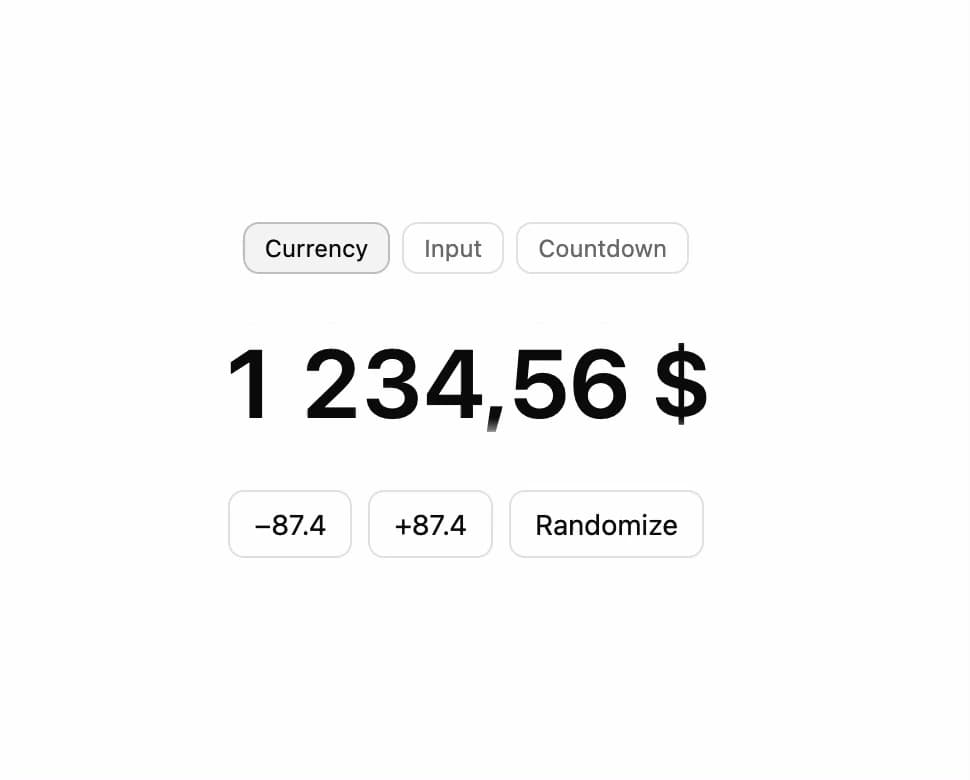
An animated number display that rolls each digit like an odometer when its value changes, useful for counters, prices, and countdown timers.
Built with React and Tailwind. Copy the prompt and paste it into Claude Code, Cursor or Lovable: your agent adds Number Flow to your project and fits it to your theme.
Code
How Number Flow is used: the demo's code. The component's own source comes with a free account.
Usage.tsx
"use client";

import { NumberFlow } from "@/components/ui/number-flow";
import { cn } from "@/lib/utils";
import { Minus, Plus } from "lucide-react";
import { useEffect, useRef, useState } from "react";
import type { InputEventHandler, PointerEventHandler } from "react";

const EXAMPLES = [
  { id: "currency", label: "Currency" },
  { id: "input", label: "Input" },
  { id: "countdown", label: "Countdown" },
] as const;

type ExampleId = (typeof EXAMPLES)[number]["id"];

function ExampleTabs({
  active,
  onChange,
}: {
  active: ExampleId;
  onChange: (id: ExampleId) => void;
}) {
  return (
    <div className="flex flex-wrap justify-center gap-1.5">
      {EXAMPLES.map(({ id, label }) => (
        <button
          className={cn(
            "rounded-md border px-2.5 py-1 text-xs transition-colors",
            active === id
              ? "border-foreground/20 bg-accent text-foreground"
              : "text-muted-foreground hover:bg-accent/60 hover:text-foreground",
          )}
          key={id}
          onClick={() => onChange(id)}
          type="button"
        >
          {label}
        </button>
      ))}
    </div>
  );
}

function CurrencyDemo() {
  const [value, setValue] = useState(1234.56);

  return (
    <div className="flex flex-col items-center gap-6">
      <NumberFlow
        className="font-semibold text-5xl tabular-nums"
        format={{
          style: "currency",
          currency: "USD",
        }}
        value={value}
      />
      <div className="flex flex-wrap justify-center gap-2">
        <button
          className="rounded-md border px-3 py-1.5 text-sm hover:bg-accent"
          onClick={() => setValue((v) => Math.max(0, v - 87.4))}
          type="button"
        >
          −87.4
        </button>
        <button
          className="rounded-md border px-3 py-1.5 text-sm hover:bg-accent"
          onClick={() => setValue((v) => v + 87.4)}
          type="button"
        >
          +87.4
        </button>
        <button
          className="rounded-md border px-3 py-1.5 text-sm hover:bg-accent"
          onClick={() => setValue(Math.round(Math.random() * 10_000) / 100)}
          type="button"
        >
          Randomize
        </button>
      </div>
    </div>
  );
}

function InputDemo() {
  const [value, setValue] = useState(42);
  const defaultValue = useRef(value);
  const inputRef = useRef<HTMLInputElement>(null);
  const [animated, setAnimated] = useState(true);
  const min = 0;
  const max = 999;

  const handleInput: InputEventHandler<HTMLInputElement> = ({
    currentTarget: el,
  }) => {
    setAnimated(false);
    let next = value;
    if (el.value === "") {
      next = defaultValue.current;
    } else {
      const num = el.valueAsNumber;
      if (!Number.isNaN(num) && min <= num && num <= max) {
        next = num;
      }
    }
    el.value = String(next);
    setValue(next);
  };

  const handlePointerDown =
    (diff: number): PointerEventHandler<HTMLButtonElement> =>
    (event) => {
      setAnimated(true);
      if (event.pointerType === "mouse") {
        event.preventDefault();
        inputRef.current?.focus();
      }
      setValue((current) => Math.min(Math.max(current + diff, min), max));
    };

  const instantTransition = { duration: 0 } as const;

  return (
    <div className="group flex items-stretch rounded-md font-semibold text-3xl ring ring-border transition-[box-shadow] focus-within:ring-2 focus-within:ring-ring">
      <button
        aria-hidden="true"
        className="flex items-center pr-[0.325em] pl-[0.5em]"
        disabled={value <= min}
        onPointerDown={handlePointerDown(-1)}
        tabIndex={-1}
        type="button"
      >
        <Minus absoluteStrokeWidth className="size-4" strokeWidth={3.5} />
      </button>
      <div className="relative grid items-center justify-items-center text-center [grid-template-areas:'overlap'] *:[grid-area:overlap]">
        <input
          autoComplete="off"
          className={cn(
            "w-[1.5em] bg-transparent py-2 text-center font-[inherit] text-transparent outline-none",
            "[appearance:textfield] [&::-webkit-inner-spin-button]:appearance-none [&::-webkit-outer-spin-button]:appearance-none",
          )}
          inputMode="numeric"
          max={max}
          min={min}
          onInput={handleInput}
          ref={inputRef}
          step={1}
          style={{ fontKerning: "none" }}
          type="number"
          value={value}
        />
        <NumberFlow
          aria-hidden="true"
          className="pointer-events-none"
          format={{ useGrouping: false }}
          locales="en-US"
          spinTransition={animated ? undefined : instantTransition}
          transition={animated ? undefined : instantTransition}
          value={value}
        />
      </div>
      <button
        aria-hidden="true"
        className="flex items-center pr-[0.5em] pl-[0.325em]"
        disabled={value >= max}
        onPointerDown={handlePointerDown(1)}
        tabIndex={-1}
        type="button"
      >
        <Plus absoluteStrokeWidth className="size-4" strokeWidth={3.5} />
      </button>
    </div>
  );
}

function CountdownDemo() {
  const [seconds, setSeconds] = useState(3723);

  useEffect(() => {
    const id = window.setInterval(() => {
      setSeconds((current) => (current > 0 ? current - 1 : 3723));
    }, 1000);
    return () => window.clearInterval(id);
  }, []);

  const hh = Math.floor(seconds / 3600);
  const mm = Math.floor((seconds % 3600) / 60);
  const ss = seconds % 60;

  return (
    <div
      className="flex items-baseline font-semibold text-3xl tabular-nums sm:text-4xl"
      style={{ fontVariantNumeric: "tabular-nums" }}
    >
      <NumberFlow format={{ minimumIntegerDigits: 2 }} trend={-1} value={hh} />
      <NumberFlow
        format={{ minimumIntegerDigits: 2 }}
        prefix=":"
        trend={-1}
        value={mm}
      />
      <NumberFlow
        format={{ minimumIntegerDigits: 2 }}
        prefix=":"
        trend={-1}
        value={ss}
      />
    </div>
  );
}

function NumberFlowExample() {
  const [example, setExample] = useState<ExampleId>("currency");

  return (
    <div className="flex min-h-[180px] flex-col items-center justify-center gap-6 px-4 text-center">
      <ExampleTabs active={example} onChange={setExample} />
      {example === "currency" ? <CurrencyDemo /> : null}
      {example === "input" ? <InputDemo /> : null}
      {example === "countdown" ? <CountdownDemo /> : null}
    </div>
  );
}

export default NumberFlowExample;
Dependencies
More by soralabs
View all

Scroll Gallery
203
Dia Text Reveal
143
Dock Nav
133
Text Reveal Block
105
Pixelated Image Reveal
94
Text Roll
60
Custom Cursor
47
Section CTA
28