About
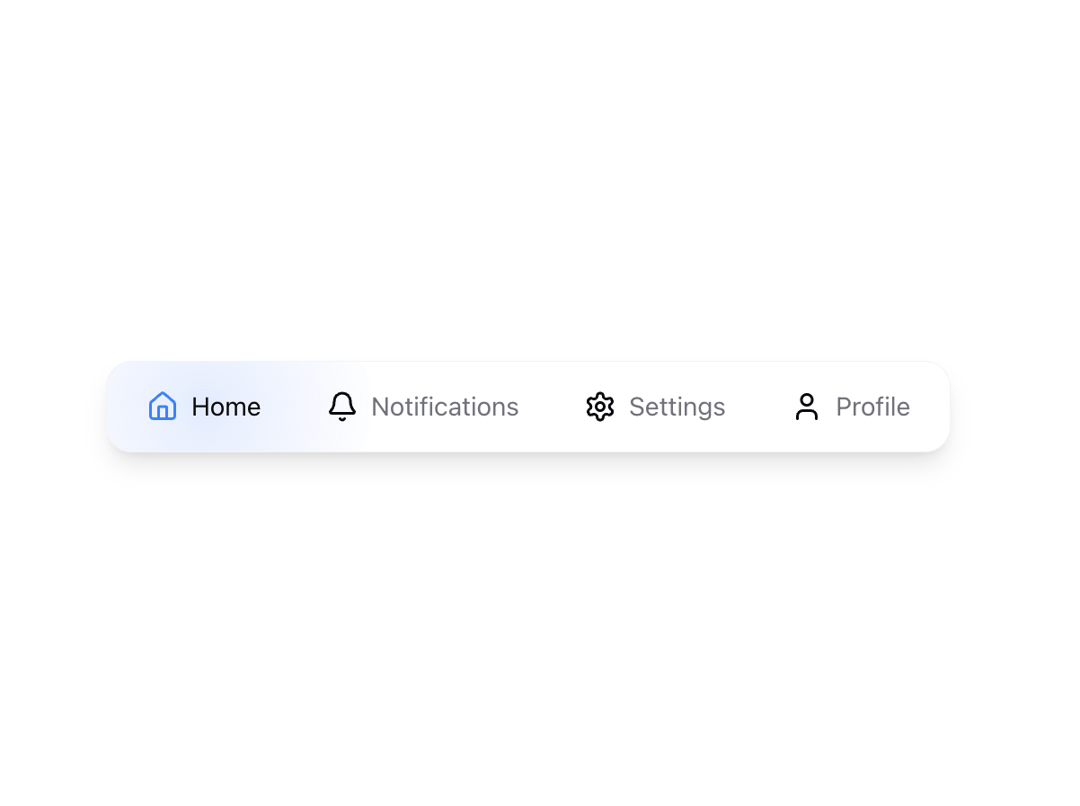
Glow menu component
Built with React and Tailwind. Copy the prompt and paste it into Claude Code, Cursor or Lovable: your agent adds Glow menu to your project and fits it to your theme.
Code
How Glow menu is used: the demo's code. The component's own source comes with a free account.
Usage.tsx
"use client"

import { useState } from "react"
import { Home, Settings, Bell, User } from "lucide-react"
import { MenuBar } from "@/components/ui/glow-menu"

const menuItems = [
  {
    icon: Home,
    label: "Home",
    href: "#",
    gradient:
      "radial-gradient(circle, rgba(59,130,246,0.15) 0%, rgba(37,99,235,0.06) 50%, rgba(29,78,216,0) 100%)",
    iconColor: "text-blue-500",
  },
  {
    icon: Bell,
    label: "Notifications",
    href: "#",
    gradient:
      "radial-gradient(circle, rgba(249,115,22,0.15) 0%, rgba(234,88,12,0.06) 50%, rgba(194,65,12,0) 100%)",
    iconColor: "text-orange-500",
  },
  {
    icon: Settings,
    label: "Settings",
    href: "#",
    gradient:
      "radial-gradient(circle, rgba(34,197,94,0.15) 0%, rgba(22,163,74,0.06) 50%, rgba(21,128,61,0) 100%)",
    iconColor: "text-green-500",
  },
  {
    icon: User,
    label: "Profile",
    href: "#",
    gradient:
      "radial-gradient(circle, rgba(239,68,68,0.15) 0%, rgba(220,38,38,0.06) 50%, rgba(185,28,28,0) 100%)",
    iconColor: "text-red-500",
  },
]

export function MenuBarDemo() {
  const [activeItem, setActiveItem] = useState<string>("Home")

  return (
    <MenuBar
      items={menuItems}
      activeItem={activeItem}
      onItemClick={setActiveItem}
    />
  )
}