About
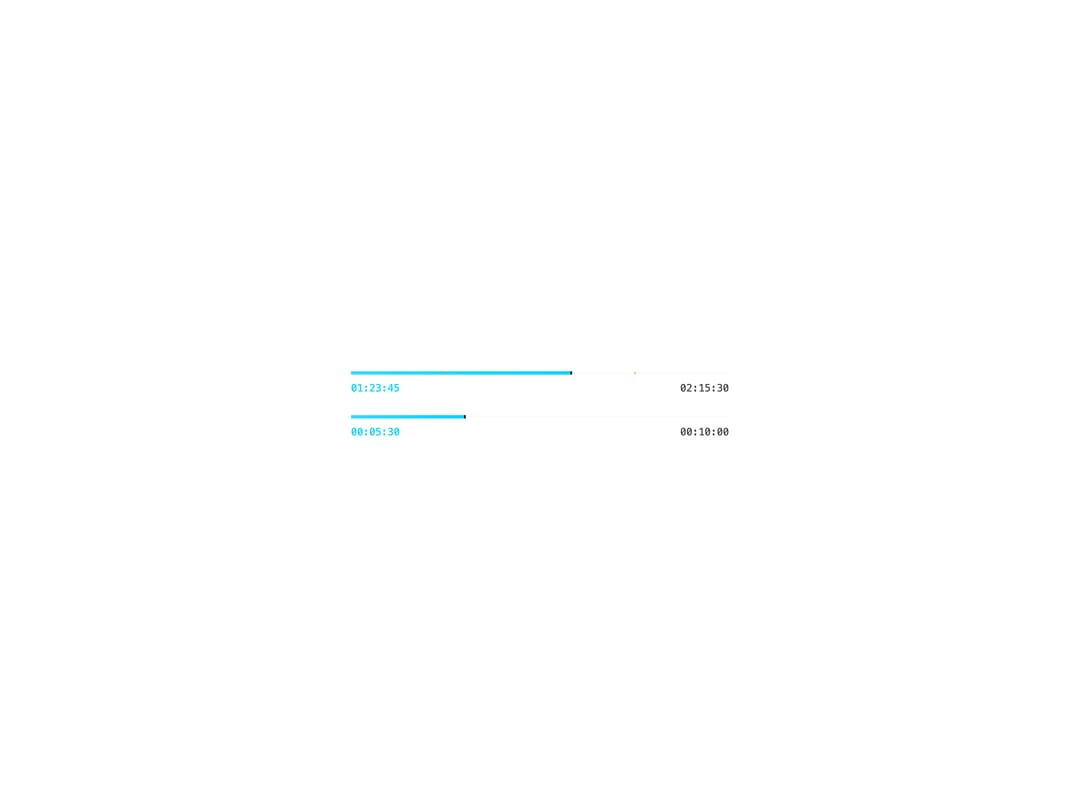
A compact video timeline bar showing playback progress, a current-position indicator, optional chapter markers, and start/end timestamps.
Built with React and Tailwind. Copy the prompt and paste it into Claude Code, Cursor or Lovable: your agent adds Video Progress to your project and fits it to your theme.
Code
How Video Progress is used: the demo's code. The component's own source comes with a free account.
Usage.tsx
import { VideoProgress } from "@/components/ui/video-progress";

export default function VideoProgressDemo() {
  return (
    <div className="flex min-h-[280px] w-full items-center justify-center bg-background p-8">
      <div className="w-full max-w-md space-y-6">
        <VideoProgress
          currentTime="01:23:45"
          endTime="02:15:30"
          progress={58}
          markers={[{ position: 25 }, { position: 75 }]}
        />
        <VideoProgress
          currentTime="00:05:30"
          endTime="00:10:00"
          progress={30}
        />
      </div>
    </div>
  );
}
More by thegridcn
View all
Energy Meter
77
Waveform
55
Data Stream
52
CTA Banner
23
Video Player
22
Terminal
13
3D Tron Grid Background
7
Pagination
7