
About
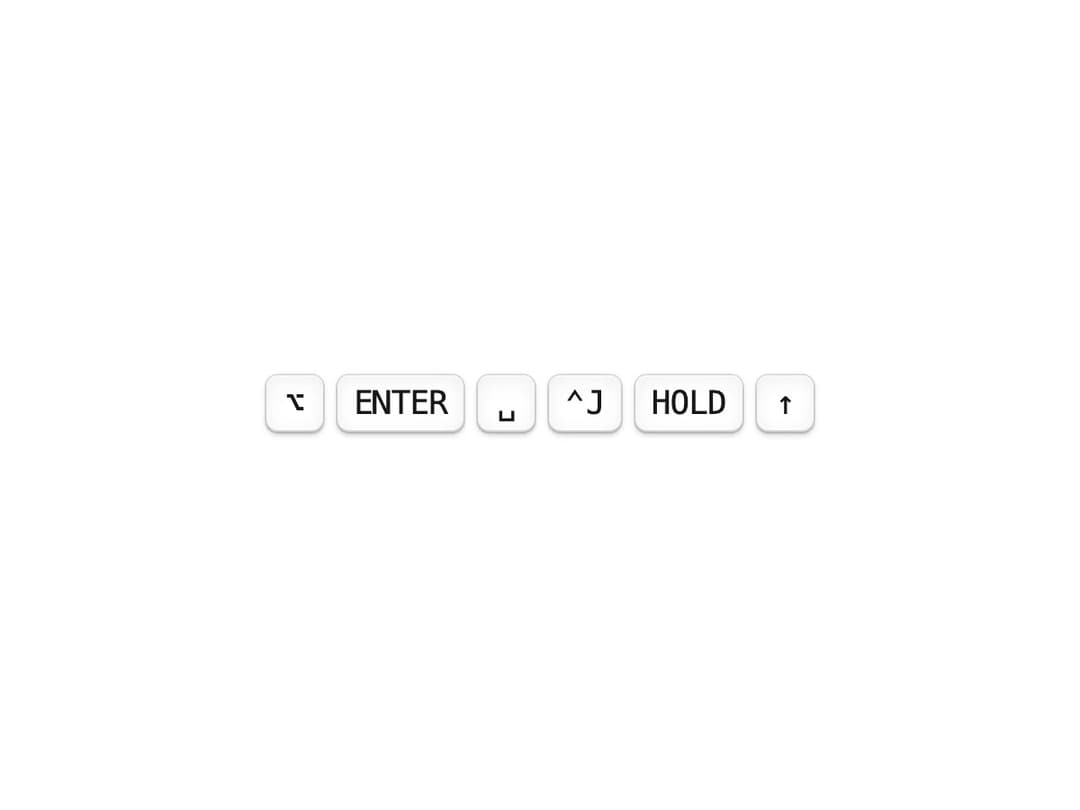
Display keyboard shortcuts with proper key symbols.
Built with React and Tailwind. Copy the prompt and paste it into Claude Code, Cursor or Lovable: your agent adds Keyboard Shortcuts to your project and fits it to your theme.
Code
How Keyboard Shortcuts is used: the demo's code. The component's own source comes with a free account.
Usage.tsx
"use client";

import { Kbd } from "@/components/ui/kbd";

export function KeyboardShortcutsDemo() {
  return (
    <div className="flex min-h-[400px] flex-col items-center justify-center gap-6 p-8">
      <p className="text-sm text-muted-foreground">Focus the preview, then press Alt, Enter, Space, Ctrl+J, M, or ↑</p>
      <div className="flex items-center justify-center gap-3 text-2xl">
        <Kbd keys={["alt"]} listenToKeyboard />
        <Kbd keys={["enter"]} listenToKeyboard />
        <Kbd keys={["space"]} listenToKeyboard />
        <Kbd keys={["ctrl", "J"]} listenToKeyboard />
        <Kbd keys={[{ display: "Hold", key: "m" }]} listenToKeyboard />
        <Kbd keys={["up"]} listenToKeyboard />
      </div>
    </div>
  );
}

export default { KeyboardShortcutsDemo };
Dependencies
More by tom
View all

Special Text
1.1K
Shimmer Text
1.1K
Animated Gradient
962
Tilt Card
873
Marquee
777
Text Marquee
751
QR Code
451
Animated Checkbox
384