
About
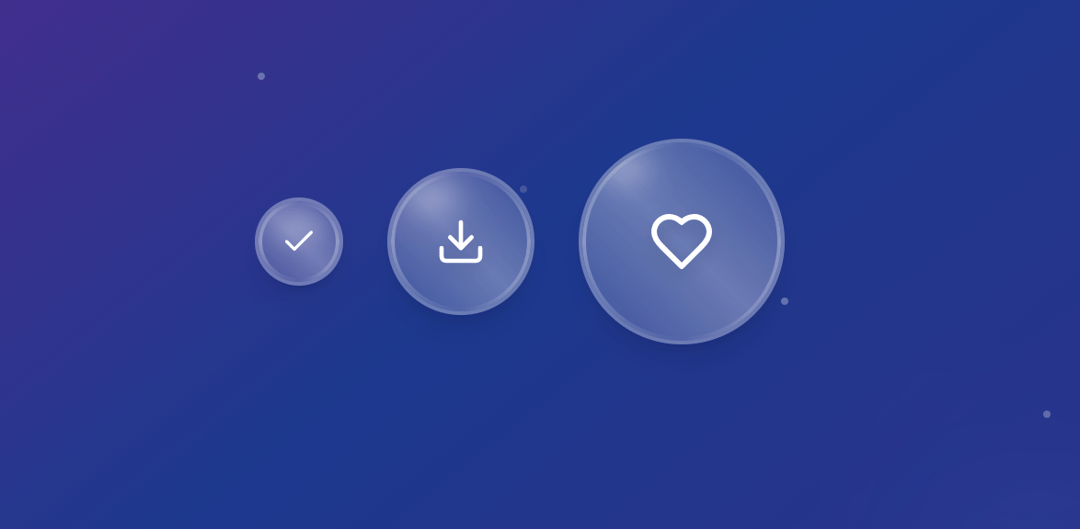
Experience the liquid glass in your application with this UI Component.
Built with React and Tailwind. Copy the prompt and paste it into Claude Code, Cursor or Lovable: your agent adds Liquid Glass Button to your project and fits it to your theme.
Code
How Liquid Glass Button is used: the demo's code. The component's own source comes with a free account.
Usage.tsx
import React, { useState } from 'react';
import { Check, Download, Heart, Star } from 'lucide-react';

const LiquidGlassButton = ({
  children,
  icon: IconComponent = Check,
  variant = 'circular',
  size = 'md'
}) => {
  const [isPressed, setIsPressed] = useState(false);
  const [isHovered, setIsHovered] = useState(false);

  const sizeClasses = {
    sm: variant === 'circular' ? 'w-12 h-12' : 'px-4 py-2 text-sm',
    md: variant === 'circular' ? 'w-20 h-20' : 'px-6 py-3 text-base',
    lg: variant === 'circular' ? 'w-28 h-28' : 'px-8 py-4 text-lg'
  };

  const iconSizes = {
    sm: 20,
    md: 28,
    lg: 36
  };

  return (
    <button
      className={`
        relative ${sizeClasses[size]} ${variant === 'circular' ? 'rounded-full' : 'rounded-2xl'}
        backdrop-blur-xl bg-white/12
        border-2 border-white/25
        hover:bg-white/18 hover:border-white/40 hover:scale-105
        active:scale-95 active:bg-white/25
        transition-all duration-300 ease-out
        shadow-lg hover:shadow-2xl
        overflow-hidden group
        ${isPressed ? 'scale-95 bg-white/25' : ''}
        ${isHovered ? 'shadow-2xl shadow-white/20' : ''}
      `}
      onMouseEnter={() => setIsHovered(true)}
      onMouseLeave={() => setIsHovered(false)}
      onMouseDown={() => setIsPressed(true)}
      onMouseUp={() => setIsPressed(false)}
      onTouchStart={() => setIsPressed(true)}
      onTouchEnd={() => setIsPressed(false)}
    >
      {/* Border light reflection */}
      <div className={`
        absolute inset-0 ${variant === 'circular' ? 'rounded-full' : 'rounded-2xl'}
        bg-gradient-to-r from-white/0 via-white/60 to-white/0
        opacity-0 group-hover:opacity-100 transition-opacity duration-500
        animate-pulse
      `}
      style={{
        background: `conic-gradient(from 0deg, transparent, white, transparent, white, transparent)`,
        mask: `linear-gradient(black, black) content-box, linear-gradient(black, black)`,
        maskComposite: 'subtract',
        WebkitMask: `linear-gradient(black, black) content-box, linear-gradient(black, black)`,
        WebkitMaskComposite: 'subtract',
        padding: '2px'
      }}
      />

      {/* Glass reflection gradient */}
      <div className="absolute inset-0 bg-gradient-to-tr from-transparent via-white/35 to-transparent opacity-70" />

      {/* Top highlight for glass effect */}
      <div className={`absolute ${variant === 'circular' ? 'top-2 left-3 w-6 h-3' : 'top-1 left-2 w-8 h-2'} bg-white/50 rounded-full blur-sm`} />

      {/* Inner glow on hover */}
      <div className={`
        absolute inset-0 bg-gradient-to-r from-white/8 to-transparent
        transition-opacity duration-300
        ${isHovered ? 'opacity-100' : 'opacity-0'}
      `} />

      {/* Ripple effect on press */}
      <div className={`
        absolute inset-0 bg-white/25 ${variant === 'circular' ? 'rounded-full' : 'rounded-2xl'}
        transition-all duration-200
        ${isPressed ? 'scale-110 opacity-100' : 'scale-75 opacity-0'}
      `} />

      {/* Content */}
      <div className="absolute inset-0 flex items-center justify-center">
        {children ? (
          <span className={`
            text-white font-semibold drop-shadow-lg transition-all duration-300
            ${isHovered ? 'scale-105' : ''}
            ${isPressed ? 'scale-95' : ''}
          `}>
            {children}
          </span>
        ) : (
          <IconComponent
            size={iconSizes[size]}
            className={`
              text-white drop-shadow-lg transition-all duration-300
              ${isHovered ? 'scale-110' : ''}
              ${isPressed ? 'scale-90' : ''}
            `}
          />
        )}
      </div>

      {/* Outer glow ring on hover */}
      <div className={`
        absolute -inset-1 bg-gradient-to-r from-white/25 to-white/15 ${variant === 'circular' ? 'rounded-full' : 'rounded-3xl'} blur-sm
        transition-opacity duration-300
        ${isHovered ? 'opacity-100' : 'opacity-0'}
      `} />
    </button>
  );
};

const LiquidGlassShowcase = () => {
  return (
    <div className="min-h-screen  w-full bg-gradient-to-br from-purple-900 via-blue-900 to-indigo-900 flex items-center justify-center relative overflow-hidden">
      {/* Background ambient elements */}
      <div className="absolute inset-0">
        <div className="absolute top-20 left-20 w-40 h-40 bg-white/5 rounded-full blur-3xl animate-pulse" />
        <div className="absolute bottom-32 right-32 w-32 h-32 bg-blue-400/10 rounded-full blur-2xl animate-pulse delay-1000" />
      </div>

      {/* Button showcase */}
      <div className="flex flex-col items-center space-y-8">
        <div className="flex items-center space-x-6">
          {/* Circular buttons */}
          <LiquidGlassButton size="sm" />
          <LiquidGlassButton size="md" icon={Download} />
          <LiquidGlassButton size="lg" icon={Heart} />
        </div>
      </div>

      {/* Ambient particles */}
      <div className="absolute inset-0 pointer-events-none">
        {[...Array(6)].map((_, i) => (
          <div
            key={i}
            className="absolute w-1 h-1 bg-white/30 rounded-full animate-pulse"
            style={{
              left: `${20 + i * 15}%`,
              top: `${30 + i * 8}%`,
              animationDelay: `${i * 500}ms`,
              animationDuration: `${2000 + i * 500}ms`
            }}
          />
        ))}
      </div>
    </div>
  );
};

export default LiquidGlassShowcase;More by Vaibhav Kumar Singh
View all
Stagger Testimonials
2K
Event Manager
1.6K
Expanding Cards
1.4K
FAQ tabs
1.2K
Shuffle Grid
1K
Flip Links
1K
Category List
821
Color Change Card
762
More in Buttons
View all
Button Save
46

Button
20

Eclipse Button
5

Button
6

Button
14

Button Group
37

Button
32
Split Button
32

