
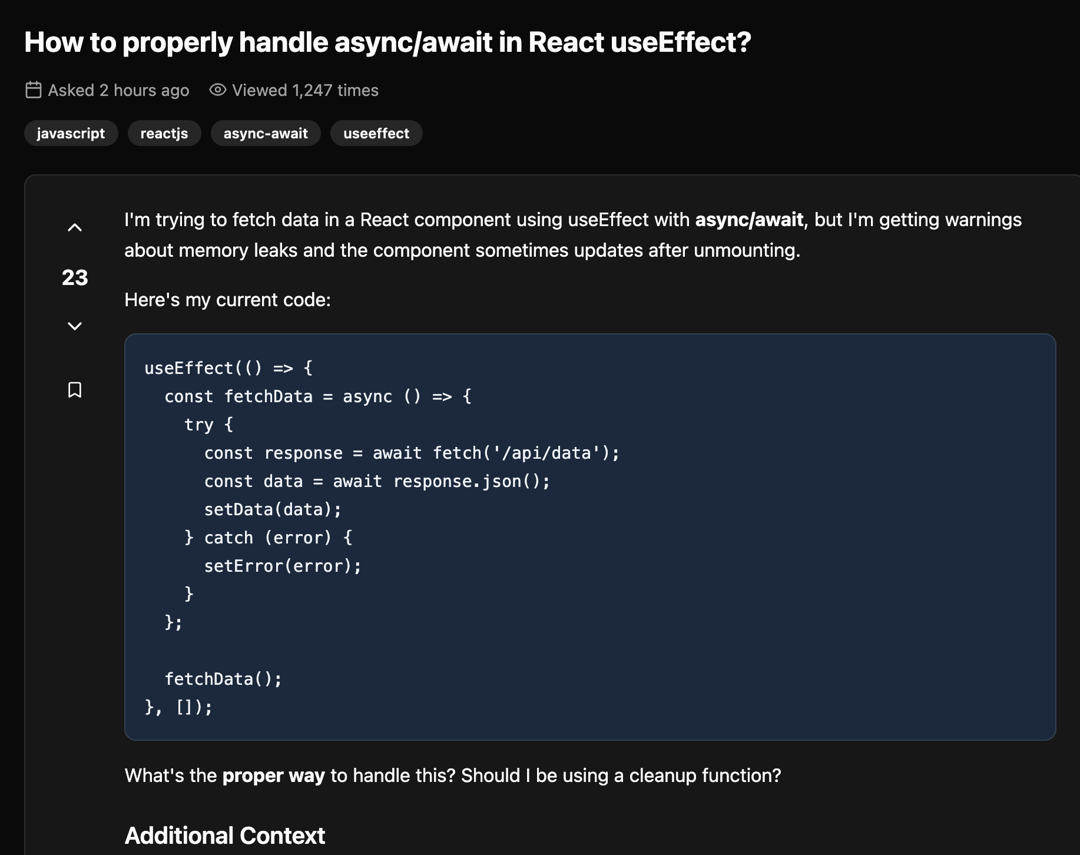
About
A feature-rich, responsive Q&A component that emulates the Stack Overflow interface. It includes voting on questions and answers, accepting answers, bookmarking, a Markdown editor with a live preview, and user reputation badges. The component is built with shadcn/ui and is theme-adaptive.
Built with React and Tailwind. Copy the prompt and paste it into Claude Code, Cursor or Lovable: your agent adds Stack Overflow Q&A Interface to your project and fits it to your theme.
Code
How Stack Overflow Q&A Interface is used: the demo's code. The component's own source comes with a free account.
Usage.tsx
import { QAPage, QuestionType, AnswerType } from "@/components/ui/stack-overflow-q-a-interface";

// Sample data for the Q&A page
const sampleQuestion: QuestionType = {
  id: 1,
  title: "How to properly handle async/await in React useEffect?",
  content: `I'm trying to fetch data in a React component using useEffect with **async/await**, but I'm getting warnings about memory leaks and the component sometimes updates after unmounting.

Here's my current code:

\`\`\`javascript
useEffect(() => {
  const fetchData = async () => {
    try {
      const response = await fetch('/api/data');
      const data = await response.json();
      setData(data);
    } catch (error) {
      setError(error);
    }
  };

  fetchData();
}, []);
\`\`\`

What's the **proper way** to handle this? Should I be using a cleanup function?

## Additional Context
* This happens when the user navigates away quickly
* I've read about *AbortController* but not sure how to implement it

> **Note**: I'm using React 18 with TypeScript`,
  author: {
    name: "reactnewbie",
    reputation: 156,
    badges: { gold: 0, silver: 1, bronze: 3 },
  },
  tags: ["javascript", "reactjs", "async-await", "useeffect"],
  votes: 23,
  views: 1247,
  timestamp: "2 hours ago",
  bookmarked: false,
  userVote: null
};

const sampleAnswers: AnswerType[] = [
  {
    id: 1,
    content: `You're **absolutely right** to be concerned about memory leaks! The proper way to handle async operations in \`useEffect\` is to use a cleanup function with an **AbortController**.

## Method: AbortController (Recommended)
\`\`\`javascript
useEffect(() => {
  const controller = new AbortController();

  const fetchData = async () => {
    try {
      const response = await fetch('/api/data', {
        signal: controller.signal
      });
      const data = await response.json();
      setData(data);
    } catch (error) {
      if (error.name !== 'AbortError') {
        setError(error);
      }
    }
  };

  fetchData();

  return () => controller.abort();
}, []);
\`\`\`
> **Pro tip**: AbortController is the modern approach and provides better control over network requests.`,
    author: {
      name: "reactexpert",
      reputation: 15420,
      badges: { gold: 3, silver: 12, bronze: 28 },
    },
    votes: 34,
    timestamp: "1 hour ago",
    isAccepted: true,
    userVote: null
  },
  {
    id: 2,
    content: `Another **excellent approach** is to use a custom hook for data fetching. This encapsulates the logic and makes it reusable.

## Custom Hook Pattern
\`\`\`javascript
const useApi = (url) => {
  const [data, setData] = useState(null);

  useEffect(() => {
    let isMounted = true;
    const fetchData = async () => {
      // ... fetch logic
      if (isMounted) setData(result);
    };
    fetchData();
    return () => { isMounted = false; };
  }, [url]);

  return { data };
};
\`\`\`
### Why This Pattern is Great:
* **Reusable** across multiple components
* **Clean separation** of concerns`,
    author: {
      name: "hookmaster",
      reputation: 8734,
      badges: { gold: 1, silver: 8, bronze: 15 },
    },
    votes: 18,
    timestamp: "45 minutes ago",
    isAccepted: false,
    userVote: null
  }
];

// The demo component that renders the QAPage
const QAPageDemo = () => {
  return (
    <div className="bg-background pt-12 text-foreground min-h-screen">
      <QAPage initialQuestion={sampleQuestion} initialAnswers={sampleAnswers} />
    </div>
  );
};

export default QAPageDemo;
Dependencies
More by Vaibhav Kumar Singh
View all
Stagger Testimonials
2K
Event Manager
1.6K
Expanding Cards
1.4K
FAQ tabs
1.2K
Shuffle Grid
1K
Flip Links
1K
Category List
820
Color Change Card
761