
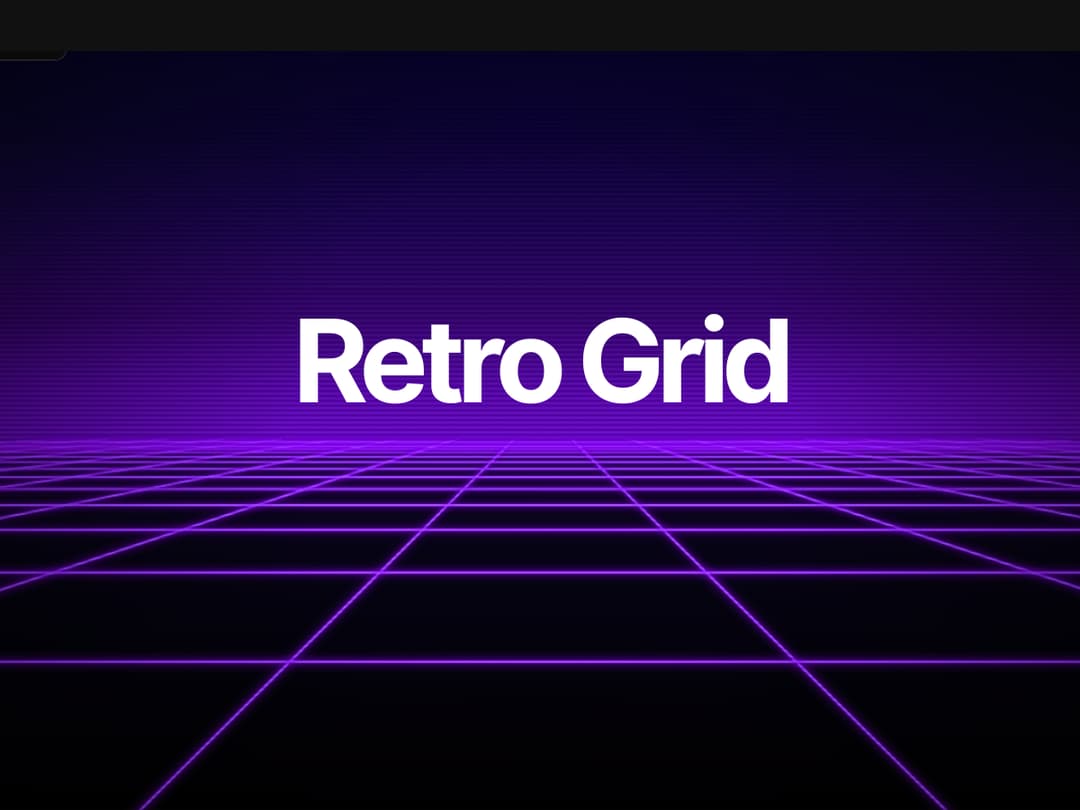
A stunning animated retro grid component with customizable colors, scanlines, and neon glow effects. Perfect for synthwave, vaporwave, and cyberpunk UI designs. Features smooth 3D perspective animation, dynamic gradient sky, and interactive color controls. Built with React, TypeScript, and Canvas API. Fully responsive and optimized for performance. Ideal for landing pages, hero sections, and nostalgic 80s-inspired web applications. Easy to integrate with customizable props for grid color, CRT scanlines, and glow effects.
Built with React and Tailwind. Copy the prompt and paste it into Claude Code, Cursor or Lovable: your agent adds Retro Grid to your project and fits it to your theme.
Code
How Retro Grid is used: the demo's code. The component's own source comes with a free account.
Usage.tsx
import { useState } from "react";
import Component from "@/components/ui/retro-grid";

export default function Demo() {
  const [gridColor, setGridColor] = useState("#ff00ff");
  const [showScanlines, setShowScanlines] = useState(true);
  const [glowEffect, setGlowEffect] = useState(true);
  const [panelPosition, setPanelPosition] = useState({ x: 24, y: 24 });
  const [isDragging, setIsDragging] = useState(false);
  const [dragOffset, setDragOffset] = useState({ x: 0, y: 0 });

  return (
    <div className="relative w-full h-screen">
      <Component
        gridColor={gridColor}
        showScanlines={showScanlines}
        glowEffect={glowEffect}
        className="fixed inset-0 w-full h-full"
      />

      <div
        className="absolute bg-black/80 backdrop-blur-sm p-6 rounded-lg border-2 border-purple-500/50 shadow-xl cursor-move select-none"
        style={{
          left: `${panelPosition.x}px`,
          top: `${panelPosition.y}px`,
        }}
        onMouseDown={(e) => {
          setIsDragging(true);
          setDragOffset({
            x: e.clientX - panelPosition.x,
            y: e.clientY - panelPosition.y,
          });
        }}
        onMouseMove={(e) => {
          if (isDragging) {
            setPanelPosition({
              x: e.clientX - dragOffset.x,
              y: e.clientY - dragOffset.y,
            });
          }
        }}
        onMouseUp={() => setIsDragging(false)}
        onMouseLeave={() => setIsDragging(false)}
      >
        <h2 className="text-purple-300 font-bold text-lg mb-4 tracking-wide">
          RETRO CONTROLS
        </h2>

        <div className="space-y-4">
          <div>
            <label className="text-purple-200 text-sm block mb-2">Grid Color</label>
            <div className="flex gap-2 flex-wrap">
              {["#ff00ff", "#00ffff", "#ff0066", "#00ff00", "#ffff00", "#ff6600"].map(
                (color) => (
                  <button
                    key={color}
                    onClick={() => setGridColor(color)}
                    className={`w-10 h-10 rounded border-2 transition-all ${
                      gridColor === color ? "border-white scale-110" : "border-gray-600"
                    }`}
                    style={{ backgroundColor: color }}
                  />
                )
              )}
              <input
                type="color"
                value={gridColor}
                onChange={(e) => setGridColor(e.target.value)}
                className="w-10 h-10 rounded cursor-pointer"
              />
            </div>
          </div>

          <div className="space-y-2">
            <label className="flex items-center gap-3 text-purple-200 text-sm cursor-pointer">
              <input
                type="checkbox"
                checked={showScanlines}
                onChange={(e) => setShowScanlines(e.target.checked)}
                className="w-4 h-4"
              />
              <span>CRT Scanlines</span>
            </label>

            <label className="flex items-center gap-3 text-purple-200 text-sm cursor-pointer">
              <input
                type="checkbox"
                checked={glowEffect}
                onChange={(e) => setGlowEffect(e.target.checked)}
                className="w-4 h-4"
              />
              <span>Neon Glow</span>
            </label>
          </div>
        </div>
      </div>
    </div>
  );
}More by waiz
View all

SaaS Template
2.4K
image auto slider
1.8K
Silk-Background-animation
925
Portfolio Hero
884
Gradient bars Background
587
Glow Button
383
Spotlight Button
380
Gradient Bar hero section
342
More in Heroes
View all
Centered Hero with Image Fan
924

Hero
1.2K

Responsive Hero Banner
2K

Hero Section 6
881
Hero Golden Spiral
101

Home Section
65

Minimalist Hero Fashion
284
Hero with text and two button
112

