
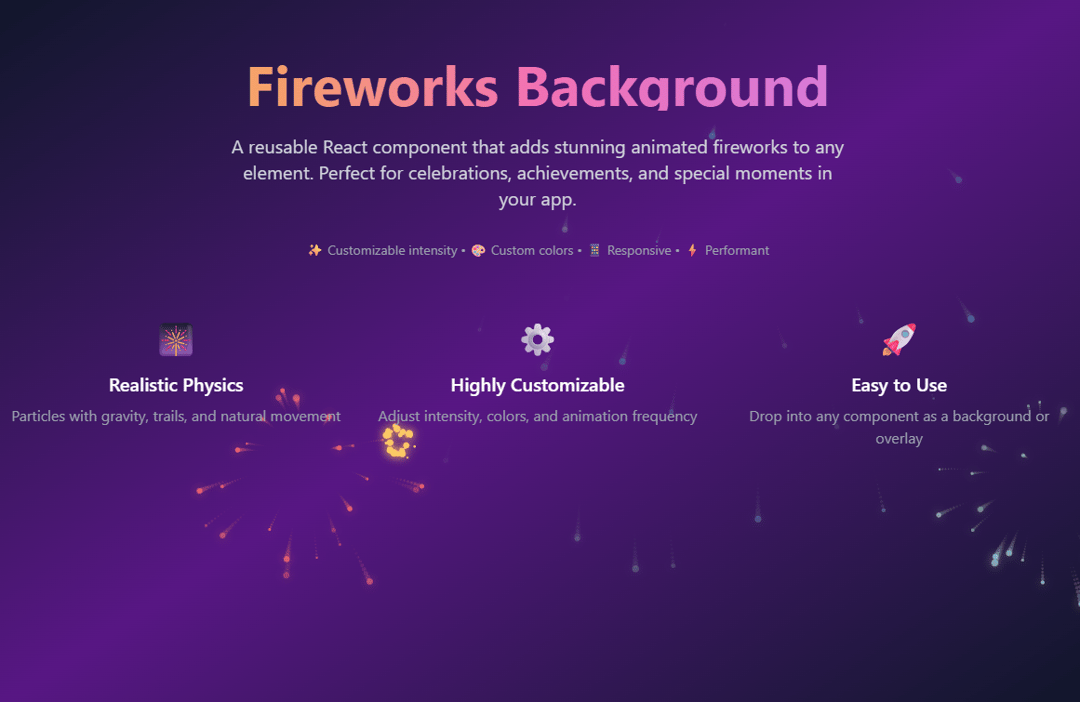
About
A reusable React component that adds stunning animated fireworks to any element.
Built with React and Tailwind. Copy the prompt and paste it into Claude Code, Cursor or Lovable: your agent adds Fireworks Background to your project and fits it to your theme.
Code
How Fireworks Background is used: the demo's code. The component's own source comes with a free account.
Usage.tsx
import { FireworksBackground } from "@/components/ui/FireworksBackground";

const DemoOne = () => {
  return (
      <div className="min-h-screen">
      {/* Full page fireworks background */}
      <FireworksBackground
        intensity="medium"
        className="min-h-screen bg-gradient-to-br from-slate-900 via-purple-900 to-slate-900"
      >
        <div className="container mx-auto px-4 py-16">
          {/* Header */}
          <div className="text-center mb-16">
            <h1 className="text-3xl md:text-6xl font-bold mb-6 bg-gradient-to-r from-yellow-400 via-pink-400 to-purple-400 bg-clip-text text-transparent">
              Fireworks Background
            </h1>
            <p className="text-xl text-gray-300 max-w-2xl mx-auto mb-8">
              A reusable React component that adds stunning animated fireworks to any element.
              Perfect for celebrations, achievements, and special moments in your app.
            </p>
            <div className="text-gray-400 text-sm">
              ✨ Customizable intensity • 🎨 Custom colors • 📱 Responsive • ⚡ Performant
            </div>
          </div>

          {/* Features */}
          <div className="grid md:grid-cols-3 gap-8 mb-16">
            <div className="text-center text-white">
              <div className="text-4xl mb-4">🎆</div>
              <h3 className="text-xl font-semibold mb-2">Realistic Physics</h3>
              <p className="text-gray-400">Particles with gravity, trails, and natural movement</p>
            </div>
            <div className="text-center text-white">
              <div className="text-4xl mb-4">⚙️</div>
              <h3 className="text-xl font-semibold mb-2">Highly Customizable</h3>
              <p className="text-gray-400">Adjust intensity, colors, and animation frequency</p>
            </div>
            <div className="text-center text-white">
              <div className="text-4xl mb-4">🚀</div>
              <h3 className="text-xl font-semibold mb-2">Easy to Use</h3>
              <p className="text-gray-400">Drop into any component as a background or overlay</p>
            </div>
          </div>
        </div>
      </FireworksBackground>
      <FireworksBackground className="py-32 bg-gradient-to-br from-stone-300 to-stone-200">
      {/* Section with light background */}
      <section className="flex justify-center items-center">
        <h1 className="text-2xl font-semibold text-slate-900">Also works with light backgrounds!</h1>
      </section>
      </FireworksBackground>
      {/* Footer with fireworks */}
      <FireworksBackground
        intensity="low"
        colors={['#4ecdc4', '#45b7d1', '#ff6b6b']}
        className="py-16 bg-gradient-to-br from-slate-950 to-slate-900"
      >
        <div className="container mx-auto px-4 text-center text-white">
          <h2 className="text-3xl font-bold mb-4">Ready to Add Some Magic?</h2>
          <p className="text-cyan-200 mb-8">
            Import the FireworksBackground component and start celebrating! 🎉
          </p>
          <div className="bg-black/80 backdrop-blur-sm rounded-lg p-6 max-w-2xl mx-auto">
            <code className="text-stone-100 text-left block">
              {`import FireworksBackground from './components/FireworksBackground';

<FireworksBackground intensity="high" colors={['#ff6b6b', '#4ecdc4']}>
  <YourContent />
</FireworksBackground>`}
            </code>
          </div>
        </div>
      </FireworksBackground>
    </div>
  );
};

export { DemoOne };