
About
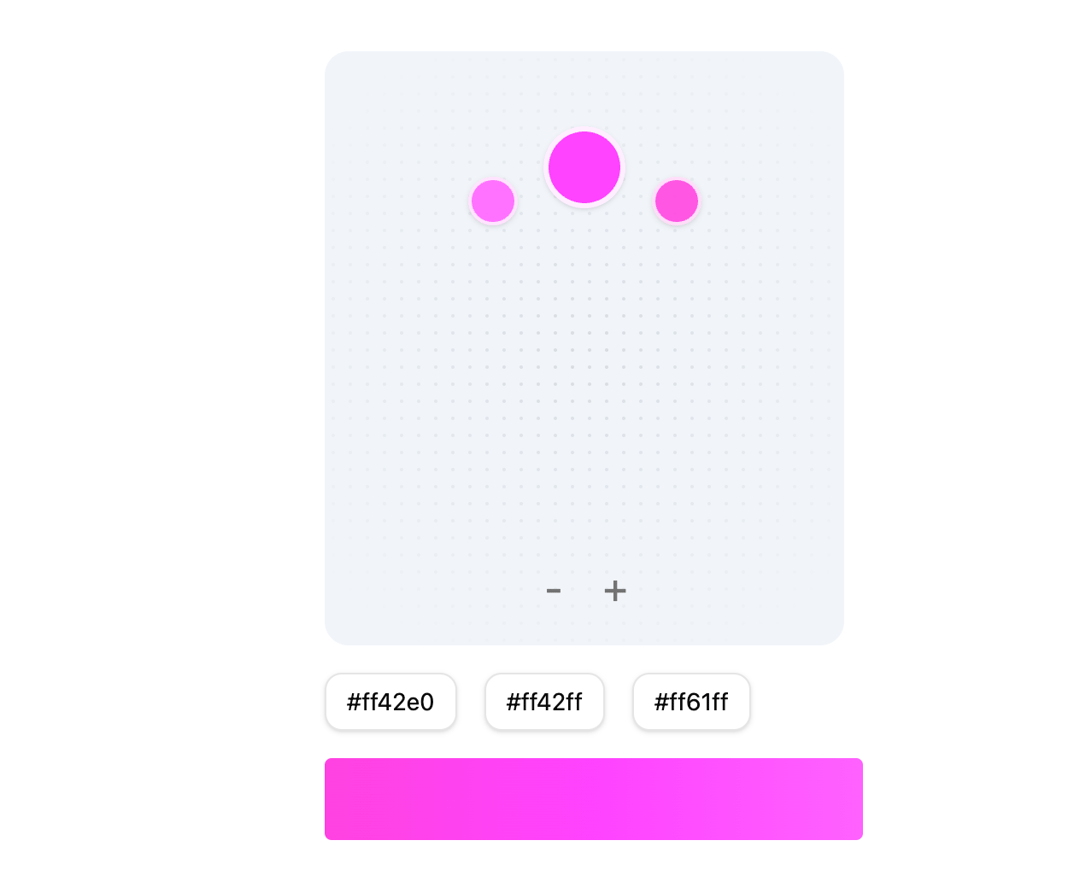
An intuitive color picker component that generates harmonious color combinations. It features a circular HSL color wheel with dynamic spread control, allowing users to select 1-3 complementary colors simultaneously. The component supports customizable size, spread factors, and luminosity ranges, making it perfect for design systems and color palette generation.
Built with React and Tailwind. Copy the prompt and paste it into Claude Code, Cursor or Lovable: your agent adds Arc Browser like Color Picker to your project and fits it to your theme.
Code
How Arc Browser like Color Picker is used: the demo's code. The component's own source comes with a free account.
Usage.tsx
'use client'

import ColorPicker from '@/components/ui/color-picker'
import { cn } from '@/lib/utils'
import { useState } from 'react'

interface DotPatternProps {
    width?: number
    height?: number
    className?: string
}

const DotPattern = ({ width = 16, height = 16, className }: DotPatternProps) => {
    return (
        <svg className={cn('absolute inset-0 h-full w-full [mask-image:radial-gradient(100%_100%_at_top_center,white,transparent)]', className)} aria-hidden="true">
            <defs>
                <pattern id="dotPattern" width={width} height={height} patternUnits="userSpaceOnUse">
                    <circle cx={width * 0.5} cy={height * 0.5} r="1" className="fill-gray-500/20" />
                </pattern>
            </defs>
            <rect width="100%" height="100%" fill="url(#dotPattern)" />
        </svg>
    )
}

export default function ColorPickerTestPage() {
    const [colors, setColors] = useState<string[]>([])
    const [numPoints, setNumPoints] = useState(3)

   return (
        <div className="p-20 flex flex-col">
            <div className="flex flex-col bg-slate-100 rounded-xl p-3 self-start relative">
                <DotPattern width={10} height={10} className={cn('[mask-image:radial-gradient(200px_circle_at_center,white,transparent)] z-10')} />
                <ColorPicker onColorChange={setColors} numPoints={numPoints} />

                <div className="flex gap-2 justify-center items-center py-2 relative z-20">
                    <button className="text-muted-foreground size-7 rounded text-2xl hover:bg-slate-200 transition-all cursor-pointer flex items-center justify-center" onClick={() => setNumPoints(numPoints - 1)}>
                        -
                    </button>
                    <button className="text-muted-foreground size-7 rounded text-2xl hover:bg-slate-200 transition-all cursor-pointer flex items-center justify-center" onClick={() => setNumPoints(numPoints + 1)}>
                        +
                    </button>
                </div>
            </div>

            <div className="flex gap-4 mt-4">
                <div className="px-3 py-1.5 rounded-lg bg-white shadow-sm border text-sm">{colors[0]}</div>
                {colors.length >= 2 && <div className="px-3 py-1.5 rounded-lg bg-white shadow-sm border text-sm">{colors[1]}</div>}
                {colors.length === 3 && <div className="px-3 py-1.5 rounded-lg bg-white shadow-sm border text-sm">{colors[2]}</div>}
            </div>

            <div
                className="w-full h-12 rounded mt-4"
                style={{
                    background: numPoints === 1 ? colors[0] : numPoints === 2 ? `linear-gradient(90deg, ${colors[0]} 0%, ${colors[1]} 100%)` : `linear-gradient(90deg, ${colors[0]} 0%, ${colors[1]} 50%, ${colors[2]} 100%)`,
                }}
            />
        </div>
    )
}