
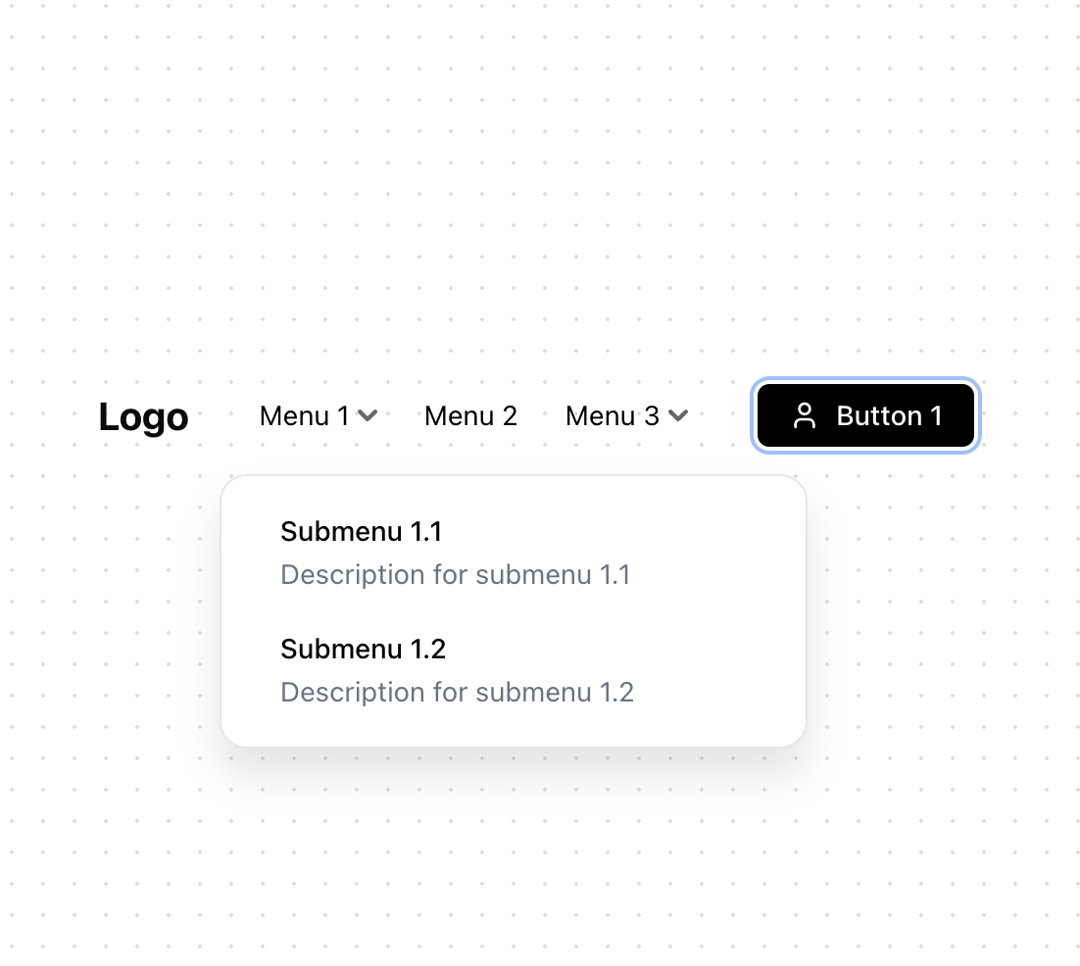
A modern, fully-customizable React navigation bar with smooth dropdown animations and seamless dark mode support. Features include animated dropdowns with perspective effects, glass morphism for sticky headers, and mobile responsiveness. Built with TypeScript and Tailwind CSS, it includes a custom button component and supports dynamic theme switching. Perfect for modern web applications requiring a sleek, professional navigation experience. Key features in bullet points: 🎨 Light/Dark mode with smooth transitions 📱 Responsive design with mobile menu 🔄 Animated dropdowns with 3D effects 💎 Glass morphism support for sticky headers 🎯 TypeScript & Tailwind CSS 🔧 Highly customizable (colors, animations, layout) 📦 Zero external dependencies (includes custom button)
Built with React and Tailwind. Copy the prompt and paste it into Claude Code, Cursor or Lovable: your agent adds Simple Navbar with Dropdown to your project and fits it to your theme.
Code
How Simple Navbar with Dropdown is used: the demo's code. The component's own source comes with a free account.
Usage.tsx
"use client"

import * as React from "react"
import { Header, Button } from "@/components/components/21st-navbar"
import { Menu, User, Sun, Moon, ChevronDown } from "lucide-react"

// Sample menu items
const menuItems = [
  {
    text: "Menu 1",
    items: [
      {
        text: "Submenu 1.1",
        description: "Description for submenu 1.1",
        to: "/menu1/submenu1",
      },
      {
        text: "Submenu 1.2",
        description: "Description for submenu 1.2",
        to: "/menu1/submenu2",
      }
    ]
  },
  {
    text: "Menu 2",
    to: "/menu2"
  },
  {
    text: "Menu 3",
    items: [
      {
        text: "Submenu 3.1",
        description: "Description for submenu 3.1",
        to: "/menu3/submenu1",
      },
      {
        text: "Submenu 3.2",
        description: "Description for submenu 3.2",
        to: "/menu3/submenu2",
      }
    ]
  }
]

// Basic light theme demo
const LightDemo = () => {
  return (
    <div className="w-full">
      <Header
        logo={<span className="text-xl font-bold">Logo</span>}
        menuItems={menuItems}
        rightContent={
          <Button variant="default">
            <User className="mr-2 h-4 w-4" />
            Button 1
          </Button>
        }
      />
    </div>
  )
}

// Dark theme demo
const DarkDemo = () => {
  return (
    <div className="w-full bg-[#0B0C0F] min-h-[200px]">
      <Header
        theme="dark"
        logo={<span className="text-xl font-bold text-white">Logo</span>}
        menuItems={menuItems}
        rightContent={
          <Button
            variant="outline"
            className="text-white"
          >
            <User className="mr-2 h-4 w-4" />
            Button 1
          </Button>
        }
      />
    </div>
  )
}

// Theme switcher demo
const ThemeDemo = () => {
  const [theme, setTheme] = React.useState<'light' | 'dark'>('light')

  return (
    <div className={`w-full ${theme === 'dark' ? 'bg-[#0B0C0F]' : 'bg-white'} min-h-[200px]`}>
      <Header
        theme={theme}
        logo={<span className={`text-xl font-bold ${theme === 'dark' ? 'text-white' : 'text-black'}`}>Logo</span>}
        menuItems={menuItems}
        onThemeChange={() => setTheme(theme === 'light' ? 'dark' : 'light')}
        rightContent={
          <Button
            variant={theme === 'dark' ? 'outline' : 'default'}
            className={theme === 'dark' ? 'text-white' : ''}
          >
            {theme === 'dark' ? <Moon className="mr-2 h-4 w-4" /> : <Sun className="mr-2 h-4 w-4" />}
            Button 1
          </Button>
        }
      />
    </div>
  )
}

// Export all variants
export { LightDemo, DarkDemo, ThemeDemo }