
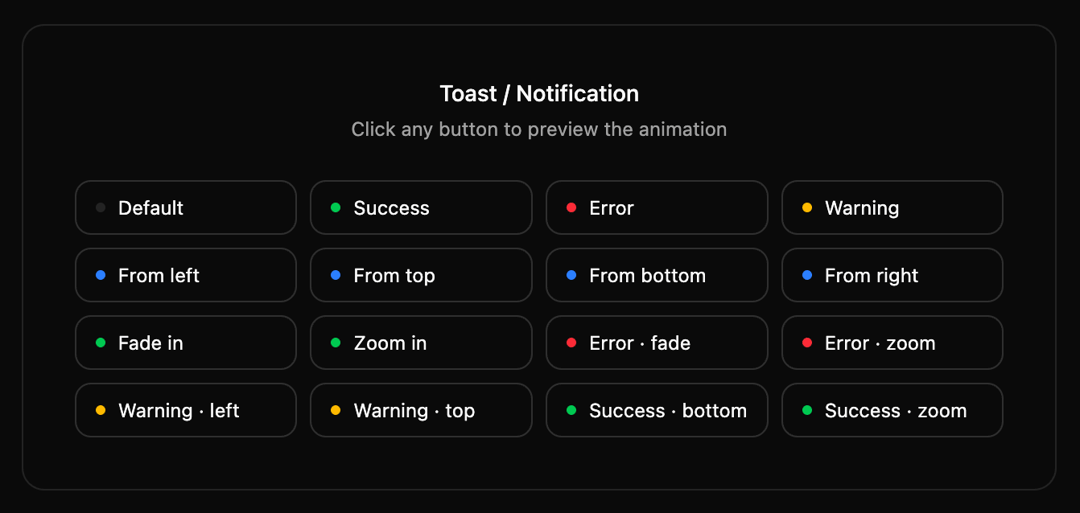
A lightweight, highly accessible toast system built with React and Tailwind CSS. Unlike standard toast libraries, this component uses primitive composition (ToastTitle, ToastDescription, etc.), giving you total control over the layout. 16+ Animation Combos: Supports slide, fade, and zoom variants with mirrored entry/exit physics. Smart Lifecycle: Imperative animation handling ensures smooth exits even when auto-dismissing. Adaptive Styling: Full support for dark/light modes using semantic CSS variables. Accessible: Built with aria-live regions and proper role="alert" attributes for screen readers. Progress Tracking: Includes a visual countdown bar for auto-dismissible notifications.
Built with React and Tailwind. Copy the prompt and paste it into Claude Code, Cursor or Lovable: your agent adds Toast/Notification to your project and fits it to your theme.
Code
How Toast/Notification is used: the demo's code. The component's own source comes with a free account.
Usage.tsx
import { Component, useToast } from "@/components/ui/toast-notification"
import type { ToastVariant, ToastAnimation } from "@/components/ui/toast-notification"
import { cn } from "@/lib/utils"

// ─── Data ─────────────────────────────────────────────────────────────────────
// Edit or extend this list. Each entry fires one toast on click.

const demos: {
  label: string
  variant: ToastVariant
  animation: ToastAnimation
  title: string
  description?: string
}[] = [
  // Variants — slide from right (default)
  { label: "Default",          variant: "default", animation: "slide-from-right", title: "Heads up",             description: "This is a default notification." },
  { label: "Success",          variant: "success", animation: "slide-from-right", title: "Changes saved",        description: "Your file has been saved successfully." },
  { label: "Error",            variant: "error",   animation: "slide-from-right", title: "Something went wrong", description: "Could not connect. Please try again." },
  { label: "Warning",          variant: "warning", animation: "slide-from-right", title: "Heads up",             description: "You're approaching your usage limit." },

  // Animation directions — success variant
  { label: "From left",        variant: "info",    animation: "slide-from-left",   title: "Sliding in",          description: "Came from the left side." },
  { label: "From top",         variant: "info",    animation: "slide-from-top",    title: "Dropping in",         description: "Came from the top." },
  { label: "From bottom",      variant: "info",    animation: "slide-from-bottom", title: "Rising up",           description: "Came from the bottom." },
  { label: "From right",       variant: "info",    animation: "slide-from-right",  title: "Sliding in",          description: "Came from the right side." },

  // Fade & zoom
  { label: "Fade in",          variant: "success", animation: "fade",              title: "Fading in",           description: "Smooth fade entrance." },
  { label: "Zoom in",          variant: "success", animation: "zoom",              title: "Zooming in",          description: "Popped in with a zoom." },

  // Error × animations
  { label: "Error · fade",     variant: "error",   animation: "fade",              title: "Request failed",      description: "The server returned a 500 error." },
  { label: "Error · zoom",     variant: "error",   animation: "zoom",              title: "Auth error",          description: "Your session has expired." },

  // Warning × animations
  { label: "Warning · left",   variant: "warning", animation: "slide-from-left",   title: "Low disk space",      description: "Less than 1 GB remaining." },
  { label: "Warning · top",    variant: "warning", animation: "slide-from-top",    title: "Rate limit soon",     description: "You've used 90% of your quota." },

  // Success × animations
  { label: "Success · bottom", variant: "success", animation: "slide-from-bottom", title: "Deployed!",           description: "Your app is live on production." },
  { label: "Success · zoom",   variant: "success", animation: "zoom",              title: "Payment received",    description: "$49.00 has been processed." },
]

// ─── Demo UI ──────────────────────────────────────────────────────────────────

const variantDot: Record<ToastVariant, string> = {
  default: "bg-border",
  success: "bg-green-500",
  error:   "bg-red-500",
  warning: "bg-amber-400",
  info:    "bg-blue-500",
}

function ToastDemo() {
  const { toast } = useToast()

  return (
    <div className="bg-background flex flex-col items-center gap-6 rounded-xl border p-8">
      <div className="flex flex-col gap-1 text-center">
        <p className="text-sm font-medium">Toast / Notification</p>
        <p className="text-muted-foreground text-xs">Click any button to preview the animation</p>
      </div>

      <div className="grid grid-cols-2 sm:grid-cols-4 gap-2 w-full">
        {demos.map((d) => (
          <button
            key={d.label}
            onClick={() => toast(d.variant, d.title, d.description, d.animation)}
            className={cn(
              "border-input bg-background hover:bg-accent hover:text-accent-foreground",
              "flex items-center gap-2 rounded-lg border px-3 py-2 text-xs cursor-pointer transition-colors text-left"
            )}
          >
            <span className={cn("size-1.5 rounded-full shrink-0", variantDot[d.variant])} />
            {d.label}
          </button>
        ))}
      </div>
    </div>
  )
}

// ─── Default export ───────────────────────────────────────────────────────────

export default function DemoOne() {
  return (
    <Component position="bottom-right">
      <ToastDemo />
    </Component>
  )
}