
About
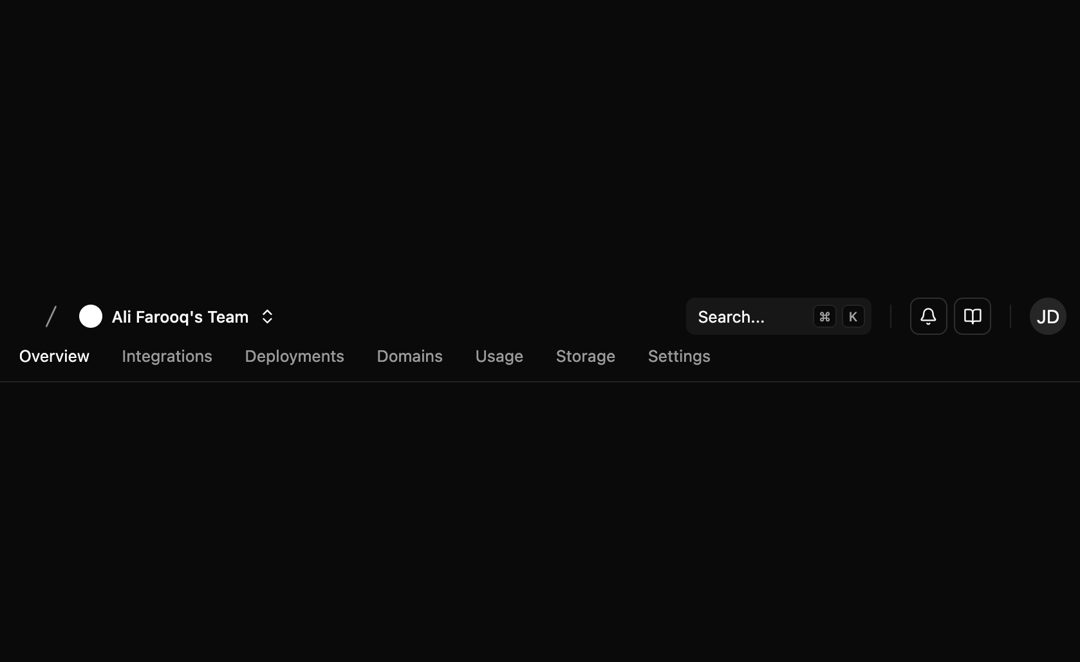
Here is Navbar Component
Built with React and Tailwind. Copy the prompt and paste it into Claude Code, Cursor or Lovable: your agent adds Navbar to your project and fits it to your theme.
Code
How Navbar is used: the demo's code. The component's own source comes with a free account.
Usage.tsx
import * as React from "react"
import { cn } from "@/lib/utils"
import { buttonVariants, Button } from "@/components/ui/button"
import {
  NavigationMenu,
  NavigationMenuItem,
  NavigationMenuList,
} from "@/components/ui/navigation-menu"
import { Separator } from "@/components/ui/separator"
import {
  BellIcon,
  BookOpenIcon,
  SlashIcon,
  ChevronsUpDownIcon,
  CheckIcon,
  PlusCircleIcon,
  LogOut,
  Settings,
  User,
  CreditCard,
} from "lucide-react"
import {
  Popover,
  PopoverContent,
  PopoverTrigger,
} from "@/components/ui/popover"
import {
  Command,
  CommandEmpty,
  CommandGroup,
  CommandInput,
  CommandItem,
  CommandList,
  CommandSeparator,
} from "@/components/ui/command"
import {
  DropdownMenu,
  DropdownMenuContent,
  DropdownMenuGroup,
  DropdownMenuItem,
  DropdownMenuLabel,
  DropdownMenuSeparator,
  DropdownMenuTrigger,
} from "@/components/ui/dropdown-menu"
import { Avatar, AvatarFallback, AvatarImage } from "@/components/ui/avatar"
import { MobileNav } from "@/components/ui/navbar"

// ---------------------- Search ----------------------
export function Search({ className }: React.ComponentProps<"button">) {
  const isMac =
    typeof window !== "undefined" &&
    navigator.platform.toUpperCase().includes("MAC")

  return (
    <Button
      variant="secondary"
      className={cn(
        "bg-surface text-surface-foreground/60 dark:bg-card relative h-8 w-full justify-start pl-2.5 font-normal shadow-none sm:pr-12 md:w-40 lg:w-56 xl:w-64",
        className
      )}
    >
      <span className="hidden lg:inline-flex">Search...</span>
      <span className="inline-flex lg:hidden">Search...</span>

      <div className="absolute top-1.5 right-1.5 hidden gap-1 sm:flex">
        <CommandMenuKbd>{isMac ? "⌘" : "Ctrl"}</CommandMenuKbd>
        <CommandMenuKbd className="h-5 w-5">K</CommandMenuKbd>
      </div>
    </Button>
  )
}

function CommandMenuKbd({ className, ...props }: React.ComponentProps<"kbd">) {
  return (
    <kbd
      className={cn(
        "bg-background text-muted-foreground pointer-events-none flex h-5 items-center justify-center gap-1 rounded border px-1 font-sans text-[0.7rem] font-medium select-none [&_svg:not([class*='size-'])]:h-3 [&_svg:not([class*='size-'])]:w-3",
        className
      )}
      {...props}
    />
  )
}

// ---------------------- Team Switcher ----------------------
const defaultTeams = [
  { id: "alifarooq", name: "Ali Farooq's Team" },
  { id: "shadcn", name: "Shad CN's Team" },
  { id: "leerob", name: "Lee Robinson's Team" },
]

export function TeamSwitcher() {
  const [team, setTeam] = React.useState(defaultTeams[0])
  const [open, setOpen] = React.useState(false)

  const onCreateNewTeam = () => {
    // Logic for creating a new team
  }

  return (
    <Popover open={open} onOpenChange={setOpen}>
      <PopoverTrigger asChild>
        <Button
          variant="ghost"
          size="sm"
          role="combobox"
          aria-expanded={open}
          className={cn(
            "dark:hover:bg-accent max-w-[140px] cursor-pointer justify-start px-2 sm:max-w-[180px] flex items-center gap-2"
          )}
        >
          <div className="h-5 w-5 shrink-0 rounded-full bg-white" />
          <p className="truncate text-sm">{team.name}</p>
          <ChevronsUpDownIcon className="h-4 w-4" />
        </Button>
      </PopoverTrigger>
      <PopoverContent className="p-0" align="start">
        <Command>
          <CommandInput placeholder="Search team..." />
          <CommandList>
            <CommandEmpty>No team found.</CommandEmpty>
            <CommandGroup className="max-h-60 overflow-y-auto">
              {defaultTeams.map((teamOption) => (
                <CommandItem
                  key={teamOption.id}
                  value={teamOption.id}
                  onSelect={(currentValue) => {
                    setTeam(
                      defaultTeams.find((t) => t.id === currentValue) ||
                        defaultTeams[0]
                    )
                    setOpen(false)
                  }}
                  className="flex items-center gap-3"
                >
                  <div className="h-5 w-5 rounded-full bg-white" />
                  <span className="flex-1">{teamOption.name}</span>
                  <CheckIcon
                    className={cn(
                      "ml-auto h-4 w-4",
                      team.id === teamOption.id ? "opacity-100" : "opacity-0"
                    )}
                    aria-hidden
                  />
                </CommandItem>
              ))}
            </CommandGroup>

            <CommandSeparator />

            <CommandGroup>
              <CommandItem onSelect={onCreateNewTeam} className="flex items-center gap-2">
                <PlusCircleIcon className="h-4 w-4" />
                <span>Create new team</span>
              </CommandItem>
            </CommandGroup>
          </CommandList>
        </Command>
      </PopoverContent>
    </Popover>
  )
}

// ---------------------- User Profile Dropdown ----------------------
// I replaced numeric `size` with `sizeClass` (Tailwind friendly), default is "h-8 w-8".
function UserProfileDropdown({
  align = "end",
  sizeClass = "h-8 w-8",
}: {
  align?: "start" | "center" | "end"
  sizeClass?: string
}) {
  return (
    <DropdownMenu>
      <DropdownMenuTrigger asChild>
        <button
          className={cn(
            "rounded-full focus:outline-none focus:ring-2 focus:ring-ring focus:ring-offset-2",
            sizeClass
          )}
          aria-label="Open user menu"
        >
          <Avatar className={cn("h-full w-full")}>
            <AvatarImage src="/avatar-1.png" alt="User avatar" />
            <AvatarFallback>JD</AvatarFallback>
          </Avatar>
        </button>
      </DropdownMenuTrigger>

      <DropdownMenuContent align={align} className="w-56">
        <DropdownMenuLabel className="font-normal">
          <div className="flex flex-col space-y-1">
            <p className="text-sm font-medium leading-none">John Doe</p>
            <p className="text-xs leading-none text-muted-foreground">
              john@example.com
            </p>
          </div>
        </DropdownMenuLabel>

        <DropdownMenuSeparator />

        <DropdownMenuGroup>
          <DropdownMenuItem className="flex items-center">
            <User className="mr-2 h-4 w-4" />
            <span>Profile</span>
          </DropdownMenuItem>

          <DropdownMenuItem className="flex items-center">
            <CreditCard className="mr-2 h-4 w-4" />
            <span>Billing</span>
          </DropdownMenuItem>

          <DropdownMenuItem className="flex items-center">
            <Settings className="mr-2 h-4 w-4" />
            <span>Settings</span>
          </DropdownMenuItem>
        </DropdownMenuGroup>

        <DropdownMenuSeparator />

        <DropdownMenuItem className="flex items-center">
          <LogOut className="mr-2 h-4 w-4" />
          <span>Log out</span>
        </DropdownMenuItem>
      </DropdownMenuContent>
    </DropdownMenu>
  )
}

// ---------------------- Navbar ----------------------
const navigationLinks = [
  {
    name: "Menu",
    items: [
      { href: "#", label: "Overview", active: true },
      { href: "#", label: "Integrations" },
      { href: "#", label: "Deployments" },
      { href: "#", label: "Domains" },
      { href: "#", label: "Usage" },
      { href: "#", label: "Storage" },
      { href: "#", label: "Settings" },
    ],
  },
]

export default function Navbar() {
  const Link: any = "a" // Replace with next/link component if using Next.js

  return (
    <header className="border-border mt-4 w-full flex-col items-center justify-between gap-3 border-b px-4 xl:px-6">
      <div className="flex w-full items-center justify-between gap-4">
        <div className="flex flex-1 items-center justify-start gap-2">
          <Link
            href="#"
            className={cn(
              buttonVariants({ variant: "ghost", size: "icon" }),
              "dark:hover:bg-accent text-accent-foreground hidden md:flex h-6 w-6"
            )}
          >
            {/* Logo */}
            <svg
              viewBox="0 0 40 40"
              fill="none"
              xmlns="http://www.w3.org/2000/svg"
              className="h-6 w-6"
            >
              {/* paths */}
            </svg>
          </Link>

          <SlashIcon className="hidden md:flex h-4 w-4 text-muted-foreground -rotate-[20deg]" />

          <MobileNav nav={navigationLinks} />

          <TeamSwitcher />
        </div>

        <div className="flex items-center justify-end gap-4 md:flex-1">
          <Search className="hidden md:flex" />

          <Separator
            orientation="vertical"
            className="hidden data-[orientation=vertical]:h-5 md:flex"
          />

          <div className="hidden items-center gap-1.5 sm:flex">
            <Link
              href="#"
              className={cn(
                buttonVariants({ variant: "outline", size: "icon" }),
                "h-8 w-8 flex items-center justify-center"
              )}
            >
              <BellIcon className="h-4 w-4" />
            </Link>

            <Link
              href="#"
              className={cn(
                buttonVariants({ variant: "outline", size: "icon" }),
                "h-8 w-8 flex items-center justify-center"
              )}
            >
              <BookOpenIcon className="h-4 w-4" />
            </Link>
          </div>

          <Separator
            orientation="vertical"
            className="hidden data-[orientation=vertical]:h-5 sm:flex"
          />

          <UserProfileDropdown align="end" sizeClass="h-8 w-8" />
        </div>
      </div>

      <div className="flex w-full items-center justify-start pb-1.5">
        <NavigationMenu className="max-md:hidden">
          <NavigationMenuList>
            {navigationLinks[0].items.map((link, index) => (
              <NavigationMenuItem key={index} asChild>
                <Link
                  href={link.href}
                  data-active={link.active}
                  className="text-foreground/60 data-[active=true]:text-accent-foreground hover:bg-accent hover:text-accent-foreground focus:bg-accent focus:text-accent-foreground flex flex-col gap-1 rounded-md px-3 py-1.5 text-sm font-normal transition-all outline-none focus-visible:ring-[3px] data-[active=true]:relative"
                >
                  {link.label}
                </Link>
              </NavigationMenuItem>
            ))}
          </NavigationMenuList>
        </NavigationMenu>
      </div>
    </header>
  )
}
More in Dashboards
View all
Dashboard with Collapsible Sidebar
2.4K

Sidebar
234

SaaS Template
2.4K

Chat template
598
Stats Bento
1.1K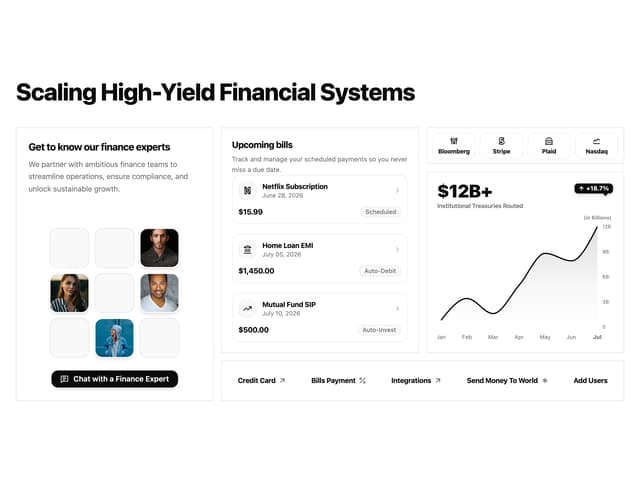

Financial Bento Grid
71

Statistics Card 2
264

Course Design Cards
1.1K

