About
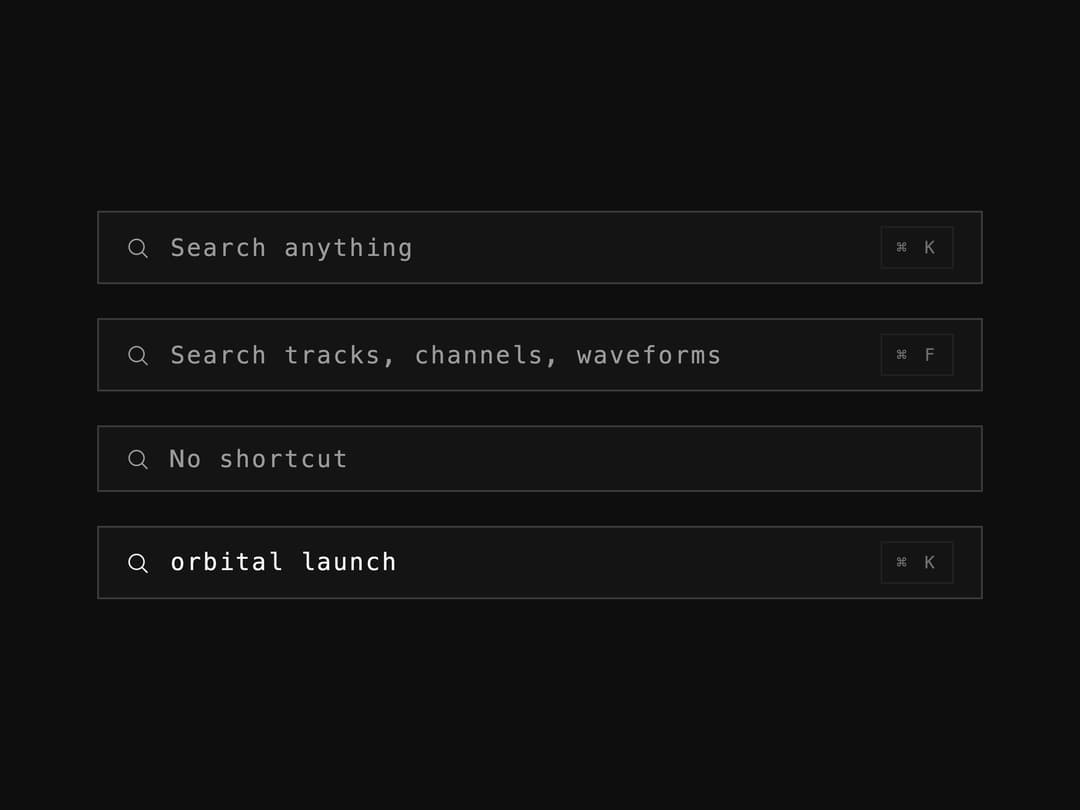
A command-bar-style search input with a leading icon, placeholder text, and an optional ⌘-K shortcut chip, for headers and command palettes.
Built with React and Tailwind. Copy the prompt and paste it into Claude Code, Cursor or Lovable: your agent adds Search Field to your project and fits it to your theme.
Code
How Search Field is used: the demo's code. The component's own source comes with a free account.
Usage.tsx
import SearchField from "@/components/ui/andromeda-search-field";

export default function SearchFieldDemo() {
  return (
    <div
      style={{
        width: "100%",
        minHeight: "100vh",
        display: "flex",
        alignItems: "center",
        justifyContent: "center",
        background: "#0E0E0F",
        padding: "24px",
      }}
    >
      <div
        style={{
          display: "flex",
          flexDirection: "column",
          gap: "20px",
          width: "100%",
          maxWidth: "520px",
        }}
      >
        <SearchField placeholder="Search anything" shortcut="⌘ K" />
        <SearchField
          placeholder="Search tracks, channels, waveforms"
          shortcut="⌘ F"
        />
        <SearchField placeholder="No shortcut" shortcut={null} />
        <SearchField defaultValue="orbital launch" shortcut="⌘ K" />
      </div>
    </div>
  );
}
Dependencies
More by aicanvas
View all

Expanding Tabs
124
Stack Tower
93
Runway Loader
92
Blind Pull Toggle
72
Magnetic Logo Cluster
13
Glass Search Bar