
About
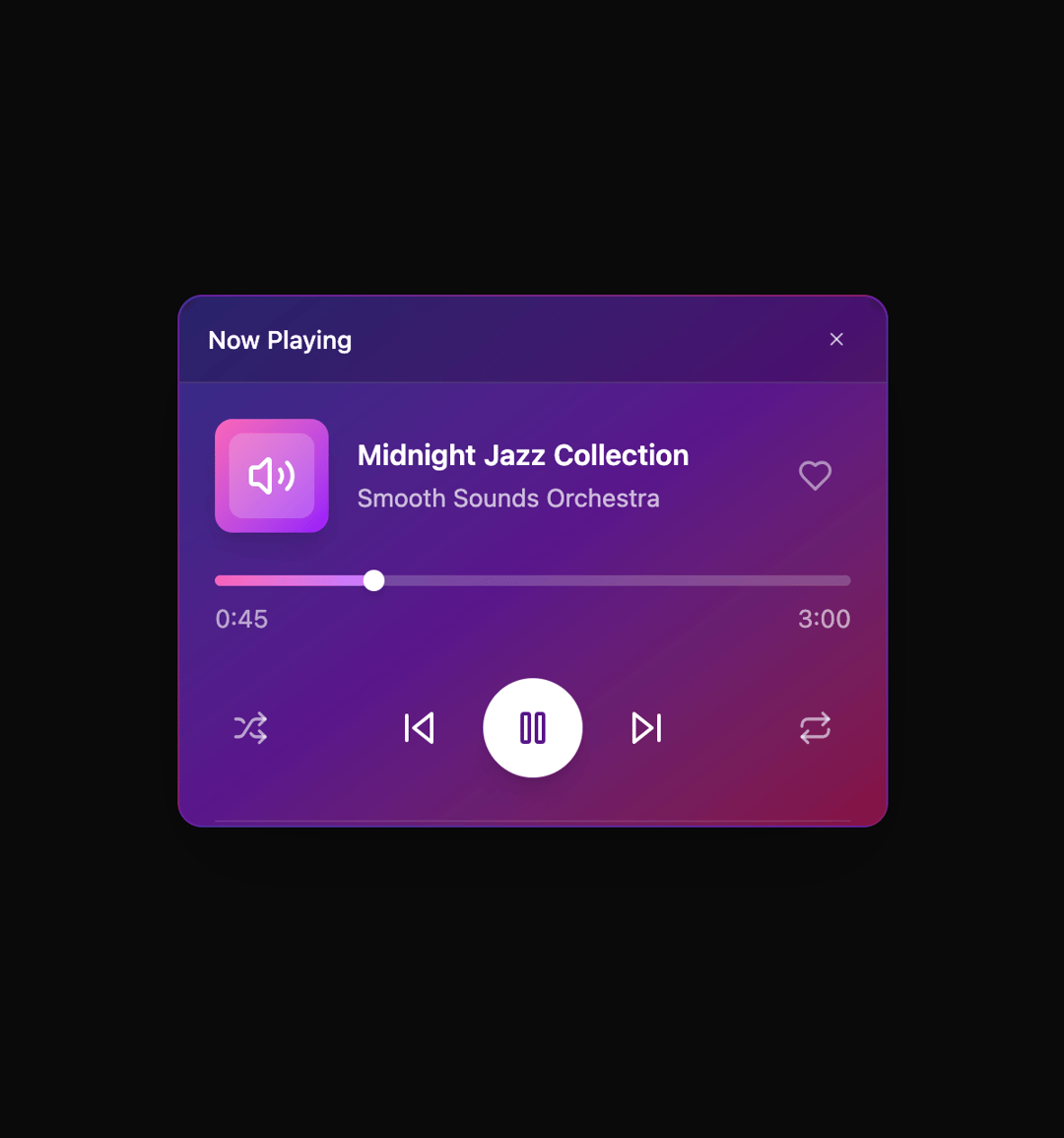
Here is Floating Panel component
Built with React and Tailwind. Copy the prompt and paste it into Claude Code, Cursor or Lovable: your agent adds Floating Panel to your project and fits it to your theme.
Code
How Floating Panel is used: the demo's code. The component's own source comes with a free account.
Usage.tsx
"use client";

import { FloatingPanel } from "@ark-ui/react/floating-panel";
import { Portal } from "@ark-ui/react/portal";
import {
  Play,
  Pause,
  SkipBack,
  SkipForward,
  Volume2,
  X,
  Heart,
  Shuffle,
  Repeat,
} from "lucide-react";

const formatTime = (seconds: number) => {
  const mins = Math.floor(seconds / 60);
  const secs = seconds % 60;
  return `${mins}:${secs.toString().padStart(2, "0")}`;
};

export default function MediaPlayer() {
  const isPlaying = true;
  const currentTime = 45;
  const duration = 180;
  const volume = 75;
  const isLiked = false;

  return (
    <FloatingPanel.Root defaultSize={{ width: 400, height: 300 }}>
      <FloatingPanel.Trigger className="px-4 py-2 bg-linear-to-r from-purple-600 to-pink-600 text-white text-sm font-medium rounded-lg hover:from-purple-700 hover:to-pink-700 focus:outline-hidden focus:ring-2 focus:ring-purple-500 focus:ring-offset-2 shadow-lg">
        Open Media Player
      </FloatingPanel.Trigger>

      <Portal>
        <FloatingPanel.Positioner className="z-50">
          <FloatingPanel.Content className="bg-linear-to-br from-indigo-900 via-purple-900 to-pink-900 rounded-xl border border-purple-500/20 w-full shadow-2xl overflow-hidden data-[stage=maximized]:rounded-none">
            <FloatingPanel.DragTrigger>
              <FloatingPanel.Header className="py-3 px-4 bg-black/20 backdrop-blur-xs border-b border-white/10 flex justify-between items-center rounded-t-xl cursor-move">
                <FloatingPanel.Title className="font-medium text-white text-sm">
                  Now Playing
                </FloatingPanel.Title>
                <FloatingPanel.Control className="flex items-center gap-1">
                  <FloatingPanel.CloseTrigger className="w-6 h-6 flex items-center justify-center text-white/70 hover:text-red-400 hover:bg-red-500/20 rounded transition-colors">
                    <X className="w-3 h-3" />
                  </FloatingPanel.CloseTrigger>
                </FloatingPanel.Control>
              </FloatingPanel.Header>
            </FloatingPanel.DragTrigger>

            <FloatingPanel.Body className="flex flex-col p-5 text-white min-h-0 flex-1">
              <div className="flex flex-col justify-center h-full max-w-md mx-auto w-full space-y-6">
                {/* Song Info & Album Art */}
                <div className="flex items-center gap-4">
                  <div className="w-16 h-16 bg-linear-to-br from-pink-400 to-purple-600 rounded-lg flex items-center justify-center shadow-lg shrink-0">
                    <div className="w-12 h-12 bg-white/20 rounded-md flex items-center justify-center">
                      <Volume2 className="w-7 h-7 text-white" />
                    </div>
                  </div>
                  <div className="flex-1 min-w-0">
                    <h3 className="font-semibold text-white text-base leading-tight mb-1 truncate">
                      Midnight Jazz Collection
                    </h3>
                    <p className="text-white/70 text-sm truncate">
                      Smooth Sounds Orchestra
                    </p>
                  </div>
                  <button
                    className={`w-10 h-10 flex items-center justify-center rounded-full transition-colors shrink-0 ${
                      isLiked
                        ? "text-pink-400 hover:text-pink-300"
                        : "text-white/50 hover:text-white/80"
                    }`}
                  >
                    <Heart
                      className={`w-5 h-5 ${isLiked ? "fill-current" : ""}`}
                    />
                  </button>
                </div>

                {/* Progress Bar */}
                <div className="space-y-2">
                  <div className="w-full bg-white/20 rounded-full h-1.5">
                    <div
                      className="bg-linear-to-r from-pink-400 to-purple-400 h-1.5 rounded-full transition-all duration-300 relative"
                      style={{ width: `${(currentTime / duration) * 100}%` }}
                    >
                      <div className="absolute right-0 top-1/2 transform translate-x-1/2 -translate-y-1/2 w-3 h-3 bg-white rounded-full shadow-md"></div>
                    </div>
                  </div>
                  <div className="flex items-center justify-between text-sm text-white/60">
                    <span>{formatTime(currentTime)}</span>
                    <span>{formatTime(duration)}</span>
                  </div>
                </div>

                {/* Controls */}
                <div className="flex items-center justify-between">
                  {/* Secondary Controls */}
                  <div className="flex items-center gap-2">
                    <button className="w-10 h-10 flex items-center justify-center text-white/60 hover:text-white transition-colors rounded-full hover:bg-white/10">
                      <Shuffle className="w-5 h-5" />
                    </button>
                  </div>

                  {/* Main Controls */}
                  <div className="flex items-center gap-4">
                    <button className="w-10 h-10 flex items-center justify-center text-white hover:text-white/80 transition-colors rounded-full hover:bg-white/10">
                      <SkipBack className="w-6 h-6" />
                    </button>
                    <button className="w-14 h-14 flex items-center justify-center bg-white text-purple-900 rounded-full hover:bg-white/90 transition-all shadow-lg">
                      {isPlaying ? (
                        <Pause className="w-6 h-6" />
                      ) : (
                        <Play className="w-6 h-6 ml-0.5" />
                      )}
                    </button>
                    <button className="w-10 h-10 flex items-center justify-center text-white hover:text-white/80 transition-colors rounded-full hover:bg-white/10">
                      <SkipForward className="w-6 h-6" />
                    </button>
                  </div>

                  {/* Volume & Repeat */}
                  <div className="flex items-center gap-2">
                    <button className="w-10 h-10 flex items-center justify-center text-white/60 hover:text-white transition-colors rounded-full hover:bg-white/10">
                      <Repeat className="w-5 h-5" />
                    </button>
                  </div>
                </div>

                {/* Volume Control */}
                <div className="flex items-center gap-3 pt-2 border-t border-white/10">
                  <Volume2 className="w-5 h-5 text-white/60" />
                  <div className="flex-1 bg-white/20 rounded-full h-1.5">
                    <div
                      className="bg-linear-to-r from-pink-400 to-purple-400 h-1.5 rounded-full transition-all"
                      style={{ width: `${volume}%` }}
                    />
                  </div>
                  <span className="text-sm text-white/60 w-10 text-right">
                    {volume}%
                  </span>
                </div>
              </div>
            </FloatingPanel.Body>

            {/* Resize handles */}
            <FloatingPanel.ResizeTrigger axis="n" />
            <FloatingPanel.ResizeTrigger axis="e" />
            <FloatingPanel.ResizeTrigger axis="w" />
            <FloatingPanel.ResizeTrigger axis="s" />
            <FloatingPanel.ResizeTrigger axis="ne" />
            <FloatingPanel.ResizeTrigger axis="se" />
            <FloatingPanel.ResizeTrigger axis="sw" />
            <FloatingPanel.ResizeTrigger axis="nw" />
          </FloatingPanel.Content>
        </FloatingPanel.Positioner>
      </Portal>
    </FloatingPanel.Root>
  );
}
Dependencies
More by Abraham
View all

Signature Pad
107
Carousel
81
timeline-animation
65
Basic Toast
56
Calendar
54
QR Code
51
Menu
50
Steps
43