
About
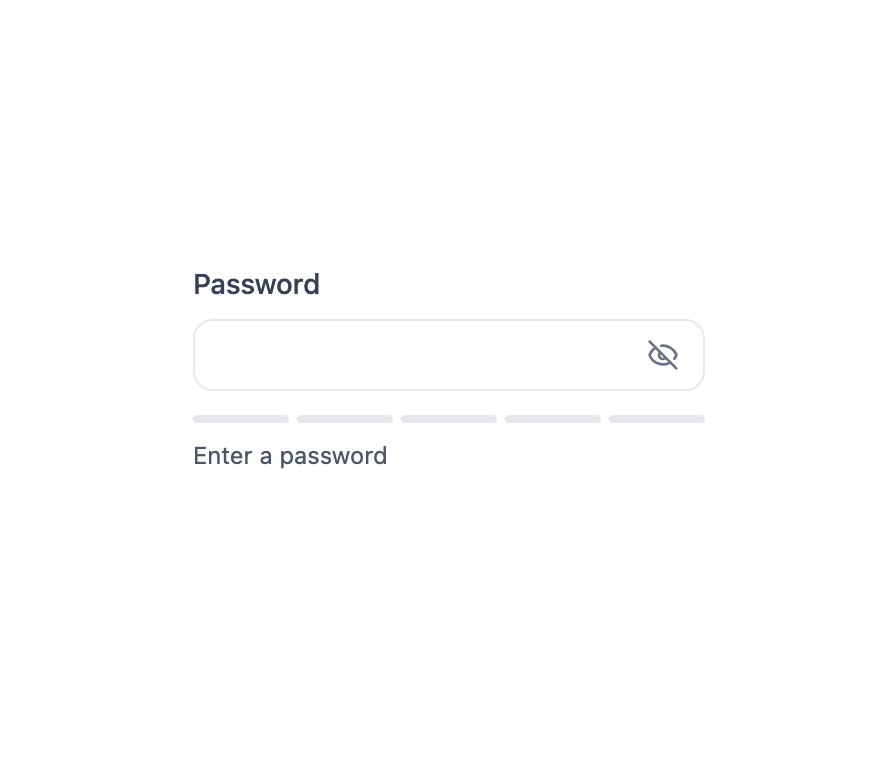
Here is Password Input component
Built with React and Tailwind. Copy the prompt and paste it into Claude Code, Cursor or Lovable: your agent adds Password Input to your project and fits it to your theme.
Code
How Password Input is used: the demo's code. The component's own source comes with a free account.
Usage.tsx
"use client";

import { PasswordInput } from "@ark-ui/react/password-input";
import { Eye, EyeOff } from "lucide-react";
import { useState } from "react";

export default function WithStrength() {
  const [password, setPassword] = useState("");

  const getStrength = (pwd: string) => {
    let score = 0;
    if (pwd.length >= 8) score++;
    if (/[A-Z]/.test(pwd)) score++;
    if (/[a-z]/.test(pwd)) score++;
    if (/[0-9]/.test(pwd)) score++;
    if (/[^A-Za-z0-9]/.test(pwd)) score++;
    return score;
  };

  const strength = getStrength(password);
  const strengthLabels = ["Very Weak", "Weak", "Fair", "Good", "Strong"];
  const strengthColors = [
    "bg-red-500",
    "bg-orange-500",
    "bg-yellow-500",
    "bg-blue-500",
    "bg-green-500",
  ];

  return (
    <div className="flex items-center justify-center min-h-32">
      <PasswordInput.Root className="w-64">
        <PasswordInput.Label className="text-sm font-medium text-gray-700 dark:text-gray-300 mb-2 block">
          Password
        </PasswordInput.Label>
        <PasswordInput.Control className="relative h-9 border border-gray-200 dark:border-gray-700 rounded-lg overflow-hidden focus-within:ring-2 focus-within:ring-blue-500/50 dark:focus-within:ring-blue-400/50 focus-within:border-blue-500 dark:focus-within:border-blue-400 transition-all">
          <PasswordInput.Input
            className="w-full h-full bg-white dark:bg-gray-900 text-gray-900 dark:text-gray-100 px-3 pr-10 border-none outline-hidden focus:outline-hidden focus-visible:outline-hidden"
            value={password}
            onChange={(e) => setPassword(e.target.value)}
          />
          <PasswordInput.VisibilityTrigger className="absolute right-3 top-1/2 -translate-y-1/2 text-gray-500 dark:text-gray-400 hover:text-gray-700 dark:hover:text-gray-300 transition-colors">
            <PasswordInput.Indicator fallback={<EyeOff className="w-4 h-4" />}>
              <Eye className="w-4 h-4" />
            </PasswordInput.Indicator>
          </PasswordInput.VisibilityTrigger>
        </PasswordInput.Control>

        <div className="mt-3">
          <div className="flex gap-1 mb-2">
            {[...Array(5)].map((_, i) => (
              <div
                key={i}
                className={`h-1 flex-1 rounded-full transition-colors ${
                  i < strength
                    ? strengthColors[strength - 1]
                    : "bg-gray-200 dark:bg-gray-700"
                }`}
              />
            ))}
          </div>
          <p className="text-xs text-gray-600 dark:text-gray-400">
            {password.length === 0
              ? "Enter a password"
              : `Strength: ${strengthLabels[strength - 1] || "Very Weak"}`}
          </p>
        </div>
      </PasswordInput.Root>
    </div>
  );
}
Dependencies
More by Abraham
View all

Signature Pad
107
Carousel
81
timeline-animation
65
Basic Toast
56
Calendar
54
QR Code
51
Menu
50
Steps
43
More in Forms
View all

Premium Auth
500

Login 1
52
Authentication Card
47

Book A Demo 3
83
Book A Demo 1
69

Contact Card
1K

Login Card
32

Login 2
7
