
About
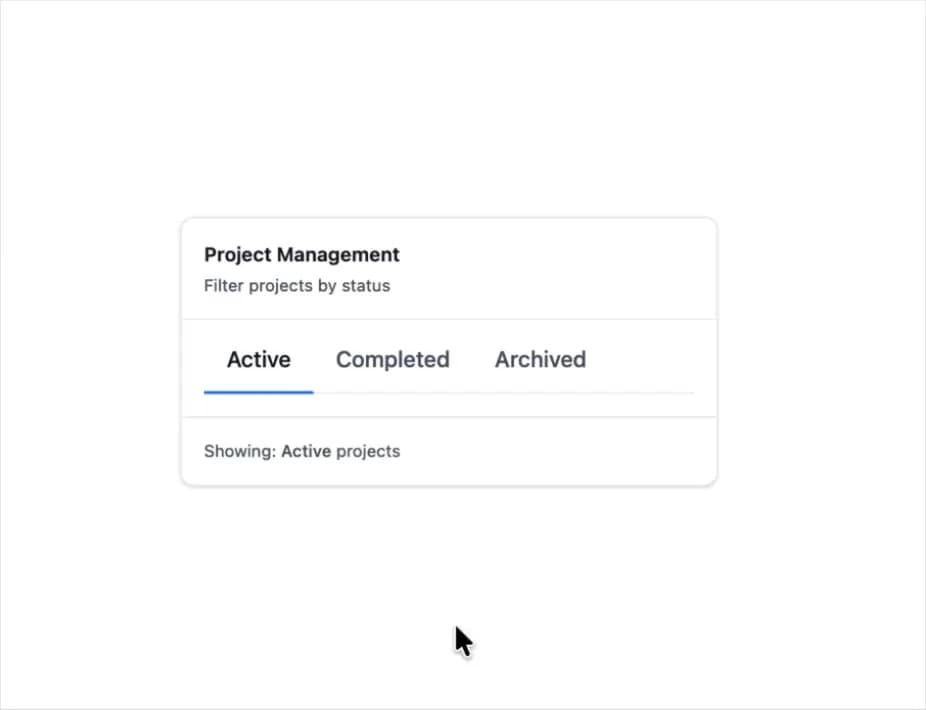
Here is Segment Group component
Built with React and Tailwind. Copy the prompt and paste it into Claude Code, Cursor or Lovable: your agent adds Segment Group to your project and fits it to your theme.
Code
How Segment Group is used: the demo's code. The component's own source comes with a free account.
Usage.tsx
"use client";

import { SegmentGroup } from "@ark-ui/react/segment-group";
import { useState } from "react";

export default function ProjectStatus() {
  const [activeStatus, setActiveStatus] = useState("active");

  const statuses = [
    { value: "active", label: "Active" },
    { value: "completed", label: "Completed" },
    { value: "archived", label: "Archived" },
  ];

  return (
    <div className="max-w-sm w-full bg-white dark:bg-gray-900 rounded-lg border border-gray-200 dark:border-gray-700 shadow-sm">
      <div className="p-4 border-b border-gray-200 dark:border-gray-700">
        <h3 className="text-sm font-semibold text-gray-900 dark:text-white">
          Project Management
        </h3>
        <p className="text-xs text-gray-600 dark:text-gray-400 mt-1">
          Filter projects by status
        </p>
      </div>

      <div className="p-4">
        <SegmentGroup.Root
          value={activeStatus}
          onValueChange={(e) => setActiveStatus(e.value || "active")}
          orientation="horizontal"
          className="flex items-start flex-row gap-0 border-b border-gray-200 dark:border-gray-700"
        >
          <SegmentGroup.Indicator className="border-blue-500 bottom-0 border-b-2 transform translate-y-px w-(--width) transition-all duration-200" />
          {statuses.map((status) => (
            <SegmentGroup.Item
              key={status.value}
              value={status.value}
              className="text-gray-600 dark:text-gray-400 cursor-pointer font-medium transition-colors duration-200 hover:text-gray-900 dark:hover:text-white px-4 pb-3 data-[state=checked]:text-gray-900 dark:data-[state=checked]:text-white data-disabled:cursor-not-allowed data-disabled:opacity-40"
            >
              <SegmentGroup.ItemText>{status.label}</SegmentGroup.ItemText>
              <SegmentGroup.ItemControl />
              <SegmentGroup.ItemHiddenInput />
            </SegmentGroup.Item>
          ))}
        </SegmentGroup.Root>
      </div>

      <div className="p-4 border-t border-gray-200 dark:border-gray-700">
        <p className="text-xs text-gray-600 dark:text-gray-400">
          Showing:{" "}
          <span className="font-medium capitalize">{activeStatus}</span>{" "}
          projects
        </p>
      </div>
    </div>
  );
}
Dependencies
More by Abraham
View all

Signature Pad
107
Carousel
81
timeline-animation
65
Basic Toast
56
Calendar
54
QR Code
51
Menu
50
Steps
43