
About
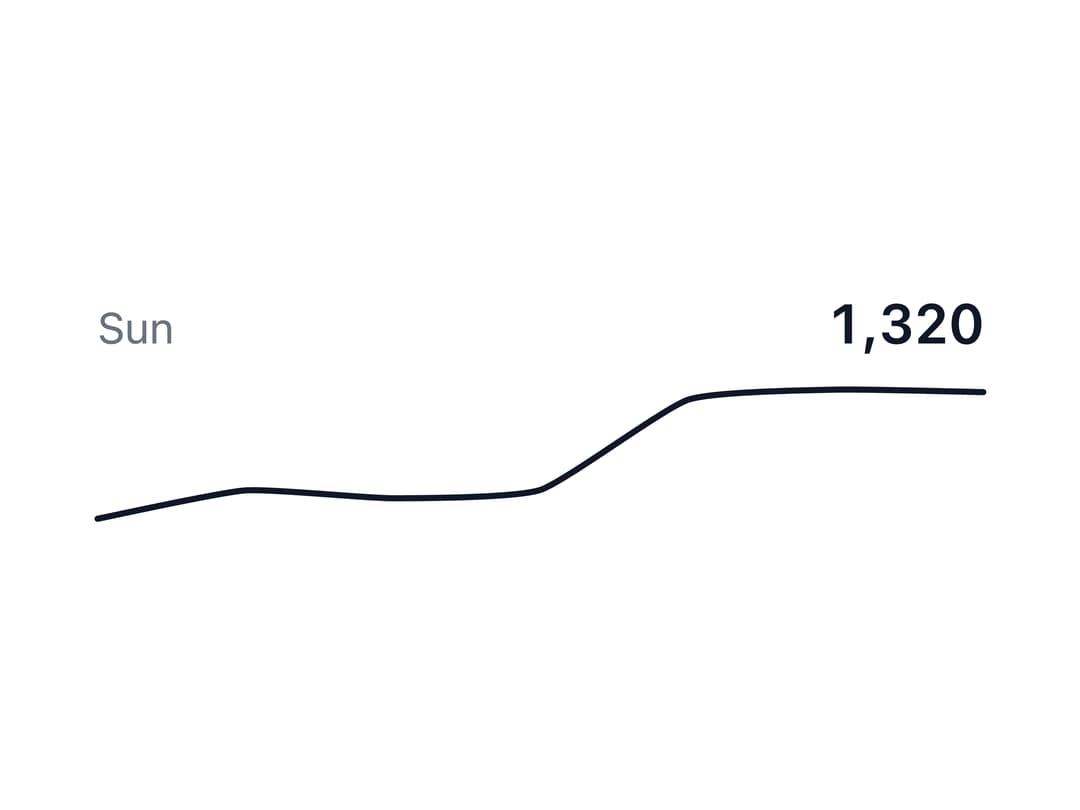
A compact inline chart (line, area, or column) that shows a data trend at a glance inside a KPI card, table row, or dashboard header, with an optional hover tooltip and live-updating value/label.
Built with React and Tailwind. Copy the prompt and paste it into Claude Code, Cursor or Lovable: your agent adds Sparkline to your project and fits it to your theme.
Code
How Sparkline is used: the demo's code. The component's own source comes with a free account.
Usage.tsx
import * as React from "react";
import {
  Sparkline,
  SparklineChart,
  type SparklinePoint,
} from "@/components/ui/sparkline";

const DATA = [820, 932, 901, 934, 1290, 1330, 1320];
const LABELS = ["Mon", "Tue", "Wed", "Thu", "Fri", "Sat", "Sun"];

export default function SparklineControlled() {
  const [active, setActive] = React.useState<SparklinePoint | null>(null);
  const point = active ?? {
    index: DATA.length - 1,
    value: DATA[DATA.length - 1]!,
    label: LABELS[DATA.length - 1],
  };

  return (
    <div className="w-72 max-w-full">
      <div className="mb-1 flex items-baseline justify-between">
        <span className="text-foreground-muted text-sm">{point.label}</span>
        <span className="text-foreground-intense text-lg font-semibold tabular-nums">
          {point.value.toLocaleString()}
        </span>
      </div>
      <Sparkline data={DATA} labels={LABELS} onActiveChange={setActive}>
        <SparklineChart height={48} aria-label="Weekly requests" />
      </Sparkline>
    </div>
  );
}
More by appica-dev
View all
Border Beam
43
Text Animate
19
Carousel
14
Table of Contents
6
Color Area
6
Avatar
6
Background Pattern
3
Autocomplete
2