
About
The Toaster component is a customizable toast notification system built on top of the Sonner library. It provides a flexible, animated UI for in-app alerts, designed to match modern UX and design standards.
Built with React and Tailwind. Copy the prompt and paste it into Claude Code, Cursor or Lovable: your agent adds Toast to your project and fits it to your theme.
Code
How Toast is used: the demo's code. The component's own source comes with a free account.
Usage.tsx
'use client';

import { useRef } from 'react';
import { Button } from '@/components/ui/button';
import Toaster, { ToasterRef } from '@/components/ui/toast';

type Variant = 'default' | 'success' | 'error' | 'warning';
type Position =
  | 'top-left'
  | 'top-center'
  | 'top-right'
  | 'bottom-left'
  | 'bottom-center'
  | 'bottom-right';

export default function ToasterDemo() {
  const toasterRef = useRef<ToasterRef>(null);

  const showToast = (variant: Variant, position: Position = 'bottom-right') => {
    toasterRef.current?.show({
      title: `${variant.charAt(0).toUpperCase() + variant.slice(1)} Notification`,
      message: `This is a ${variant} toast notification.`,
      variant,
      position,
      duration: 3000,
      onDismiss: () =>
        console.log(`${variant} toast at ${position} dismissed`),
    });
  };

  const simulateApiCall = async () => {
    toasterRef.current?.show({
      title: 'Scheduling...',
      message: 'Please wait while we schedule your meeting.',
      variant: 'default',
      position: 'bottom-right',
    });

    try {
      await new Promise((resolve) => setTimeout(resolve, 2000));

      toasterRef.current?.show({
        title: 'Meeting Scheduled',
        message: 'Your meeting is scheduled for July 4, 2025, at 3:42 PM IST.',
        variant: 'success',
        position: 'bottom-right',
        highlightTitle: true,
        actions: {
          label: 'Undo',
          onClick: () => console.log('Undoing meeting schedule'),
          variant: 'outline',
        },
      });
    } catch (error) {
      toasterRef.current?.show({
        title: 'Error Scheduling Meeting',
        message: 'Failed to schedule the meeting. Please try again.',
        variant: 'error',
        position: 'bottom-right',
      });
    }
  };

  return (
    <div className="p-6 space-y-6">
      <Toaster ref={toasterRef} />

      <div className="space-y-6">
        <section>
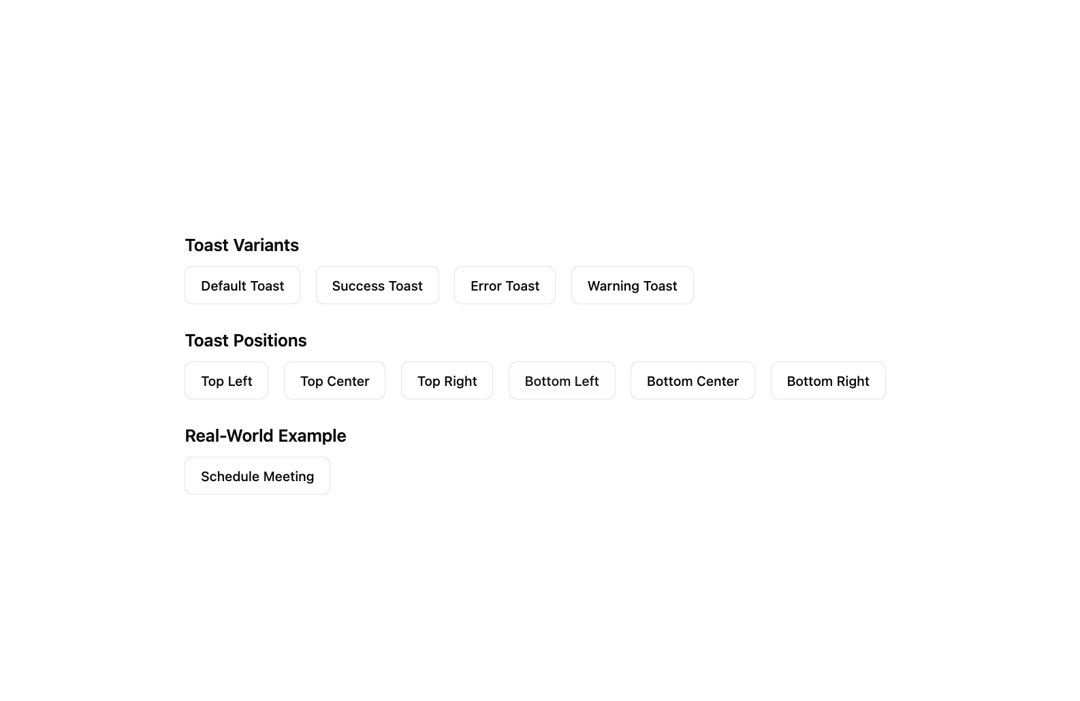
          <h2 className="text-lg font-semibold mb-2">Toast Variants</h2>
          <div className="flex flex-wrap gap-4">
            {['default', 'success', 'error', 'warning'].map((variantKey) => (
              <Button
                key={variantKey}
                variant="outline"
                onClick={() => showToast(variantKey as Variant)}
                className={`border-${
                  variantKey === 'default' ? 'border' : variantKey
                }-600 text-${
                  variantKey === 'default' ? 'foreground' : variantKey
                }-600 hover:bg-${variantKey}-600/10 dark:hover:bg-${variantKey}-400/20`}
              >
                {variantKey.charAt(0).toUpperCase() + variantKey.slice(1)} Toast
              </Button>
            ))}
          </div>
        </section>

        <section>
          <h2 className="text-lg font-semibold mb-2">Toast Positions</h2>
          <div className="flex flex-wrap gap-4">
            {[
              'top-left',
              'top-center',
              'top-right',
              'bottom-left',
              'bottom-center',
              'bottom-right',
            ].map((positionKey) => (
              <Button
                key={positionKey}
                variant="outline"
                onClick={() =>
                  showToast('default', positionKey as Position)
                }
                className="border-border text-foreground hover:bg-muted/10 dark:hover:bg-muted/20"
              >
                {positionKey
                  .replace('-', ' ')
                  .replace(/\b\w/g, (char) => char.toUpperCase())}
              </Button>
            ))}
          </div>
        </section>

        <section>
          <h2 className="text-lg font-semibold mb-2">Real‑World Example</h2>
          <Button
            variant="outline"
            onClick={simulateApiCall}
            className="border-border text-foreground hover:bg-muted/10 dark:hover:bg-muted/20"
          >
            Schedule Meeting
          </Button>
        </section>
      </div>
    </div>
  );
}
Dependencies
More by Arunachalam
View all
Scroll media expansion hero
10.7K
Profile Card Testimonial Carousel
1.2K
Modern Animated Sign In
1.1K
Bottom Nav Bar
805
Adaptive Notch Navigation Bar
661
Connected Carousel
383
Animated File Tree
337
Inverted Cursor
296