
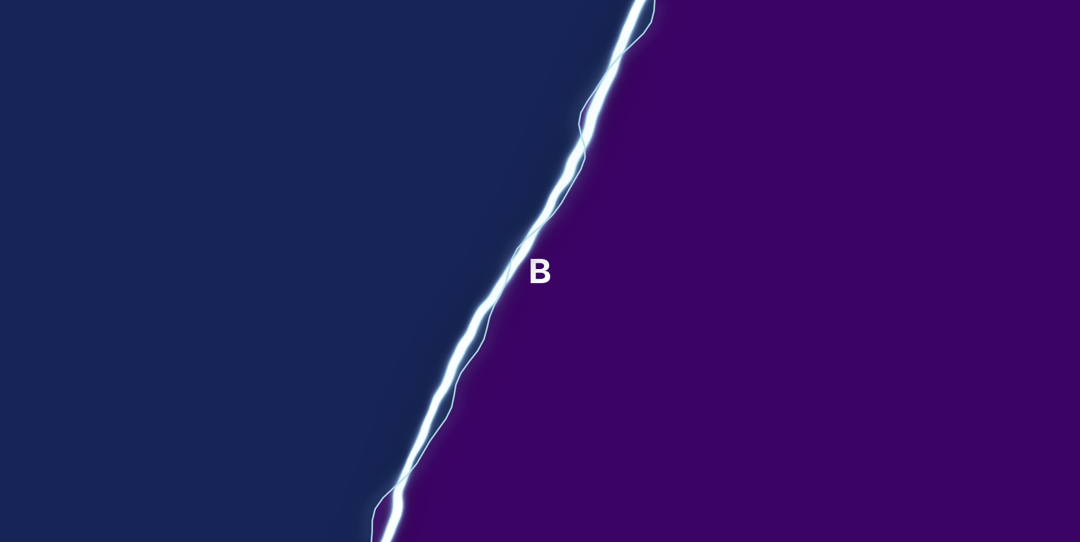
Lightning Split delivers a high-impact visual effect combining a WebGL shader-powered lightning bolt with smooth diagonal screen division. The animated electric arc creates a natural separation between two content areas, making it ideal for before/after comparisons, product reveals, or creating distinct visual sections with theatrical flair. Built with performance in mind, the component leverages GPU acceleration for smooth 60fps animations while remaining lightweight and customizable. I used it as an example here: https://forhives.fr/ — it displays a complete website on the left side and another complete website on the right side.
Built with React and Tailwind. Copy the prompt and paste it into Claude Code, Cursor or Lovable: your agent adds Lightning Split to your project and fits it to your theme.
Code
How Lightning Split is used: the demo's code. The component's own source comes with a free account.
Usage.tsx
import { Component } from "@/components/ui/lightning-split";

export default function DemoOne() {
  return <Component />;
}
Dependencies
More by Cinquin Andy
View all
Animated Hero with WebGL Glitter
180
Sports Hero with Animated Athletes in stickman

Artistic Hero with Animated Blobs
Animated Glass Polygons
More in Shaders
View all
Glass Fold
212

Neural Noise
717
Wave
685
LightSpeed
207
animated pattern cloud
616

Background Shader
304
Shader Background
2K

Line Shader Homlu UI
48


