About
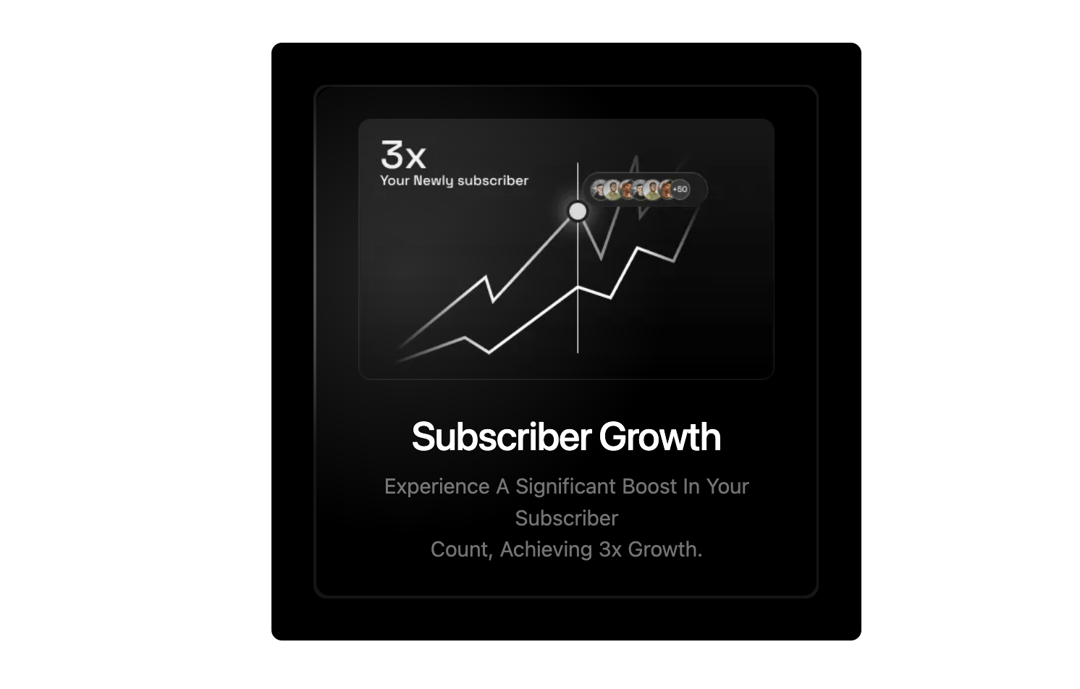
Interactive cards with a radial mouse-following spotlight glow, supporting proximity, hover-focus, and cursor-flow gradient lighting effects.
Built with React and Tailwind. Copy the prompt and paste it into Claude Code, Cursor or Lovable: your agent adds Spotlight Cards to your project and fits it to your theme.
Code
How Spotlight Cards is used: the demo's code. The component's own source comes with a free account.
Usage.tsx
'use client';
import { SpotLightItem, Spotlight } from '@/components/ui/spotlight';
import Image from 'next/image';
import React from 'react';

export default function SpotlightCard3() {
  return (
    <div className='relative bg-black sm:p-8 px-4 rounded-md'>
      <Spotlight className='sm:w-96 w-full mx-auto' ProximitySpotlight={false} HoverFocusSpotlight={true}>
        <SpotLightItem>
          <div className="relative text-center z-10 sm:px-8 px-4 py-6 rounded-lg w-full bg-[url('https://res.cloudinary.com/dzl9yxixg/image/upload/sub-grid_hnhyvi.png')] bg-cover bg-black h-full mx-auto">
            <Image src={'https://cdn.21st.dev/assets/mirror/d9/d9ce9b4a6f0515b8beb9cd6529bc882cd3430bd4de130ad72749a474850fdb26.webp'} alt='grid' width={600} className='w-fit mx-auto' height={600} />
            <h1 className='text-3xl pt-6 font-medium tracking-tight text-white'>Subscriber Growth</h1>
            <p className='pt-2 text-muted-foreground capitalize'>
              Experience a significant boost in your subscriber <br /> count, achieving 3x growth.
            </p>
          </div>
        </SpotLightItem>
      </Spotlight>
    </div>
  );
}
Dependencies
More by Claude
View all

Formatting Toolbar
2
More in Cards
View all
Stats cards with links
33

Course Design Cards
1.1K

Card
70
Statistics Card 2
264
Statistics Card 10
263

Card
17

Card Studio
9
The Item one
3
