
About
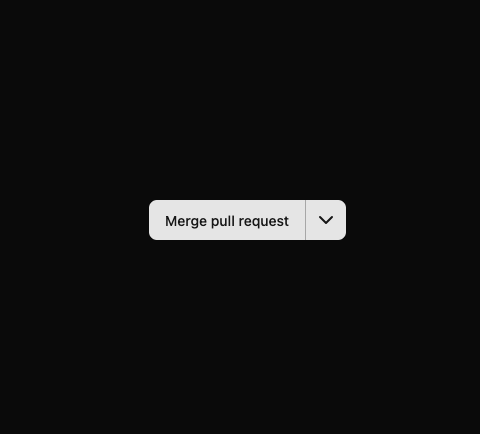
Here is Button Group component
Built with React and Tailwind. Copy the prompt and paste it into Claude Code, Cursor or Lovable: your agent adds Button Group to your project and fits it to your theme.
Code
How Button Group is used: the demo's code. The component's own source comes with a free account.
Usage.tsx
'use client'

import { useState } from 'react'

import { ChevronDownIcon } from 'lucide-react'

import { Button } from '@/components/ui/button'
import {
  DropdownMenu,
  DropdownMenuContent,
  DropdownMenuRadioGroup,
  DropdownMenuRadioItem,
  DropdownMenuTrigger
} from '@/components/ui/dropdown-menu'

const options = [
  {
    label: 'Merge pull request',
    description: 'All commits from this branch will be added to the base branch via a commit version.'
  },
  {
    label: 'Squash and merge',
    description: 'The 6 commits from this branch will be combined into one commit in the base branch.'
  },
  {
    label: 'Rebase and merge',
    description: 'The 6 commits from this branch will be rebased and added to the base branch.'
  }
]

const ButtonGroupDropdownDemo = () => {
  const [selectedIndex, setSelectedIndex] = useState('0')

  return (
    <div className='divide-primary-foreground/30 inline-flex w-fit divide-x rounded-md shadow-xs'>
      <Button className='rounded-none rounded-l-md shadow-none focus-visible:z-10'>
        {options[Number(selectedIndex)].label}
      </Button>
      <DropdownMenu>
        <DropdownMenuTrigger asChild>
          <Button size='icon' className='rounded-none rounded-r-md focus-visible:z-10'>
            <ChevronDownIcon />
            <span className='sr-only'>Select option</span>
          </Button>
        </DropdownMenuTrigger>
        <DropdownMenuContent side='bottom' sideOffset={4} align='end' className='max-w-64 md:max-w-xs!'>
          <DropdownMenuRadioGroup value={selectedIndex} onValueChange={setSelectedIndex}>
            {options.map((option, index) => (
              <DropdownMenuRadioItem key={option.label} value={String(index)} className='items-start [&>span]:pt-1.5'>
                <div className='flex flex-col gap-1'>
                  <span className='text-sm font-medium'>{option.label}</span>
                  <span className='text-muted-foreground text-xs'>{option.description}</span>
                </div>
              </DropdownMenuRadioItem>
            ))}
          </DropdownMenuRadioGroup>
        </DropdownMenuContent>
      </DropdownMenu>
    </div>
  )
}

export default ButtonGroupDropdownDemo
Dependencies
More by Clevision
View all

Calendar
106
Card Studio
99
Collapsible
43
Buttons
33
Radio Group 1
30
Combobox
27
Basic Avatar
24
Switch
23
More in Buttons
View all

Button
14
Button
34
Texture Button
92
Button Save
46

Button
64

App Store Button
454

Notification Button
103
Native Button
12


