
About
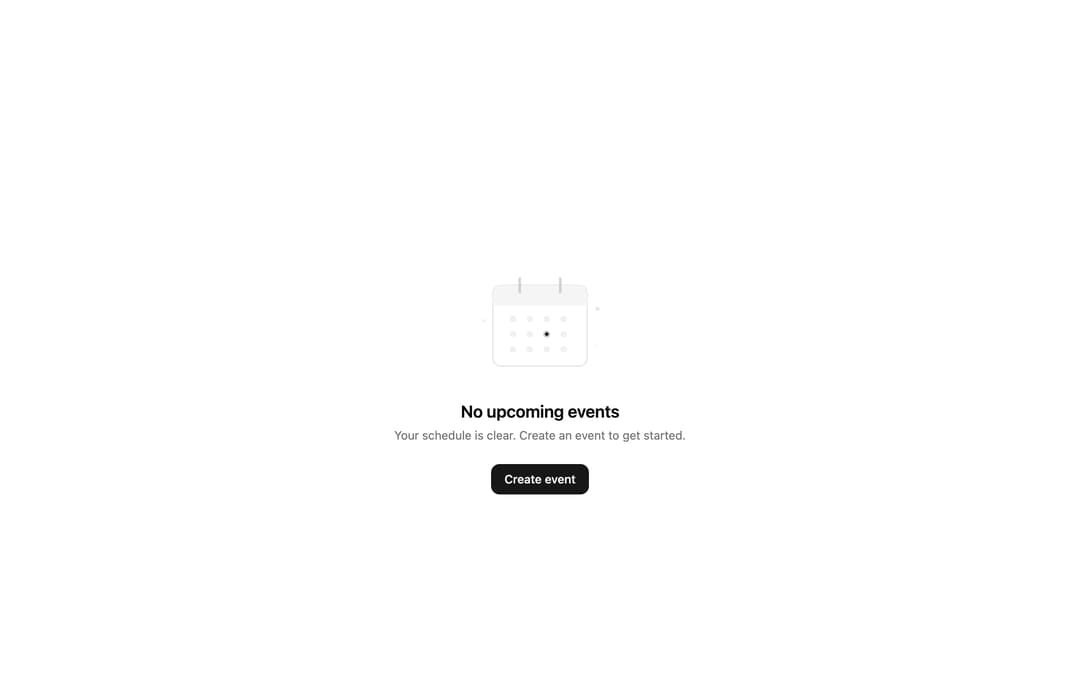
A composable empty-state block for when there's no data to show — no results, no events, an empty folder, cleared filters. Ships Empty plus EmptyHeader, EmptyMedia (with a stacked 'icon' variant), EmptyTitle, EmptyDescription and EmptyContent, so you can drop in an icon or illustration, a title, supporting copy and call-to-action buttons. Dependency-free (just cva + cn).
Built with React and Tailwind. Copy the prompt and paste it into Claude Code, Cursor or Lovable: your agent adds Empty to your project and fits it to your theme.
Code
How Empty is used: the demo's code. The component's own source comes with a free account.
Usage.tsx
import {
  Empty,
  EmptyContent,
  EmptyDescription,
  EmptyHeader,
  EmptyMedia,
  EmptyTitle,
} from "@/components/ui/cnippet-empty";

function CalendarIllustration() {
  return (
    <svg
      aria-hidden="true"
      fill="none"
      height="140"
      viewBox="0 0 160 140"
      width="160"
      xmlns="http://www.w3.org/2000/svg"
    >
      {/* Calendar body */}
      <rect
        className="fill-background stroke-border"
        height="96"
        rx="10"
        strokeWidth="1.5"
        width="112"
        x="24"
        y="28"
      />

      {/* Calendar header bar */}
      <rect
        className="fill-muted dark:fill-muted/60"
        height="24"
        rx="10"
        width="112"
        x="24"
        y="28"
      />
      <rect
        className="fill-muted dark:fill-muted/60"
        height="10"
        width="112"
        x="24"
        y="42"
      />

      {/* Calendar hooks */}
      <line
        className="stroke-muted-foreground/30"
        strokeLinecap="round"
        strokeWidth="3"
        x1="56"
        x2="56"
        y1="20"
        y2="36"
      />
      <line
        className="stroke-muted-foreground/30"
        strokeLinecap="round"
        strokeWidth="3"
        x1="104"
        x2="104"
        y1="20"
        y2="36"
      />

      {/* Day dots - row 1 */}
      <circle className="fill-muted-foreground/10" cx="48" cy="68" r="4" />
      <circle className="fill-muted-foreground/10" cx="68" cy="68" r="4" />
      <circle className="fill-muted-foreground/10" cx="88" cy="68" r="4" />
      <circle className="fill-muted-foreground/10" cx="108" cy="68" r="4" />

      {/* Day dots - row 2 */}
      <circle className="fill-muted-foreground/10" cx="48" cy="86" r="4" />
      <circle className="fill-muted-foreground/10" cx="68" cy="86" r="4" />
      <circle className="fill-primary/25" cx="88" cy="86" r="4" />
      <circle className="fill-primary" cx="88" cy="86" r="2" />
      <circle className="fill-muted-foreground/10" cx="108" cy="86" r="4" />

      {/* Day dots - row 3 */}
      <circle className="fill-muted-foreground/10" cx="48" cy="104" r="4" />
      <circle className="fill-muted-foreground/10" cx="68" cy="104" r="4" />
      <circle className="fill-muted-foreground/10" cx="88" cy="104" r="4" />
      <circle className="fill-muted-foreground/10" cx="108" cy="104" r="4" />

      {/* Floating decoration */}
      <circle className="fill-muted-foreground/10" cx="14" cy="70" r="2" />
      <circle className="fill-primary/10" cx="148" cy="56" r="2.5" />
      <circle className="fill-muted-foreground/8" cx="146" cy="100" r="1.5" />
    </svg>
  );
}

export default function EmptyEvents() {
  return (
    <div className="flex items-center justify-center p-4">
      <Empty className="py-12">
        <EmptyHeader>
          <EmptyMedia>
            <CalendarIllustration />
          </EmptyMedia>
          <EmptyTitle>No upcoming events</EmptyTitle>
          <EmptyDescription>
            Your schedule is clear. Create an event to get started.
          </EmptyDescription>
        </EmptyHeader>
        <EmptyContent>
          <button
            className="inline-flex h-9 items-center justify-center gap-2 whitespace-nowrap rounded-lg bg-primary px-4 font-medium text-primary-foreground text-sm transition-colors hover:bg-primary/90"
            type="button"
          >
            Create event
          </button>
        </EmptyContent>
      </Empty>
    </div>
  );
}
Dependencies
More by Cnippet
View all

Team
1.3K
Davincho Hero-1
682
Aero Hero-3
558
Features
508
Random Letter Swap Navigation
484
Services with Animated Hover Modal
464
Blogs
396
Aero Hero-1
356
More in Buttons
View all

Button
14
Texture Button
92
Button
34
Button Save
46

Button
64

Button Group
3

Notification Button
103
Button

