
About
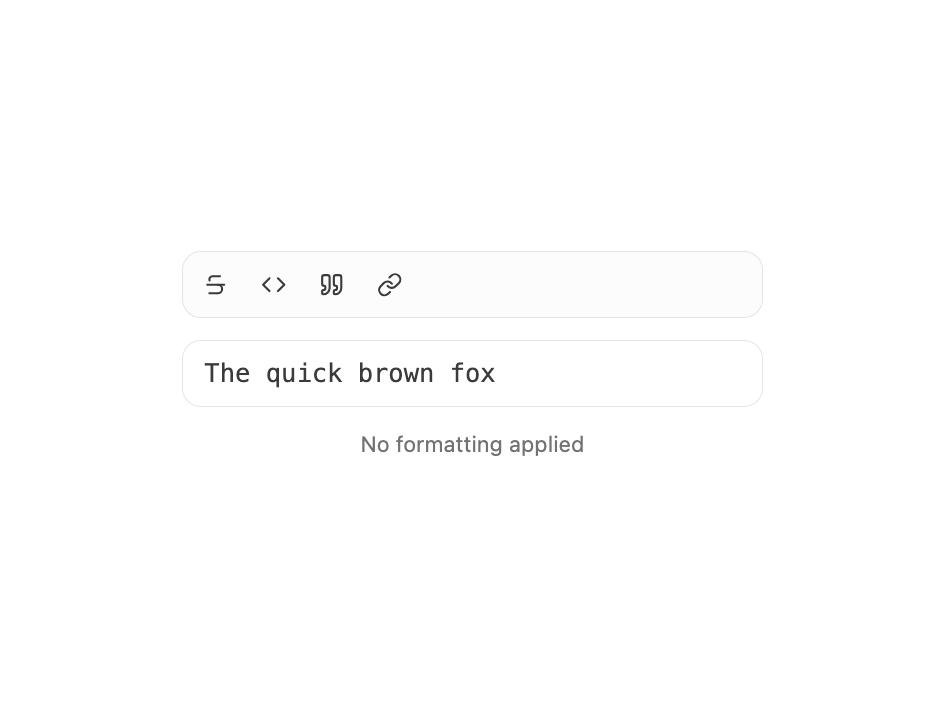
A two-state toggle button built on Base UI's Toggle primitive. Ships default and outline variants, three sizes (sm, default, lg), controlled or uncontrolled pressed state via pressed / defaultPressed, disabled styling, and springy pressed feedback. Works as a single button or grouped into a formatting toolbar. Re-exports TogglePrimitive for advanced composition.
Built with React and Tailwind. Copy the prompt and paste it into Claude Code, Cursor or Lovable: your agent adds Toggle to your project and fits it to your theme.
Code
How Toggle is used: the demo's code. The component's own source comes with a free account.
Usage.tsx
"use client";

import { CodeIcon, LinkIcon, QuoteIcon, StrikethroughIcon } from "lucide-react";
import { useState } from "react";
import { Toggle } from "@/components/ui/cnippet-toggle";

const tools = [
  { icon: StrikethroughIcon, id: "strike", label: "Strikethrough" },
  { icon: CodeIcon, id: "code", label: "Inline code" },
  { icon: QuoteIcon, id: "quote", label: "Blockquote" },
  { icon: LinkIcon, id: "link", label: "Link" },
];

export default function ToggleToolbar() {
  const [active, setActive] = useState<Set<string>>(new Set());

  const toggle = (id: string) =>
    setActive((prev) => {
      const next = new Set(prev);
      next.has(id) ? next.delete(id) : next.add(id);
      return next;
    });

  const preview = () => {
    let text = "The quick brown fox";
    if (active.has("strike")) text = `~~${text}~~`;
    if (active.has("code")) text = `\`${text}\``;
    if (active.has("quote")) text = `> ${text}`;
    if (active.has("link")) text = `[${text}](https://example.com)`;
    return text || "The quick brown fox";
  };

  return (
    <div className="w-full max-w-xs space-y-3">
      <div className="flex items-center gap-1 rounded-lg border border-input bg-muted/30 p-1">
        {tools.map(({ icon: Icon, id, label }) => (
          <Toggle
            aria-label={label}
            key={id}
            onPressedChange={() => toggle(id)}
            pressed={active.has(id)}
            size="sm"
          >
            <Icon className="size-3.5" />
          </Toggle>
        ))}
      </div>
      <div className="rounded-lg border border-input bg-background px-3 py-2 font-mono text-foreground/80 text-sm">
        {preview()}
      </div>
      <p className="text-center text-muted-foreground text-xs">
        {active.size > 0
          ? `Active: ${[...active].join(", ")}`
          : "No formatting applied"}
      </p>
    </div>
  );
}
Dependencies
More by Cnippet
View all

Team
1.3K
Davincho Hero-1
682
Aero Hero-3
558
Features
508
Random Letter Swap Navigation
484
Services with Animated Hover Modal
464
Blogs
396
Aero Hero-1
356
More in Buttons
View all

Button
14
Texture Button
92
Button
34
Button Save
46

Button
64

Button Group
3

Notification Button
103
Button

