
About
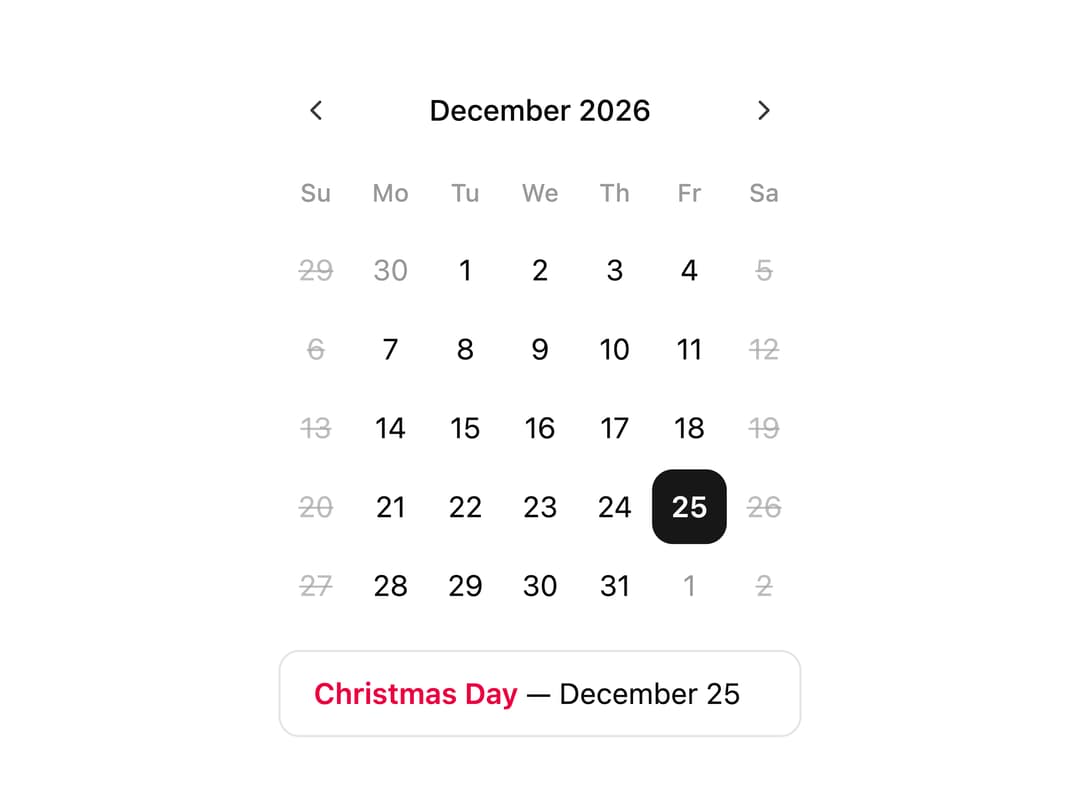
A single-date calendar that highlights US public holidays and disables weekends, showing the selected holiday's name in a panel below.
Built with React and Tailwind. Copy the prompt and paste it into Claude Code, Cursor or Lovable: your agent adds Calendar with Holidays to your project and fits it to your theme.
Code
How Calendar with Holidays is used: the demo's code. The component's own source comes with a free account.
Usage.tsx
"use client";

import * as React from "react";
import { Calendar } from "@/components/ui/v-calendar-14-utils/calendar";

const year = new Date().getFullYear();

const HOLIDAYS: Record<string, string> = {
  [new Date(year, 0, 1).toDateString()]: "New Year's Day",
  [new Date(year, 0, 20).toDateString()]: "MLK Day",
  [new Date(year, 1, 17).toDateString()]: "Presidents' Day",
  [new Date(year, 4, 26).toDateString()]: "Memorial Day",
  [new Date(year, 6, 4).toDateString()]: "Independence Day",
  [new Date(year, 8, 1).toDateString()]: "Labor Day",
  [new Date(year, 10, 27).toDateString()]: "Thanksgiving",
  [new Date(year, 11, 25).toDateString()]: "Christmas Day",
};

const holidayDates = Object.keys(HOLIDAYS).map((d) => new Date(d));
const christmas = new Date(year, 11, 25);

export default function Default() {
  const [selected, setSelected] = React.useState<Date | undefined>(christmas);
  const label = selected ? HOLIDAYS[selected.toDateString()] : null;

  return (
    <div className="flex min-h-svh items-center justify-center p-6">
      <div className="flex flex-col gap-3">
        <Calendar
          disabled={[{ dayOfWeek: [0, 6] }]}
          mode="single"
          defaultMonth={christmas}
          modifiers={{ holiday: holidayDates }}
          modifiersClassNames={{
            holiday: "text-rose-600 font-semibold dark:text-rose-400",
          }}
          onSelect={setSelected}
          selected={selected}
        />
        <div className="rounded-lg border px-4 py-2.5 text-sm">
          {label ? (
            <p>
              <span className="font-semibold text-rose-600 dark:text-rose-400">
                {label}
              </span>{" "}
              —{" "}
              {selected?.toLocaleDateString("en-US", {
                day: "numeric",
                month: "long",
              })}
            </p>
          ) : (
            <p className="text-muted-foreground">
              Click a highlighted date to see the holiday name.
            </p>
          )}
        </div>
      </div>
    </div>
  );
}
More by Cnippet
View all

Team
1.3K
Davincho Hero-1
683
Aero Hero-3
558
Features
510
Random Letter Swap Navigation
487
Services with Animated Hover Modal
465
Blogs
396
Aero Hero-1
356