
About
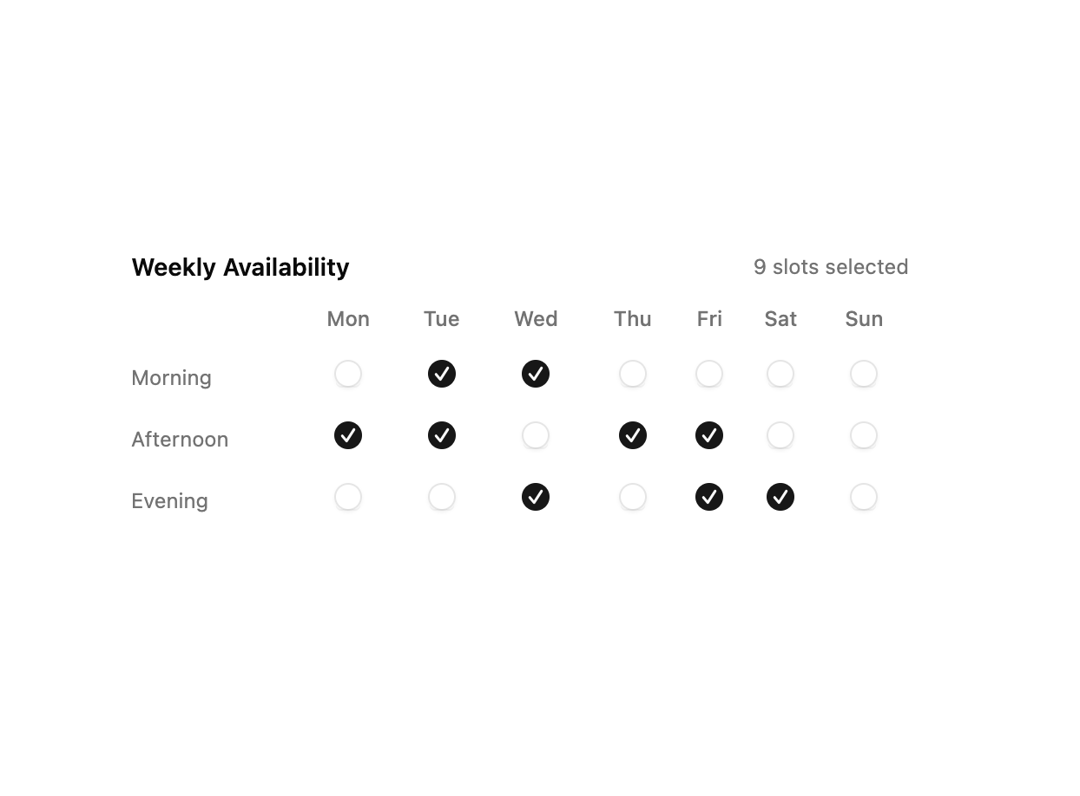
A weekly availability grid with a checkbox for each day and time slot that tracks how many slots are selected.
Built with React and Tailwind. Copy the prompt and paste it into Claude Code, Cursor or Lovable: your agent adds Weekly Availability Checkbox Grid to your project and fits it to your theme.
Code
How Weekly Availability Checkbox Grid is used: the demo's code. The component's own source comes with a free account.
Usage.tsx
"use client";

import { useId, useState } from "react";
import { Checkbox } from "@/components/ui/v-checkbox-11-utils/checkbox";

const COLUMNS = ["Mon", "Tue", "Wed", "Thu", "Fri", "Sat", "Sun"];
const ROWS = ["Morning", "Afternoon", "Evening"];

type Grid = Record<string, boolean>;

const INITIAL: Grid = {
  "Morning-Mon": true,
  "Morning-Tue": true,
  "Morning-Wed": true,
  "Afternoon-Tue": true,
  "Afternoon-Thu": true,
  "Afternoon-Fri": true,
  "Evening-Wed": true,
  "Evening-Fri": true,
  "Evening-Sat": true,
};

function key(row: string, col: string) {
  return `${row}-${col}`;
}

function Pattern() {
  const id = useId();
  const [grid, setGrid] = useState<Grid>(() =>
    Object.fromEntries(
      ROWS.flatMap((r) =>
        COLUMNS.map((c) => [key(r, c), !!INITIAL[key(r, c)]]),
      ),
    ),
  );

  const toggle = (k: string) => setGrid((prev) => ({ ...prev, [k]: !prev[k] }));

  const count = Object.values(grid).filter(Boolean).length;

  return (
    <div className="w-full max-w-md space-y-3">
      <div className="flex items-center justify-between">
        <p className="font-semibold text-sm">Weekly Availability</p>
        <span className="text-muted-foreground text-xs">
          {count} slots selected
        </span>
      </div>
      <div className="overflow-x-auto">
        <table className="w-full border-collapse text-xs">
          <thead>
            <tr>
              <th className="w-24 pb-2 text-left font-medium text-muted-foreground" />
              {COLUMNS.map((col) => (
                <th
                  className="pb-2 text-center font-medium text-muted-foreground"
                  key={col}
                >
                  {col}
                </th>
              ))}
            </tr>
          </thead>
          <tbody>
            {ROWS.map((row) => (
              <tr key={row}>
                <td className="py-2 pr-3 text-muted-foreground">{row}</td>
                {COLUMNS.map((col) => {
                  const k = key(row, col);
                  return (
                    <td className="py-2 text-center" key={col}>
                      <Checkbox
                        checked={grid[k]}
                        id={`${id}-${k}`}
                        onCheckedChange={() => toggle(k)}
                      />
                    </td>
                  );
                })}
              </tr>
            ))}
          </tbody>
        </table>
      </div>
    </div>
  );
}

export default function Default() {
  return (
    <div className="flex min-h-svh w-full items-center justify-center p-8">
      <Pattern />
    </div>
  );
}
More by Cnippet
View all

Team
1.3K
Davincho Hero-1
683
Aero Hero-3
558
Features
510
Random Letter Swap Navigation
487
Services with Animated Hover Modal
465
Blogs
396
Aero Hero-1
356
More in Forms
View all

Premium Auth
500

Login 2
7
Authentication Card
47

Login 1
52

Contact Card
1K
Login Form
6

Form
16

Book A Demo 3
83
