
About
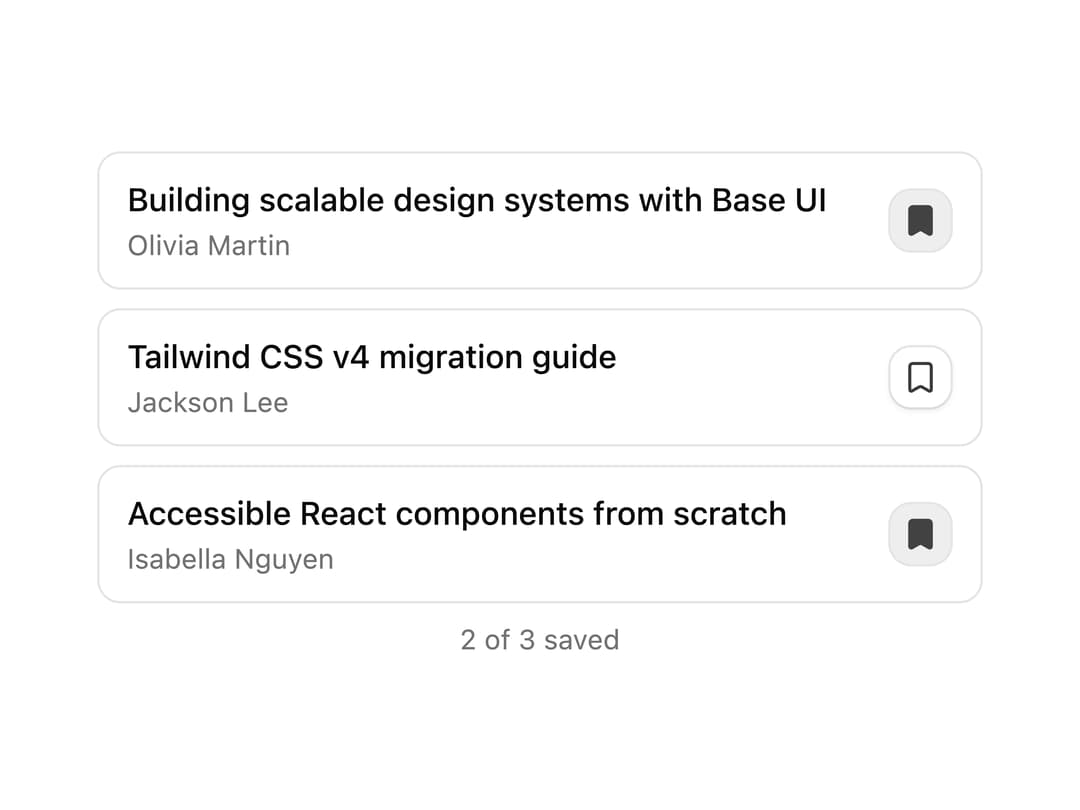
A list of article rows where each row has a bookmark toggle button, with a live count of how many items are saved.
Built with React and Tailwind. Copy the prompt and paste it into Claude Code, Cursor or Lovable: your agent adds Bookmark Toggle List to your project and fits it to your theme.
Code
How Bookmark Toggle List is used: the demo's code. The component's own source comes with a free account.
Usage.tsx
"use client";

import { BookmarkIcon } from "lucide-react";
import { useState } from "react";
import { Toggle } from "@/components/ui/v-toggle-11-utils/toggle";

const articles = [
  {
    author: "Olivia Martin",
    id: "1",
    title: "Building scalable design systems with Base UI",
  },
  {
    author: "Jackson Lee",
    id: "2",
    title: "Tailwind CSS v4 migration guide",
  },
  {
    author: "Isabella Nguyen",
    id: "3",
    title: "Accessible React components from scratch",
  },
];

function Pattern() {
  const [saved, setSaved] = useState<Set<string>>(new Set(["1", "3"]));

  const toggle = (id: string) =>
    setSaved((prev) => {
      const next = new Set(prev);
      next.has(id) ? next.delete(id) : next.add(id);
      return next;
    });

  return (
    <div className="w-full max-w-sm space-y-2">
      {articles.map((a) => {
        const isBookmarked = saved.has(a.id);
        return (
          <div
            className="flex items-center justify-between gap-2 rounded-lg border border-border px-3 py-2.5"
            key={a.id}
          >
            <div className="flex min-w-0 flex-col gap-0.5">
              <span className="truncate font-medium text-sm">{a.title}</span>
              <span className="text-muted-foreground text-xs">{a.author}</span>
            </div>
            <Toggle
              aria-label={isBookmarked ? "Remove bookmark" : "Bookmark article"}
              className="shrink-0"
              onPressedChange={() => toggle(a.id)}
              pressed={isBookmarked}
              size="sm"
              variant="outline"
            >
              <BookmarkIcon
                className={`size-4 transition-colors ${isBookmarked ? "fill-current" : ""}`}
              />
            </Toggle>
          </div>
        );
      })}
      <p className="text-center text-muted-foreground text-xs">
        {saved.size} of {articles.length} saved
      </p>
    </div>
  );
}

export default function Default() {
  return (
    <div className="flex min-h-svh w-full items-center justify-center bg-background p-6 text-foreground">
      <Pattern />
    </div>
  );
}
Dependencies
More by Cnippet
View all

Team
1.3K
Davincho Hero-1
683
Aero Hero-3
559
Features
510
Random Letter Swap Navigation
487
Services with Animated Hover Modal
465
Blogs
396
Aero Hero-1
356
More in Buttons
View all
Button Save
46

Button
20

Eclipse Button
5

Button
32

Button
6
Button
14

Button Group
37
Split Button
32

