
About
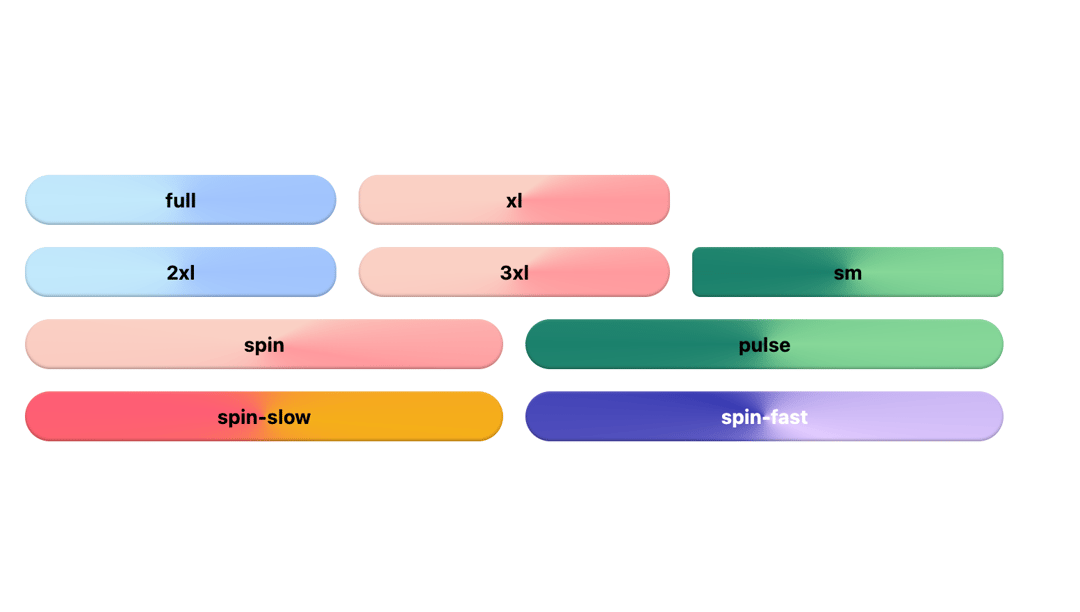
Here is background animated button component
Built with React and Tailwind. Copy the prompt and paste it into Claude Code, Cursor or Lovable: your agent adds Bg Animated Button to your project and fits it to your theme.
Code
How Bg Animated Button is used: the demo's code. The component's own source comes with a free account.
Usage.tsx
import { Component } from "@/components/ui/bg-animated-button"

type Gradients =
  | "sunrise"
  | "ocean"
  | "candy"
  | "default"
  | "forest"
  | "sunset"
  | "nebula"

type Radius = "full" | "xl" | "2xl" | "3xl" | "sm"
type Animations = "spin" | "pulse" | "spin-slow" | "spin-fast"

const gradients: Gradients[] = [
  "sunrise",
  "ocean",
  "candy",
  "forest",
  "sunset",
  "default",
  "nebula",
]
const roundings: Radius[] = ["full", "xl", "2xl", "3xl", "sm"]
const animations: Animations[] = ["spin", "pulse", "spin-slow", "spin-fast"]

const BgAnimateButtonsDemo = () => {
  return (
    <div className="w-full max-w-4xl">
      <div className=" sm:px-12 md:px-24 flex flex-col justify-center  rounded-lg space-y-4">
        <div className="grid grid-cols-3 gap-4">
          {roundings.slice(0, 2).map((rounding, i) => (
            <Component
              gradient={gradients[i + 1]}
              key={rounding}
              rounded={rounding}
            >
              {rounding}
            </Component>
          ))}
        </div>
        <div className="grid grid-cols-3 gap-4">
          {roundings.slice(2, 5).map((rounding, i) => (
            <Component
              gradient={gradients[i + 1]}
              key={rounding}
              rounded={rounding}
            >
              {rounding}
            </Component>
          ))}
        </div>
        <div className="grid grid-cols-2 gap-4">
          {animations.map((animationType, i) => (
            <Component
              key={animationType}
              gradient={gradients[i + 2]}
              variant="ghost"
              animation={animationType}
            >
              {animationType}
            </Component>
          ))}
        </div>
      </div>
    </div>
  )
}

export default BgAnimateButtonsDemo
Dependencies
More by cult/ui
View all
3D Carousel
2.5K
Logo Carousel
1.1K
Feature Carousel
504
Popover Form
419
Floating Panel
245
Expandable
126
Dock
119
Hero Liquid Metal
101
More in Buttons
View all
Button Save
46

Button
20

Eclipse Button
5

Button
32

Button
6

Button
14

Button Group
37
Split Button
32

