About
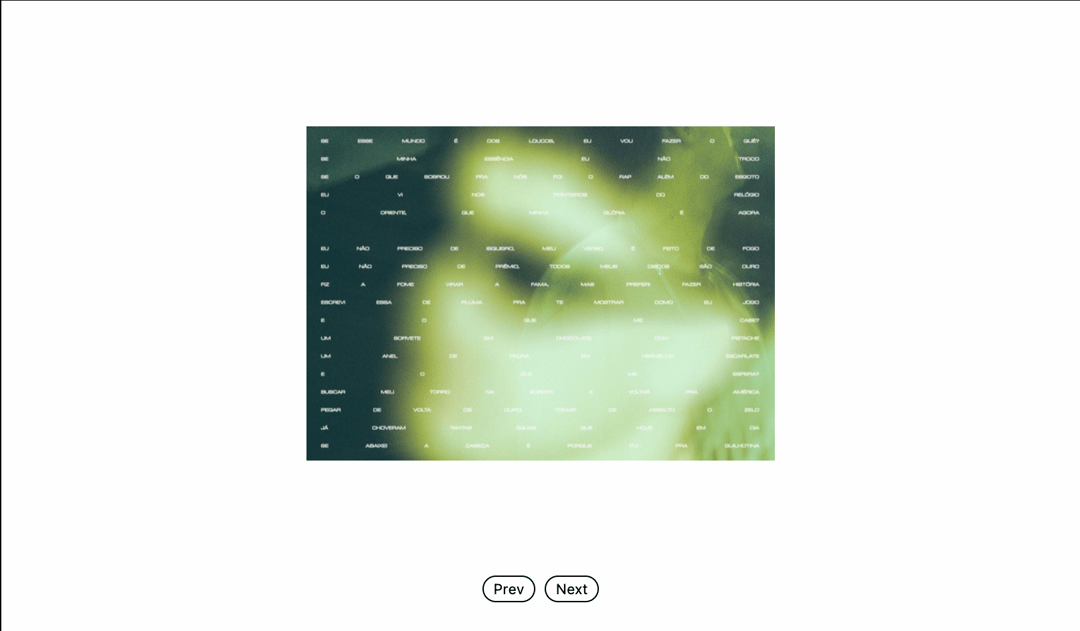
Here is Box Carousel component
Built with React and Tailwind. Copy the prompt and paste it into Claude Code, Cursor or Lovable: your agent adds Box Carousel to your project and fits it to your theme.
Code
How Box Carousel is used: the demo's code. The component's own source comes with a free account.
Usage.tsx
"use client"

import { useRef, useState, useEffect } from "react" // Import useEffect
import { Bug, BugOff } from "lucide-react"
import BoxCarousel, {
  type BoxCarouselRef,
  type CarouselItem,
} from "@/components/ui/box-carousel"


// Sample carousel items with mix of images and videos
const carouselItems: CarouselItem[] = [
  {
    id: "1",
    type: "image",
    src: "https://cdn.cosmos.so/778d0640-d4b8-45b4-8bbe-862e759c231d?format=jpeg",
    alt: "Blurry poster"
  },
  {
    id: "2",
    type: "image",
    src: "https://cdn.cosmos.so/27ac2696-1f2b-498e-8d3d-11f2dd358ab9?format=jpeg",
    alt: "Abstract blurry figure"
  },
  {
    id: "3",
    type: "image",
    src: "https://cdn.cosmos.so/c48b739d-202d-4340-ab6b-afa34f0d7142?format=jpeg",
    alt: "Long exposure photo of a person"
  },
  {
    id: "4",
    type: "image",
    src: "https://cdn.cosmos.so/5332f9ac-7823-4635-871d-d4b3032e1c62?format=jpeg",
    alt: "Blurry portrait photo of a person"
  },
  {
    id: "5",
    type: "image",
    src: "https://cdn.cosmos.so/d9ed937e-7c3b-4f64-a4f3-708d639f13a1?format=jpeg",
    alt: "Long exposure shots with multiple people"
  },
  {
    id: "6",
    type: "image",
    src: "https://cdn.cosmos.so/33b43e2a-da66-42d9-a0b1-08165d80b0aa?format=jpeg",
    alt: "Close up blurry photo of a person poster"
  },
  {
    id: "7",
    type: "image",
    src: "https://cdn.cosmos.so/40342df7-2ea2-4297-add2-fe17cdc62551?format=jpeg",
    alt: "Long exposure shot of a motorcyclist"
  },
]

export default function BoxCarouselDemo() {
  const carouselRef = useRef<BoxCarouselRef>(null)
  const [debug, setDebug] = useState(false)
  // State to store current window width, initialized to 0 for SSR safety
  const [currentWidth, setCurrentWidth] = useState(0)

  // Effect to update currentWidth on mount and resize
  useEffect(() => {
    // Set initial width on client-side mount
    setCurrentWidth(window.innerWidth)

    // Event listener for window resize
    const handleResize = () => {
      setCurrentWidth(window.innerWidth)
    }

    window.addEventListener("resize", handleResize)

    // Cleanup function to remove event listener on unmount
    return () => {
      window.removeEventListener("resize", handleResize)
    }
  }, []) // Empty dependency array ensures this runs once on mount and cleans up on unmount

  // Responsive dimensions based on screen size
  const getCarouselDimensions = () => {
    // Define your breakpoint for 'md' (e.g., 768px is a common 'md' breakpoint)
    const mdBreakpoint = 768;

    // Use currentWidth for comparison
    if (currentWidth < mdBreakpoint) {
      return { width: 200, height: 150 }
    }
    return { width: 350, height: 250 }
  }

  // Get dimensions; this will re-evaluate when currentWidth changes
  const { width, height } = getCarouselDimensions()

  const handleNext = () => {
    carouselRef.current?.next()
  }

  const handlePrev = () => {
    carouselRef.current?.prev()
  }

  const handleIndexChange = (index: number) => {
    console.log('Index changed:', index)
  }

  const toggleDebug = () => {
    setDebug(!debug)
  }

  return (
    <div className="w-full max-w-4xl h-full p-6 flex justify-items-center justify-center items-center text-muted-foreground bg-[#fefefe]">
      <button
        onClick={toggleDebug}
        className="absolute top-4 left-4 p-1.5 border border-black text-black rounded-full cursor-pointer transition-all duration-300 ease-out hover:bg-gray-100 active:scale-95"
        title={debug ? "Debug Mode: ON" : "Debug Mode: OFF"}
      >
        {debug ? (
          <Bug size={10} />
        ) : (
          <BugOff size={10} />
        )}
      </button>

      <div className="space-y-24">

        <div className="flex justify-center pt-20">
          <BoxCarousel
            ref={carouselRef}
            items={carouselItems}
            width={width}
            height={height}
            direction="right"
            onIndexChange={handleIndexChange}
            debug={debug}
            enableDrag
            perspective={1000}
          />
        </div>


        <div className="flex gap-2 justify-center">
          <button
            onClick={handlePrev}
            className="px-2 py-0.5 text-xs border border-black text-black rounded-full cursor-pointer transition-all duration-300 ease-out hover:bg-gray-100 active:scale-95"
          >
            Prev
          </button>
          <button
            onClick={handleNext}
            className="px-2 py-0.5 text-xs border border-black text-black rounded-full cursor-pointer transition-all duration-300 ease-out hover:bg-gray-100 active:scale-95"
          >
            Next
          </button>
        </div>
      </div>
    </div>
  )
}
Dependencies
More by Daniel Petho
View all
Parallax Floating
2.2K
Text Rotate
2.1K
Typewriter
1.9K
Marquee Along SVG Path
1.4K
Image Trail
1.4K
Animated Gradient With SVG
884
Text Cursor Proximity
781
Pixel Trail
645
More in Galleries
View all
Thumbnail image viewer
43

Animated Gallery
1.4K

Hero Section 6
881
Editorial Collage Hero
430
Layout Grid
826
3D Parallax Unfurling Gallery
981

Image Gallery
90

File Upload
18


