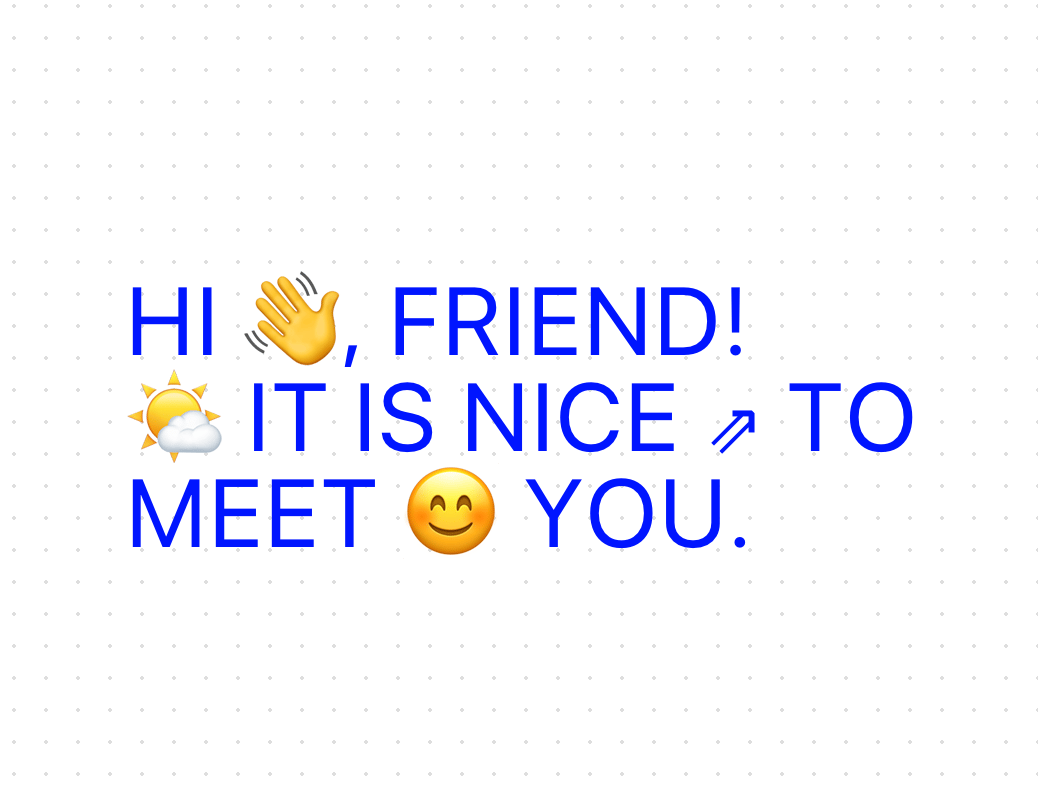
A text component that reveals the text with a cut reveal effect. First, the text gets split into smaller chunks based on the splitBy prop: • words: Splits into individual words (e.g., "Hello world" → ["Hello", "world"]) • characters: Splits into individual characters (e.g., "Hi" → ["H", "i"]) • lines: Splits by newline characters (\n) • string: Splits by any custom string delimiter Each text piece is wrapped in two <span> elements: • An outer <span> acts as a container, set to position: relative and overflow: hidden. • An inner <span> holds the actual text, initially positioned off-screen using y: 100 (or -100 if reverse is true). When the animation kicks off: • The inner <span> elements smoothly transition from their off-screen position (y: 100) to their final position (y: 0). • This creates a "cutting" or "revealing" effect as each text piece slides into view. You can stagger the animation from different directions (first, last, center, or random) using the staggerFrom prop. A key detail is that the component always keeps word boundaries, even when splitting by characters. Here are two reasons why: 1. When dealing with multi-line text, each line starts its own reveal animation. So, if you have text that spans multiple lines, each line animates independently from its own baseline, instead of all elements animating from one point (like the bottom of the entire paragraph). 2. In characters mode, characters from the same word stick together in a word container. This stops unwanted line breaks in the middle of words. If a word needs to wrap to the next line, it wraps as a complete unit, keeping some characters from one line and others from the next. This keeps the text flowing and readable while still allowing character-by-character animation within each word.
Built with React and Tailwind. Copy the prompt and paste it into Claude Code, Cursor or Lovable: your agent adds Vertical Cut Reveal to your project and fits it to your theme.
Code
How Vertical Cut Reveal is used: the demo's code. The component's own source comes with a free account.
Usage.tsx
'use client'

import { useEffect, useRef } from "react"
import { useInView } from "framer-motion"
import {  VerticalCutReveal, VerticalCutRevealRef } from "@/components/ui/vertical-cut-reveal"

function WelcomeExample() {
  return (
    <div className="w-full h-full xs:text-2xl text-2xl sm:text-4xl md:text-5xl lg:text-5xl xl:text-5xl flex flex-col items-start justify-center font-overusedGrotesk p-10 md:p-16 lg:p-24 text-[#0015ff] tracking-wide uppercase">
      <VerticalCutReveal
        splitBy="characters"
        staggerDuration={0.025}
        staggerFrom="first"
        transition={{
          type: "spring",
          stiffness: 200,
          damping: 21,
        }}
      >
        {`HI 👋, FRIEND!`}
      </VerticalCutReveal>
      <VerticalCutReveal
        splitBy="characters"
        staggerDuration={0.025}
        staggerFrom="last"
        reverse={true}
        transition={{
          type: "spring",
          stiffness: 200,
          damping: 21,
          delay: 0.5,
        }}
      >
        {`🌤️ IT IS NICE ⇗ TO`}
      </VerticalCutReveal>
      <VerticalCutReveal
        splitBy="characters"
        staggerDuration={0.025}
        staggerFrom="center"
        transition={{
          type: "spring",
          stiffness: 200,
          damping: 21,
          delay: 1.1,
        }}
      >
        {`MEET 😊 YOU.`}
      </VerticalCutReveal>
    </div>
  )
}

function LinesSplitExample() {
  return (
    <div className="w-full h-full text md:text-2xl lg:text-4xl flex flex-col items-start justify-center font-azeretMono p-6 md:p-16 lg:p-20 xl:p-24 text-[#0015ff] tracking-wide">
      <div className="flex flex-col justify-center w-full items-start space-y-4">
        <VerticalCutReveal
          splitBy="lines"
          staggerDuration={0.2}
          staggerFrom="first"
          transition={{
            type: "spring",
            stiffness: 250,
            damping: 30,
            delay: 0.2,
          }}
          containerClassName="text-[#00000] leading-relaxed"
        >
          {"→ We're on a mission\nto make the 🌐 web \nsuper fun again! ☺"}
        </VerticalCutReveal>
      </div>
    </div>
  )
}

function WordsSplitExample() {
  return (
    <div className="w-full h-full text-lg md:text-2xl flex flex-col items-start justify-center font-calendas p-10 md:p-16 lg:p-24 bg-[#0015ff] text-white tracking-wide font-bold">
      <div className="flex flex-col justify-center w-full items-center space-y-4">
        <VerticalCutReveal
          splitBy="words"
          staggerDuration={0.1}
          staggerFrom="first"
          reverse={true}
          transition={{
            type: "spring",
            stiffness: 250,
            damping: 30,
          }}
        >
          {`super cool & awesome example text`}
        </VerticalCutReveal>
      </div>
    </div>
  )
}

function StaggerDirectionsExample() {
  return (
    <div className="w-full h-full text-sm sm:text-base md:text-lg lg:text-xl xl:text-2xl flex flex-col items-start justify-center font-overusedGrotesk p-2 text-[#0015ff] tracking-wide uppercase font-bold">
      <div className="flex flex-col justify-center w-full items-center space-y-4">
        <VerticalCutReveal
          splitBy="characters"
          staggerDuration={0.05}
          staggerFrom="first"
          transition={{
            type: "spring",
            stiffness: 200,
            damping: 21,
          }}
        >
          {`THIS STAGGERS FROM FIRST`}
        </VerticalCutReveal>
        <VerticalCutReveal
          splitBy="characters"
          staggerDuration={0.05}
          staggerFrom="last"
          reverse={true}
          transition={{
            type: "spring",
            stiffness: 200,
            damping: 21,
            delay: 1,
          }}
        >
          {`THIS STAGGERS FROM LAST`}
        </VerticalCutReveal>
        <VerticalCutReveal
          splitBy="characters"
          staggerDuration={0.05}
          staggerFrom="center"
          transition={{
            type: "spring",
            stiffness: 200,
            damping: 21,
            delay: 2.3,
          }}
        >
          {`THIS STAGGERS FROM CENTER`}
        </VerticalCutReveal>
        <VerticalCutReveal
          splitBy="characters"
          staggerDuration={0.05}
          staggerFrom={5}
          transition={{
            type: "spring",
            stiffness: 200,
            damping: 21,
            delay: 3.2,
          }}
        >
          {`THIS ONE FROM THE 5TH CHARACTER`}
        </VerticalCutReveal>
      </div>
    </div>
  )
}

function LongTextExample() {
  return (
    <div className="w-full h-full text md:text-xl flex items-center justify-center font-overusedGrotesk p-10 md:p-16 lg:p-24 text-[#0015ff]">
      <VerticalCutReveal
        splitBy="characters"
        staggerDuration={0.002}
        staggerFrom="random"
        transition={{
          type: "spring",
          stiffness: 200,
          damping: 35,
          delay: 0.1,
        }}
        containerClassName="text-[#00000] leading-snug"
      >
        {`"When a small, unassuming object exceeds our expectations, we are not only surprised but pleased. Our usual reaction is something like, "That little thing did all that?" Simplicity is about the unexpected pleasure derived from what is likely to be insignificant and would otherwise go unnoticed. The smaller the object, the more forgiving we can be when it misbehaves."\n― John Maeda`}
      </VerticalCutReveal>
    </div>
  )
}

export {
  WelcomeExample,
  LinesSplitExample,
  WordsSplitExample,
  StaggerDirectionsExample,
  LongTextExample
}
Dependencies
More by Daniel Petho
View all
Parallax Floating
2.2K
Text Rotate
2.1K
Typewriter
1.9K
Marquee Along SVG Path
1.4K
Image Trail
1.4K
Animated Gradient With SVG
884
Text Cursor Proximity
781
Pixel Trail
645
More in Text
View all

Vertical Cut Reveal Characters
103

Rainbow Text Effect
47
Motion Blur Text
36
Text Loop
310
Text Reveal
27
Apple Hello Effect
610
Typography
4

Animated Text
8

