
About
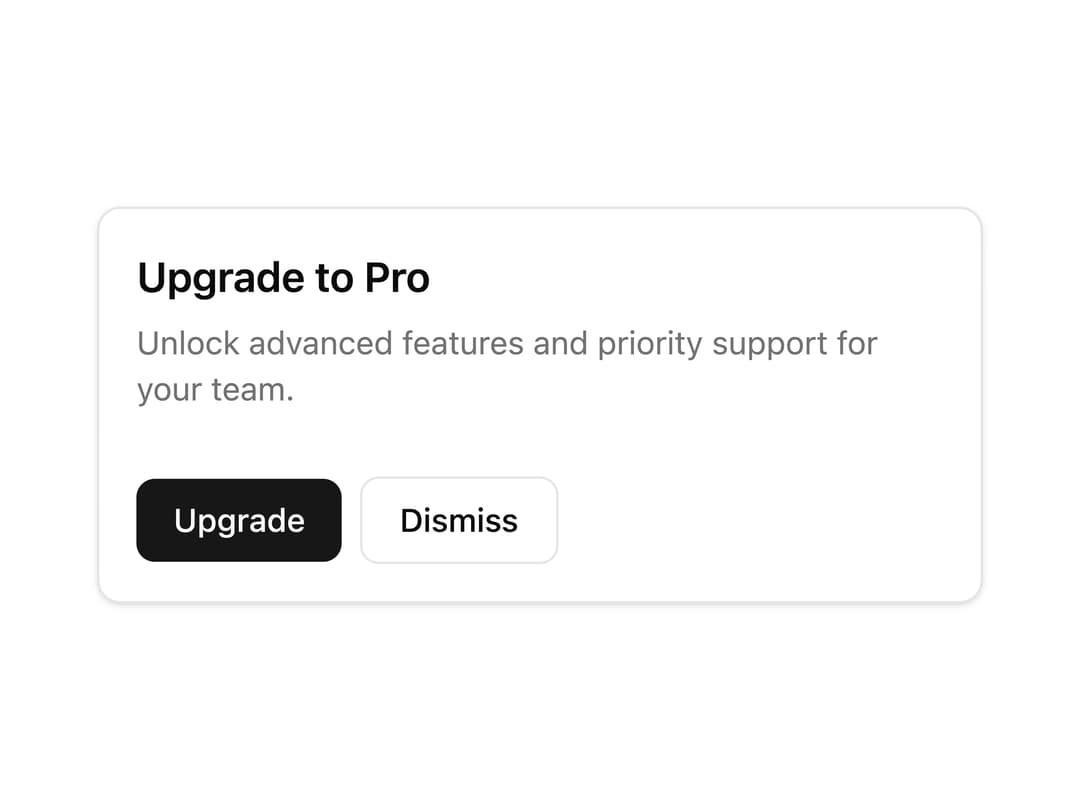
A footer container for a card layout that holds action buttons or supplementary content below a card's body, ported from the RockSolid Solid.js component library.
Built with React and Tailwind. Copy the prompt and paste it into Claude Code, Cursor or Lovable: your agent adds Card Footer to your project and fits it to your theme.
Code
How Card Footer is used: the demo's code. The component's own source comes with a free account.
Usage.tsx
import CardFooter from "@/components/ui/card-footer";

export default function CardFooterDemo() {
  return (
    <div className="w-full max-w-sm rounded-lg border border-border bg-card text-card-foreground shadow-sm">
      <div className="p-4">
        <h3 className="text-lg font-semibold">Upgrade to Pro</h3>
        <p className="text-sm text-muted-foreground mt-1">
          Unlock advanced features and priority support for your team.
        </p>
      </div>
      <CardFooter>
        <button className="inline-flex items-center justify-center rounded-md bg-primary px-4 py-2 text-sm font-medium text-primary-foreground hover:bg-primary/90">
          Upgrade
        </button>
        <button className="inline-flex items-center justify-center rounded-md border border-input px-4 py-2 text-sm font-medium hover:bg-accent">
          Dismiss
        </button>
      </CardFooter>
    </div>
  );
}
Dependencies
More by darshan-rajadhyaksha
View all
Backdrop
1
Card Content
Breadcrumbs

Checkbox
Textarea
Card Title
Table
Accordion
More in Buttons
View all
Button Save
46

Button
20

Eclipse Button
5

Button
6

Button
14

Button Group
37

Button
32
Split Button
32

