About
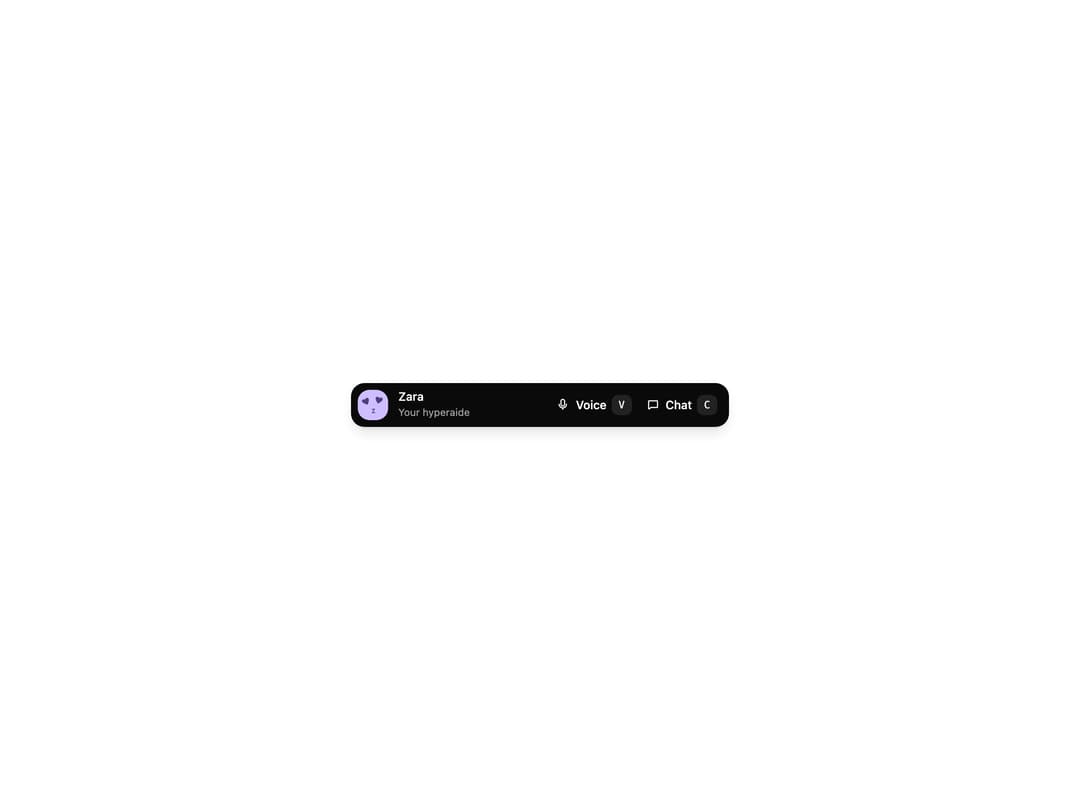
A compact control surface for switching between voice, chat, and lightweight agent states without pulling focus from the current screen. The dark dock shows an agent avatar, name, and an animated status line, with Voice and Chat actions (keyboard hints). Clicking Chat expands an inline composer that springs open; submitting a message flips the status to a working state. Built with motion/react, it animates height and status crossfades and respects reduced-motion preferences.
Built with React and Tailwind. Copy the prompt and paste it into Claude Code, Cursor or Lovable: your agent adds Agent Dock to your project and fits it to your theme.
Code
How Agent Dock is used: the demo's code. The component's own source comes with a free account.
Usage.tsx
"use client";

import { AgentDock } from "@/components/ui/agent-dock";

const avatarSrc =
  "https://cdn.21st.dev/assets/mirror/0e/0eb56130c1d872f702d99f0e4449feee3bad82c30ab14db063ace0927ae5a038.svg";

export default function Default() {
  return (
    <div className="flex min-h-screen w-full items-center justify-center bg-white p-8">
      <AgentDock
        agentName="Zara"
        avatarSrc={avatarSrc}
        className="w-full max-w-md"
        idleStatus="Your hyperaide"
        onMessageSubmit={async () => {
          await new Promise((resolve) => setTimeout(resolve, 1200));
        }}
        workingStatus="doing stuff..."
      />
    </div>
  );
}
Dependencies
More by dqnamo
View all

Animated Banner
335
Scroll Fade List
298
Model Selector Prompt
154
Game of Life Loader
127
Animated Signature
55
Iridescent Foil
52
Dynamic Button
44
Scramble Text
32
More in AI chats
View all

AI Actions
319
Agent Chat
17

System Message
54
Message Thread
35
Color Picker
81

AI Task List
160

Modal Card
101
Quota Banner
21


