
About
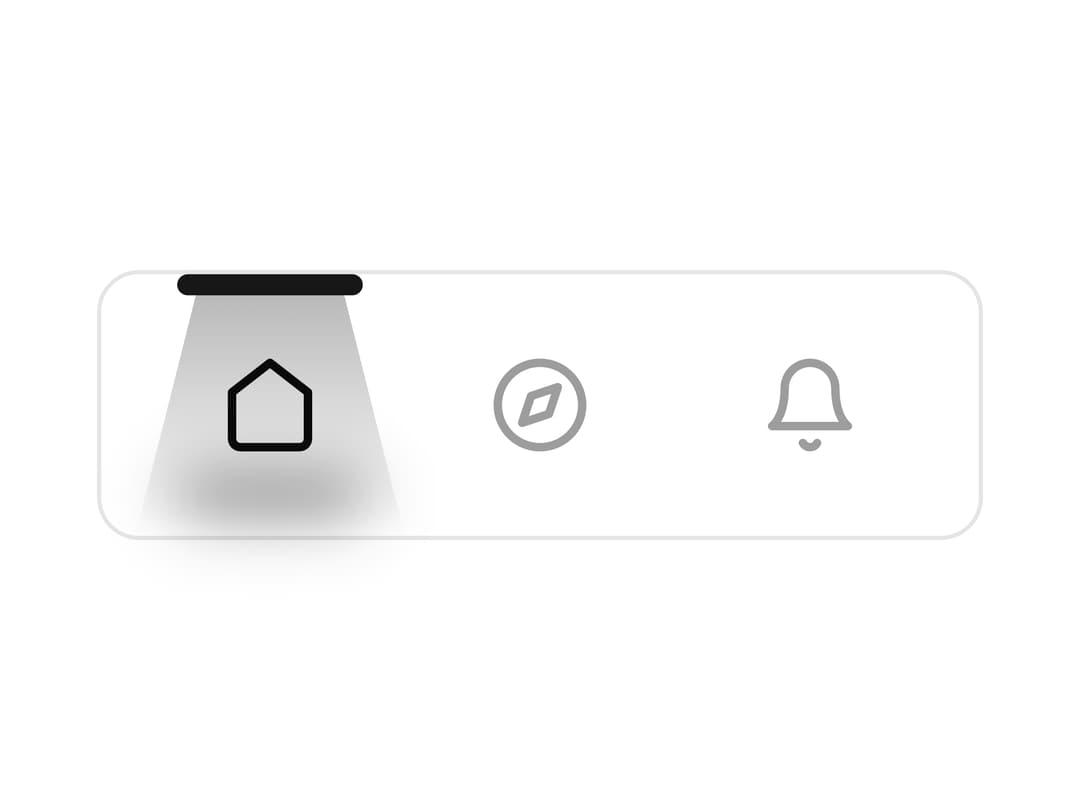
A sleek and modern navigation bar with a unique "limelight" effect that follows the active tab. This component is designed to be both highly functional and visually appealing, providing a smooth and intuitive user experience. Part of the EaseMize UI library, it's incredibly easy to integrate into your projects and customize to fit your brand's aesthetic. The component is built with TypeScript and is fully typed for a better developer experience
Built with React and Tailwind. Copy the prompt and paste it into Claude Code, Cursor or Lovable: your agent adds Limelight Nav to your project and fits it to your theme.
Code
How Limelight Nav is used: the demo's code. The component's own source comes with a free account.
Usage.tsx
import { LimelightNav, NavItem } from "@/components/ui/limelight-nav";
import { Home, Bookmark, PlusCircle, User, Settings } from 'lucide-react';

const customNavItems = [
  { id: 'home', icon: <Home />, label: 'Home', onClick: () => console.log('Home Clicked!') },
  { id: 'bookmark', icon: <Bookmark />, label: 'Bookmarks', onClick: () => console.log('Bookmark Clicked!') },
  { id: 'add', icon: <PlusCircle />, label: 'Add New', onClick: () => console.log('Add Clicked!') },
  { id: 'profile', icon: <User />, label: 'Profile', onClick: () => console.log('Profile Clicked!') },
  { id: 'settings', icon: <Settings />, label: 'Settings', onClick: () => console.log('Settings Clicked!') },
];

const Customized = () => {
  return <LimelightNav className="bg-secondary dark:bg-card/50 dark:border-accent/50 rounded-xl" items={customNavItems} />;
};

export { Customized };

const Default = () => {
  return <LimelightNav />;
};

export { Default };More by Hossain Jahed
View all

Spotlight Card
8.8K
Cinematic landing Hero
5.6K
Motion Footer
5.6K
Sign In
4.6K
AI prompt Box
3K
Glassmorphism Trust Hero
2.8K
Ai chat input
1.7K
Flow Field Background
1.5K