
About
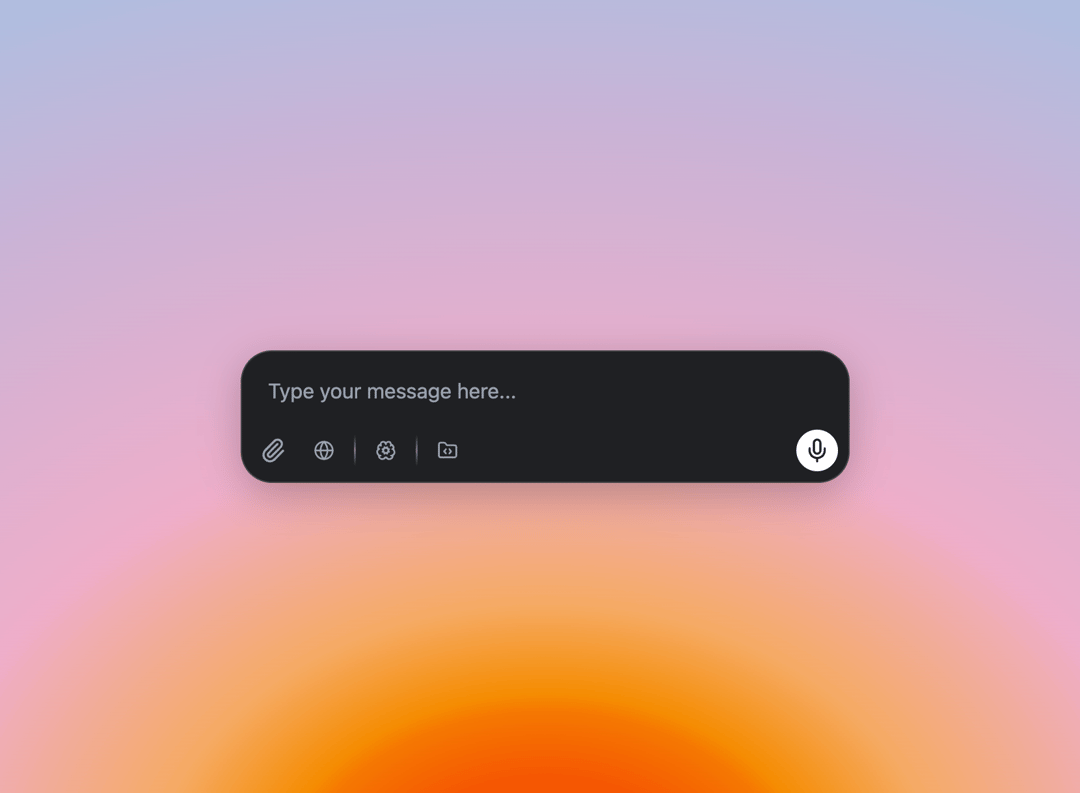
AI prompt Box, AI chat Input, AI chat box, with search, with think, with thinking, with canvas, with audio recording
Built with React and Tailwind. Copy the prompt and paste it into Claude Code, Cursor or Lovable: your agent adds AI prompt Box to your project and fits it to your theme.
Code
How AI prompt Box is used: the demo's code. The component's own source comes with a free account.
Usage.tsx
import { PromptInputBox } from "@/components/ui/ai-prompt-box";

const DemoOne = () => {
    const handleSendMessage = (message: string, files?: File[]) => {
    console.log('Message:', message);
    console.log('Files:', files);
    };
  return (
    <div className="flex w-full h-screen justify-center items-center bg-[radial-gradient(125%_125%_at_50%_101%,rgba(245,87,2,1)_10.5%,rgba(245,120,2,1)_16%,rgba(245,140,2,1)_17.5%,rgba(245,170,100,1)_25%,rgba(238,174,202,1)_40%,rgba(202,179,214,1)_65%,rgba(148,201,233,1)_100%)]">
    <div className="p-4 w-[500px]">
    <PromptInputBox onSend={(message, files) => console.log(message, files)} />
    </div>
    </div>
  );
};

export { DemoOne };
Dependencies
More by Hossain Jahed
View all

Spotlight Card
8.8K
Cinematic landing Hero
5.6K
Motion Footer
5.6K
Sign In
4.6K
Glassmorphism Trust Hero
2.8K
Limelight Nav
2K
Ai chat input
1.7K
Flow Field Background
1.5K
More in AI chats
View all

AI Actions
319
Agent Chat
17

System Message
54
Message Thread
35
Color Picker
81

AI Task List
160

Modal Card
101
Quota Banner
21


