
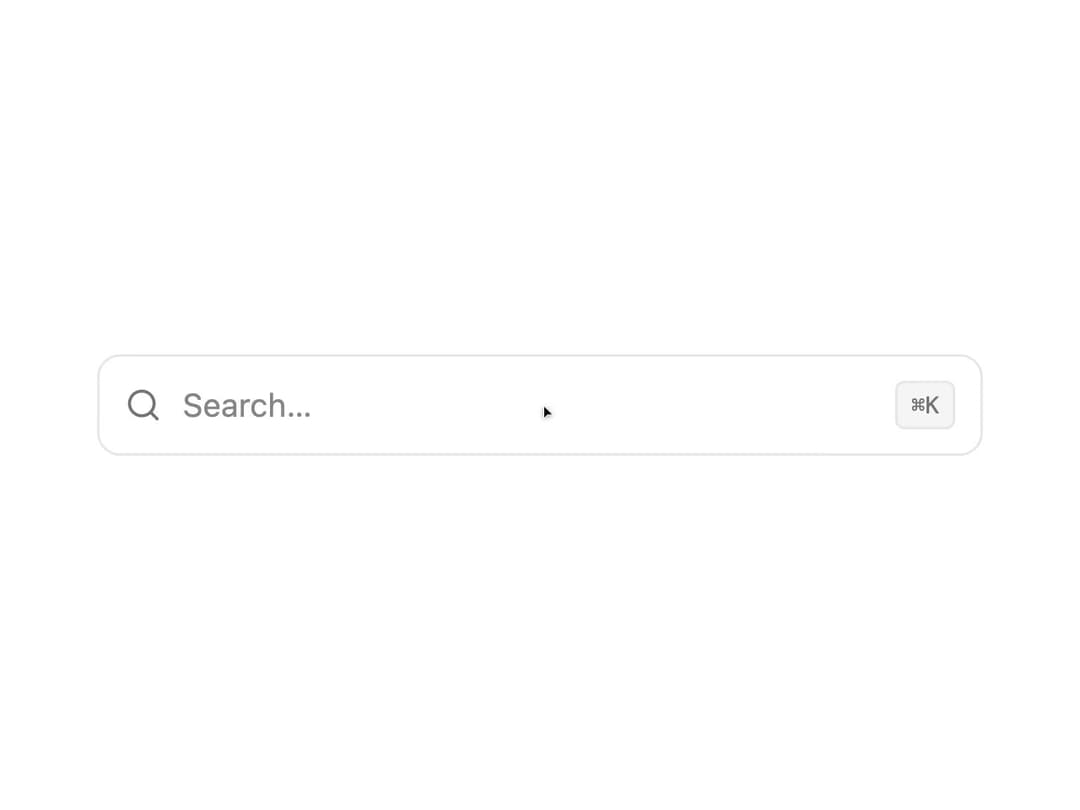
About
A keyboard-driven search input that shows each result's favicon in a combobox-style dropdown, with highlighted matched text and loading skeletons.
Built with React and Tailwind. Copy the prompt and paste it into Claude Code, Cursor or Lovable: your agent adds Favicon Search to your project and fits it to your theme.
Code
How Favicon Search is used: the demo's code. The component's own source comes with a free account.
Usage.tsx
"use client";

import FaviconSearch from "@/components/ui/favicon-search";
import type { FaviconSearchResult } from "@/components/ui/favicon-search";
import { useState } from "react";

const RESULTS: FaviconSearchResult[] = [
  {
    id: "1",
    title: "GitHub",
    description: "Where the world builds software",
    url: "https://github.com",
  },
  {
    id: "2",
    title: "Vercel",
    description: "Develop. Preview. Ship.",
    url: "https://vercel.com",
  },
  {
    id: "3",
    title: "Tailwind CSS",
    description: "Rapidly build modern websites",
    url: "https://tailwindcss.com",
  },
  {
    id: "4",
    title: "Figma",
    description: "The collaborative interface design tool",
    url: "https://figma.com",
  },
];

export default function FaviconSearchDemo() {
  const [value, setValue] = useState("");

  const filtered = RESULTS.filter((result) =>
    result.title.toLowerCase().includes(value.toLowerCase()),
  );

  return (
    <div className="flex w-full items-center justify-center p-10">
      <div className="w-full max-w-sm">
        <FaviconSearch
          results={filtered}
          value={value}
          onValueChange={setValue}
          onSelect={(result) => console.log("selected", result)}
          showShortcut
        />
      </div>
    </div>
  );
}
Dependencies
More by Edu Calvo
View all

Scrollable Card Stack
233
Siri Orb
160
AI Task List
159
Cursor Follow
153
Pixel Flow Field
138
Agent Avatar
127
Gravity Stars
110
Coverflow Carousel
92