
About
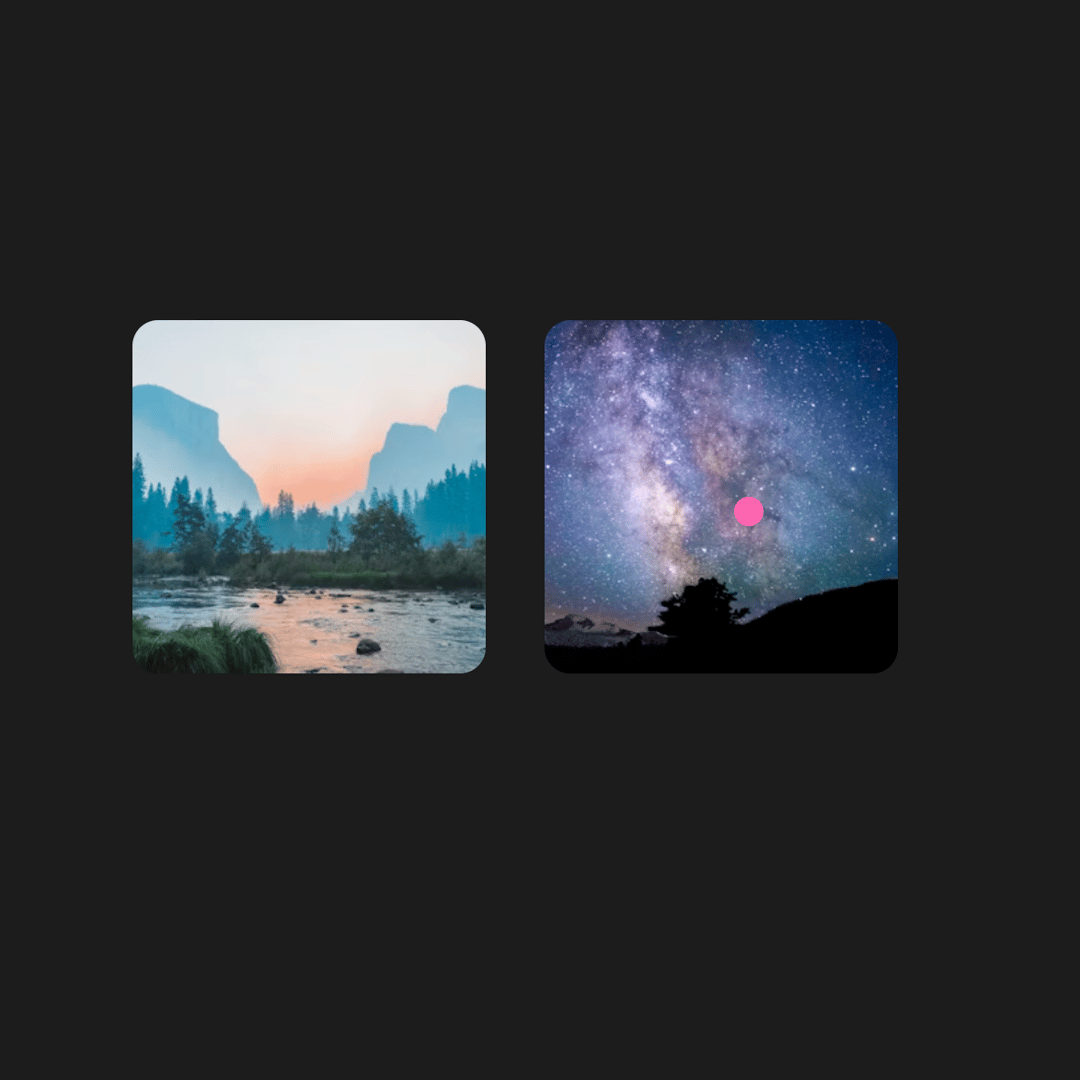
A cursor-follow component that displays context-sensitive text when hovering over elements. Demo shows two images with different hover texts.
Built with React and Tailwind. Copy the prompt and paste it into Claude Code, Cursor or Lovable: your agent adds Cursor Follow to your project and fits it to your theme.
Code
How Cursor Follow is used: the demo's code. The component's own source comes with a free account.
Usage.tsx
"use client"

import React from "react"

import CursorFollow from "@/components/ui/cursor-follow"

const images = [
  {
    src: "https://cdn.21st.dev/assets/mirror/9f/9fc5a18a3acb56e3e19415fb85be930677efc949e2494f468f658adbb2ed993b.jpg",
    label: "A beautiful forest probando el largo limite del texto",
  },
  {
    src: "https://cdn.21st.dev/assets/mirror/f8/f8204e3dd4b408d97af22680966491d8f8e24e1ce4897ecc94dff0d33db02694.jpg",
    label: "Mountain at sunset",
  },
]

const CursorFollowDemo = () => {
  return (
    <CursorFollow>
      <div className="flex flex-row items-center justify-center gap-8 py-8">
        {images.map((img, i) => (
          <div key={i} className="flex flex-col items-center">
            <img
              src={img.src}
              alt={img.label}
              data-cursor-text={img.label}
              className="border-background h-48 w-48 rounded-xl object-cover transition-transform duration-200 hover:scale-105"
              style={{ cursor: "none" }}
            />
          </div>
        ))}
      </div>
    </CursorFollow>
  )
}

export default CursorFollowDemo
Dependencies
More by Edu Calvo
View all

Scrollable Card Stack
235
AI Task List
160
Siri Orb
160
Pixel Flow Field
142
Agent Avatar
130
Gravity Stars
112
Coverflow Carousel
94
Otp Input
91
More in Galleries
View all
Thumbnail image viewer
43

Animated Gallery
1.4K

Hero Section 6
881
Editorial Collage Hero
430
Layout Grid
826
3D Parallax Unfurling Gallery
981

File Upload
18

Image Gallery
90


