
About
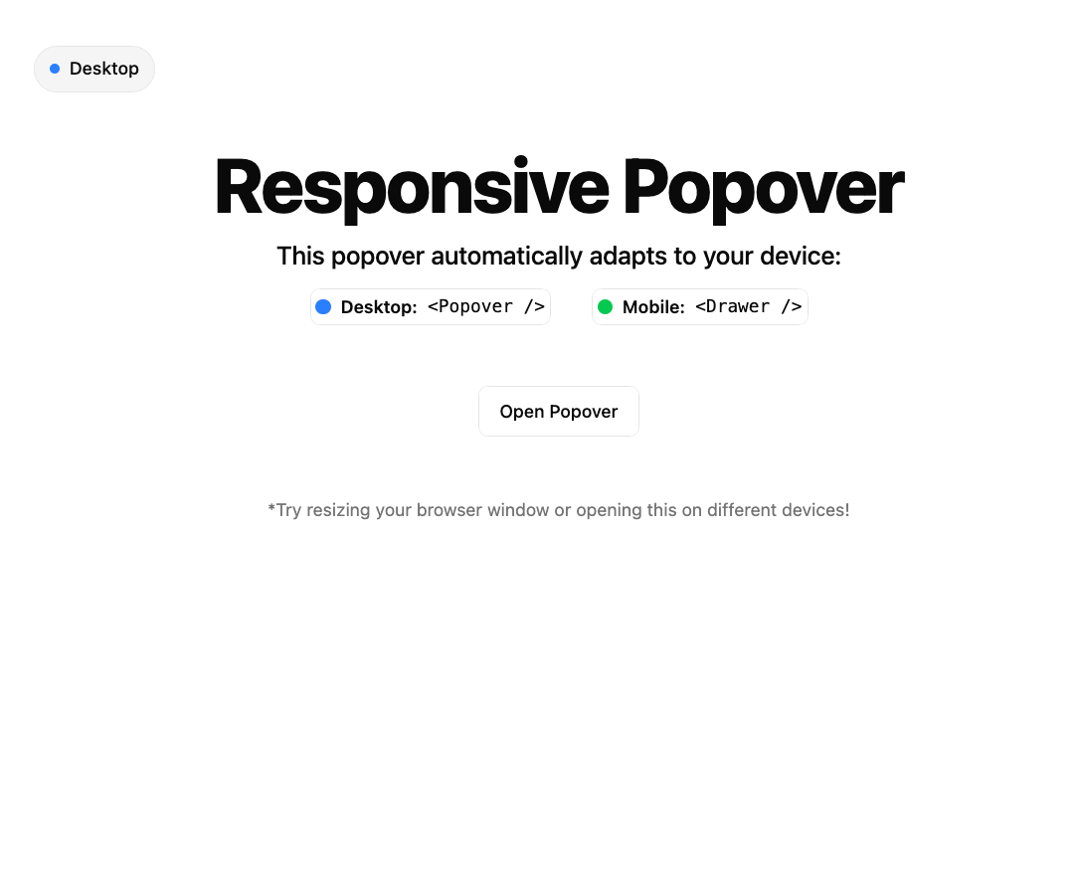
This SmartPopover gives you a mobile-first popover/drawer combo that auto-adapts based on screen size. It wraps Radix Popover and Vaul Drawer with a shared context, so you write it once and it just works—perfect for menus, filters, or actions on both mobile and desktop.
Built with React and Tailwind. Copy the prompt and paste it into Claude Code, Cursor or Lovable: your agent adds Smart Popover to your project and fits it to your theme.
Code
How Smart Popover is used: the demo's code. The component's own source comes with a free account.
Usage.tsx
'use client';

import * as React from 'react';
import { Button } from '@/components/ui/button';
import { useIsMobile } from '@/hooks/use-media-query';
import {
	SmartPopover,
	SmartPopoverBody,
	SmartPopoverContent,
	SmartPopoverDescription,
	SmartPopoverFooter,
	SmartPopoverHeader,
	SmartPopoverTitle,
	SmartPopoverTrigger,
} from '@/components/ui/smart-popover';
import { User, Settings } from 'lucide-react';
import { Avatar, AvatarFallback, AvatarImage } from '@/components/ui/avatar';

function Preview() {
	const [open, setOpen] = React.useState(false);

	return (
		<SmartPopover open={open} onOpenChange={setOpen}>
			<SmartPopoverTrigger asChild>
				<Button variant="outline">Open Popover</Button>
			</SmartPopoverTrigger>
			<SmartPopoverContent className='md:w-62'>
				<SmartPopoverHeader>
					<div className="flex items-center space-x-3">
						<Avatar className="h-10 w-10">
							<AvatarImage src="https://cdn.21st.dev/assets/mirror/50/50d1c7217b14f1cb56dac82b3a68d2f79d9def70661525d1434843c539e1b30a.png" />
							<AvatarFallback>JD</AvatarFallback>
						</Avatar>
						<div>
							<SmartPopoverTitle>John Doe</SmartPopoverTitle>
							<SmartPopoverDescription className='text-xs'>john.doe@example.com</SmartPopoverDescription>
						</div>
					</div>
				</SmartPopoverHeader>
				<SmartPopoverBody className="space-y-1 px-2 py-4 md:py-2">
					<Button variant="ghost" className="w-full justify-start" size="sm">
						<User className="mr-2 h-4 w-4" />
						View Profile
					</Button>
					<Button variant="ghost" className="w-full justify-start" size="sm">
						<Settings className="mr-2 h-4 w-4" />
						Settings
					</Button>
				</SmartPopoverBody>
				<SmartPopoverFooter>
					<Button variant="outline" className="w-full bg-transparent" size="sm">
						Sign Out
					</Button>
				</SmartPopoverFooter>
			</SmartPopoverContent>
		</SmartPopover>
	);
}

export default function Default() {
	return (
		<div className="flex min-h-screen flex-col items-center space-y-12 py-24">
			<DeviceIndicator />
			<div className="space-y-3 text-center">
				<h1 className="text-6xl font-extrabold tracking-tight">
					Responsive Popover
				</h1>
				<p className="text-xl font-medium">
					This popover automatically adapts to your device:
				</p>
				<div className="flex justify-center gap-8 text-sm">
					<div className="flex items-center gap-2 rounded-md border p-1">
						<div className="h-3 w-3 rounded-full bg-blue-500" />
						<span className="flex items-center gap-2">
							<strong className="font-semibold">Desktop:</strong>{' '}
							<code>
								<pre>{`<Popover />`}</pre>
							</code>
						</span>
					</div>
					<div className="flex items-center gap-2 rounded-md border p-1">
						<div className="h-3 w-3 rounded-full bg-green-500" />
						<span className="flex items-center gap-2">
							<strong className="font-semibold">Mobile:</strong>{' '}
							<code>
								<pre>{`<Drawer />`}</pre>
							</code>
						</span>
					</div>
				</div>
			</div>

			<Preview />
			<p className="text-muted-foreground text-sm">
				*Try resizing your browser window or opening this on different devices!
			</p>
		</div>
	);
}

function DeviceIndicator() {
	const isMobile = useIsMobile();

	return (
		<div className="fixed top-4 left-4 z-50">
			<div
				className={`bg-muted rounded-full border px-3 py-2 text-sm font-medium`}
			>
				<div className="flex items-center gap-2">
					<div
						className={`h-2 w-2 rounded-full ${isMobile ? 'bg-green-500' : 'bg-blue-500'}`}
					/>
					{isMobile ? 'Mobile' : 'Desktop'}
				</div>
			</div>
		</div>
	);
}
More by Efferd
View all

Testimonials Columns
7.1K
Zoom Parallax
5.2K
Dotted Surface
3.5K
Footer Section
2.7K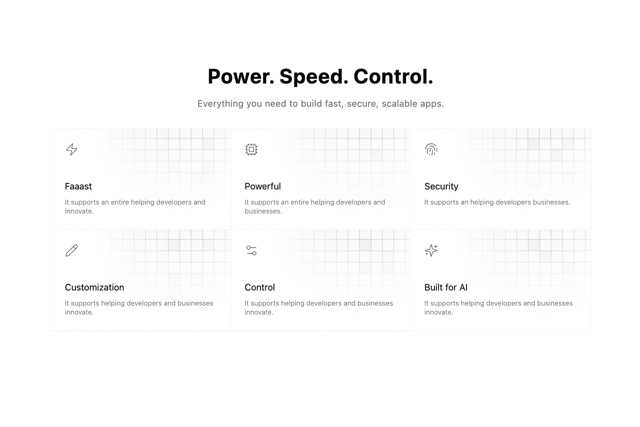
Grid Feature Cards
1.9K
Logo Cloud 2
1.6K
Header 3
1.6K
Logo Cloud 3
1.5K