
About
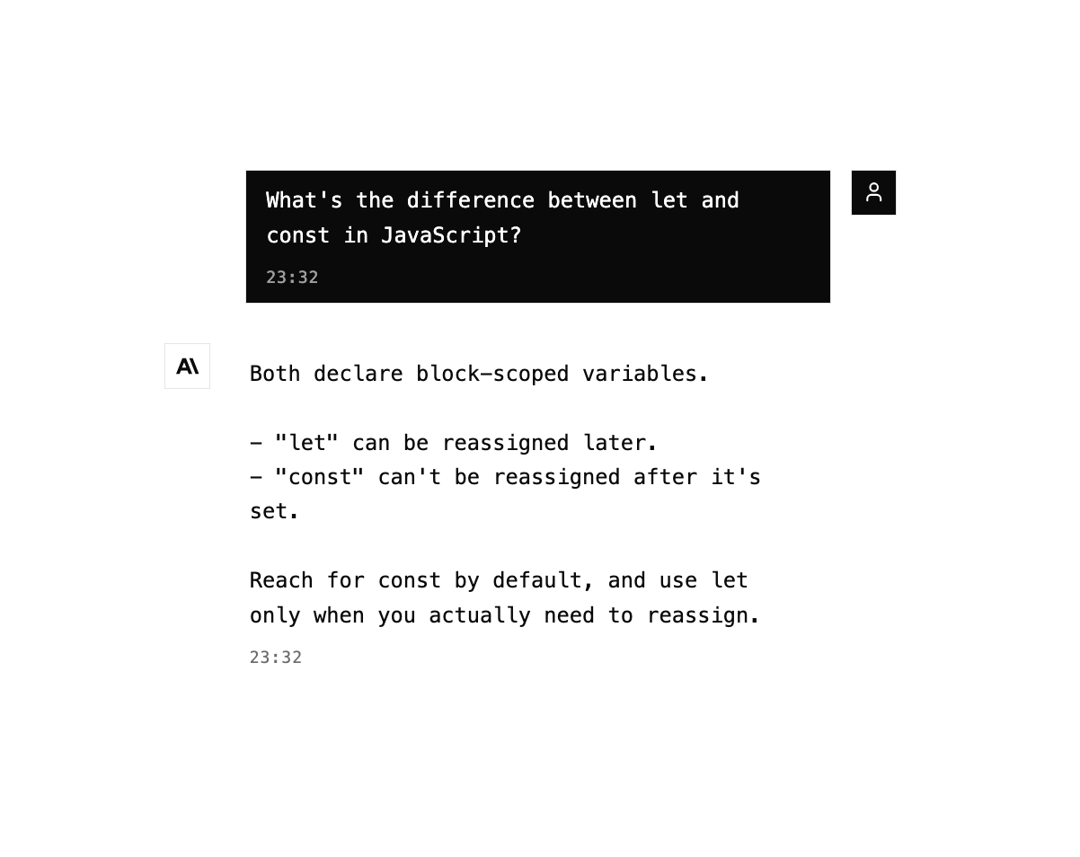
Chat message bubble with user and assistant roles, provider avatars, timestamps, streaming cursor, and copy-on-hover.
Built with React and Tailwind. Copy the prompt and paste it into Claude Code, Cursor or Lovable: your agent adds AI Message Bubble to your project and fits it to your theme.
Code
How AI Message Bubble is used: the demo's code. The component's own source comes with a free account.
Usage.tsx
"use client";

import { AiMessageBubble } from "@/components/ui/message-bubble";

export default function Default() {
  return (
    <div className="flex min-h-svh w-full items-center justify-center bg-background p-6 text-foreground">
      <div className="flex w-full max-w-md flex-col gap-6">
        <AiMessageBubble
          role="user"
          content="What's the difference between let and const in JavaScript?"
          timestamp={new Date()}
        />
        <AiMessageBubble
          role="assistant"
          provider="anthropic"
          content={`Both declare block-scoped variables.

- "let" can be reassigned later.
- "const" can't be reassigned after it's set.

Reach for const by default, and use let only when you actually need to reassign.`}
          timestamp={new Date()}
        />
      </div>
    </div>
  );
}
Dependencies
More by Cameron Kelliher
View all
AI Chain of Thought
111
Helix Loader
94
AI Streaming Text
50
AI Tool Call
45
Signal Bars Loader
41
Glitch Text Loader
41
AI Prompt Diff
39
AI Routing Indicator
34
More in AI chats
View all

AI Actions
319
Agent Chat
17

System Message
54
Message Thread
35
Color Picker
81

AI Task List
160

Modal Card
101
Quota Banner
21


