

About
Glassy voice-assistant orb with four states: idle, listening, thinking, speaking. Rings flow in while listening and out while speaking, synced to the pulse. Feed level (0–1) from a mic or TTS. Solid or glass, no deps.
Built with React and Tailwind. Copy the prompt and paste it into Claude Code, Cursor or Lovable: your agent adds Voice Orb to your project and fits it to your theme.
Code
How Voice Orb is used: the demo's code. The component's own source comes with a free account.
Usage.tsx
"use client";

import * as React from "react";
import { VoiceOrb, type VoiceOrbState, type VoiceOrbSurface } from "@/components/ui/voice-orb";

const PRESETS: Record<string, [string, string, string]> = {
  Cobalt: ["#4f7cff", "#7c3aed", "#2dd4bf"],
  Amber: ["#ffd166", "#ff6a3d", "#ff3d81"],
  Jade: ["#22c55e", "#0f766e", "#d9f99d"],
};

const NEXT: Record<VoiceOrbState, VoiceOrbState> = {
  idle: "listening",
  listening: "thinking",
  thinking: "speaking",
  speaking: "idle",
};

const SEG_BTN =
  "flex items-center gap-1.5 rounded-md px-2.5 py-1 text-xs font-semibold text-muted-foreground transition-colors hover:text-foreground focus-visible:outline-none focus-visible:ring-2 focus-visible:ring-ring aria-pressed:bg-background aria-pressed:text-foreground aria-pressed:shadow-sm";

function Row({ label, children }: { label: string; children: React.ReactNode }) {
  return (
    <div className="flex flex-wrap items-center gap-2">
      <span className="w-20 shrink-0 text-xs text-muted-foreground">{label}</span>
      {children}
    </div>
  );
}

function Segmented<T extends string>({
  label,
  value,
  options,
  onChange,
}: {
  label: string;
  value: T;
  options: { value: T; label: React.ReactNode }[];
  onChange: (v: T) => void;
}) {
  return (
    <Row label={label}>
      <div role="group" aria-label={label} className="flex gap-0.5 rounded-lg bg-muted p-0.5">
        {options.map((o) => (
          <button key={o.value} type="button" aria-pressed={value === o.value} onClick={() => onChange(o.value)} className={SEG_BTN}>
            {o.label}
          </button>
        ))}
      </div>
    </Row>
  );
}

function Slider({
  label,
  value,
  min,
  max,
  step,
  onChange,
  format = (v) => v.toFixed(2),
}: {
  label: string;
  value: number;
  min: number;
  max: number;
  step: number;
  onChange: (v: number) => void;
  format?: (v: number) => string;
}) {
  return (
    <label className="flex items-center gap-2 text-xs text-muted-foreground">
      <span className="w-20 shrink-0">{label}</span>
      <input
        type="range"
        min={min}
        max={max}
        step={step}
        value={value}
        onChange={(e) => onChange(parseFloat(e.target.value))}
        className="w-32 max-w-[180px] flex-1 accent-primary"
      />
      <span className="w-9 font-mono tabular-nums">{format(value)}</span>
    </label>
  );
}

function Group({ title, children }: { title: string; children: React.ReactNode }) {
  return (
    <section className="flex min-w-0 flex-col gap-2.5">
      <h3 className="mb-0.5 border-b border-border pb-1.5 font-mono text-[11px] font-semibold uppercase tracking-[.12em] text-muted-foreground">{title}</h3>
      {children}
    </section>
  );
}

export default function VoiceOrbDemo() {
  const [state, setState] = React.useState<VoiceOrbState>("speaking");
  const [surface, setSurface] = React.useState<VoiceOrbSurface>("glass");
  const [theme, setTheme] = React.useState<"dark" | "light">("dark");
  const [pattern, setPattern] = React.useState<"none" | "grid">("none");
  const [colors, setColors] = React.useState<[string, string, string]>(PRESETS.Cobalt);
  const [level, setLevel] = React.useState(0);
  const [simulate, setSimulate] = React.useState(true);
  const [flowSpeed, setFlowSpeed] = React.useState(1);
  const [pulse, setPulse] = React.useState(1);
  const [shine, setShine] = React.useState(0.7);
  const [opacity, setOpacity] = React.useState(0.35);
  const [refraction, setRefraction] = React.useState(0.35);
  const [shadow, setShadow] = React.useState(0);
  const [open, setOpen] = React.useState(false);

  // Fake voice envelope: phrases made of syllables. In a real app, feed `level` from an AnalyserNode.
  const active = state === "listening" || state === "speaking";
  React.useEffect(() => {
    if (!simulate || !active) return;
    let raf = 0;
    const start = performance.now();
    const tick = (now: number) => {
      const t = (now - start) / 1000;
      const phrase = (Math.sin(t * 0.7) + 1) / 2;
      const syl = Math.max(0, Math.sin(t * 6.2)) * 0.7 + Math.max(0, Math.sin(t * 9.1 + 1)) * 0.3;
      setLevel(Math.round(phrase * syl * 100) / 100);
      raf = requestAnimationFrame(tick);
    };
    raf = requestAnimationFrame(tick);
    return () => cancelAnimationFrame(raf);
  }, [simulate, active]);

  const dark = theme === "dark";
  const grid = dark ? "rgba(255,255,255,.07)" : "rgba(0,0,0,.08)";

  return (
    <div className="flex h-full min-h-[600px] w-full flex-col overflow-hidden bg-background text-foreground">
      {/* Stage */}
      <div
        className="relative flex min-h-0 flex-1 items-center justify-center overflow-hidden p-6 transition-colors duration-300"
        style={{
          background: dark ? "#0f1117" : "#f7f7f5",
          backgroundImage:
            pattern === "grid"
              ? `linear-gradient(${grid} 1px, transparent 1px), linear-gradient(90deg, ${grid} 1px, transparent 1px)`
              : undefined,
          backgroundSize: pattern === "grid" ? "24px 24px" : undefined,
          backgroundPosition: "center center",
        }}
      >
        <VoiceOrb
          state={state}
          level={level}
          colors={colors}
          surface={surface}
          size="min(280px, 60vw, 38vh)"
          flowSpeed={flowSpeed}
          pulse={pulse}
          shine={shine}
          opacity={opacity}
          refraction={refraction}
          shadow={shadow}
          glow={dark ? 0.6 : 0.35}
          onPress={() => setState((s) => NEXT[s])}
          aria-label="Voice assistant: click to switch state"
        />
      </div>

      {/* Controls */}
      <div className="max-h-[60vh] shrink-0 overflow-y-auto border-t border-border px-4 pb-3 pt-3">
        <div className="mb-2 flex items-center justify-between">
          <div className="text-sm font-bold">
            Voice Orb <span className="ml-2 font-mono text-[11px] font-normal text-muted-foreground">demo controls</span>
          </div>
          <button
            type="button"
            aria-expanded={open}
            onClick={() => setOpen((v) => !v)}
            className="rounded-lg border border-border bg-muted px-2.5 py-1.5 text-xs font-semibold transition-colors hover:text-foreground focus-visible:outline-none focus-visible:ring-2 focus-visible:ring-ring"
          >
            {open ? "Hide controls" : "Show controls"}
          </button>
        </div>

        {open && (
          <div className="grid grid-cols-1 gap-x-7 gap-y-4 md:grid-cols-3">
            <Group title="Preview">
              <Segmented
                label="State"
                value={state}
                onChange={setState}
                options={[
                  { value: "idle", label: "Idle" },
                  { value: "listening", label: "Listening" },
                  { value: "thinking", label: "Thinking" },
                  { value: "speaking", label: "Speaking" },
                ]}
              />
              <Slider
                label="Voice level"
                value={level}
                min={0}
                max={1}
                step={0.01}
                onChange={(v) => {
                  setSimulate(false);
                  setLevel(v);
                }}
              />
              <label className="flex items-center gap-1.5 pl-[5.5rem] text-xs text-muted-foreground">
                <input type="checkbox" checked={simulate} onChange={(e) => setSimulate(e.target.checked)} className="accent-primary" />
                Simulate speech
              </label>
              <Segmented
                label="Theme"
                value={theme}
                onChange={setTheme}
                options={[
                  { value: "dark", label: <><span className="size-3 rounded-full border border-border" style={{ background: "#0f1117" }} />Dark</> },
                  { value: "light", label: <><span className="size-3 rounded-full" style={{ background: "#f7f7f5" }} />Light</> },
                ]}
              />
              <Segmented
                label="Pattern"
                value={pattern}
                onChange={setPattern}
                options={[
                  { value: "none", label: "None" },
                  { value: "grid", label: "Grid" },
                ]}
              />
            </Group>

            <Group title="Appearance">
              <Segmented
                label="Surface"
                value={surface}
                onChange={setSurface}
                options={[
                  { value: "solid", label: "Solid" },
                  { value: "glass", label: "Glass" },
                ]}
              />
              <Row label="Colors">
                {colors.map((c, i) => (
                  <input
                    key={i}
                    type="color"
                    value={c}
                    aria-label={`Color ${i + 1}`}
                    onChange={(e) => {
                      const next = [...colors] as [string, string, string];
                      next[i] = e.target.value;
                      setColors(next);
                    }}
                    className="h-6 w-7 cursor-pointer rounded-md border border-border bg-muted p-px"
                  />
                ))}
                <div role="group" aria-label="Presets" className="flex gap-0.5 rounded-lg bg-muted p-0.5">
                  {Object.entries(PRESETS).map(([name, p]) => {
                    const on = p.every((c, i) => c === colors[i]);
                    return (
                      <button key={name} type="button" aria-pressed={on} onClick={() => setColors(p)} className={SEG_BTN}>
                        <span className="size-3 rounded-full" style={{ background: `linear-gradient(135deg, ${p[0]}, ${p[2]})` }} />
                        {name}
                      </button>
                    );
                  })}
                </div>
              </Row>
              <Slider label="Shine" value={shine} min={0} max={1} step={0.01} onChange={setShine} />
              {surface === "glass" && (
                <>
                  <Slider label="Opacity" value={opacity} min={0} max={1} step={0.01} onChange={setOpacity} />
                  <Slider label="Refraction" value={refraction} min={0} max={1} step={0.01} onChange={setRefraction} />
                  <Slider label="Shadow" value={shadow} min={0} max={1} step={0.01} onChange={setShadow} />
                </>
              )}
            </Group>

            <Group title="Motion">
              <Slider label="Flow speed" value={flowSpeed} min={0.3} max={3} step={0.1} onChange={setFlowSpeed} format={(v) => v.toFixed(1) + "×"} />
              <Slider label="Pulse" value={pulse} min={0.5} max={2} step={0.1} onChange={setPulse} format={(v) => v.toFixed(1) + "×"} />
            </Group>
          </div>
        )}
      </div>
    </div>
  );
}More by Darya
View all

Orbit Timeline
42
Grain Light Card
22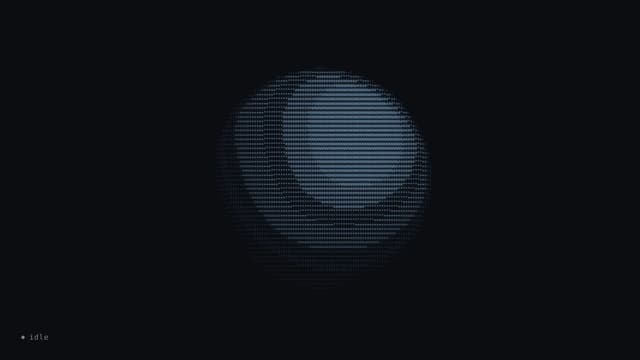
ASCII Voice Orb
8
Impact Flow